8
Troubleshooting
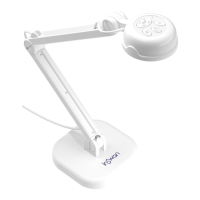
When using the document camera :
Problem Cause Solution
Cannot be powered on
normally.
The USB cable is not cor-
rectly connected to the
computer or computer may
have crashed.
Re-connect the USB cable
with the document camera.
Restart the computer.
No image output after
connecting.
The document camera is
not correctly connected to
the computer.
Re-connect the USB cable
with the document camera.
Software is not installed on
the computer.
Install the bundled sofeware
on the computer.
Application software is
incompatible with the docu-
ment camera.
Use the bundled sofeware
to operate the document
camera.
The image is fuzzy.
Probably the distance of
object is too close to the
lens.
Press AF button to auto
focus.
The image dose not move.
The computer or applica-
tion software may have
crashed.
Restart the computer or
aplication software.
Noises occur when viewing
images on the computer
The flicker setting does not
match the standard of the
country you are staying.
Adjust the flicker setting in
software.
Freeze image or no image
showing in Windows 7
The built-in decoder of Win-
dows 7 operating system
does not support the image
streaming higher than
2592x1944 resolutions.
Download free Codec Pack
from internet. Such as K-lite
Codec Pack. This Codec
Pack will install the neces-
sary decoder for Windows 7
to work on high resolution
image streaming.
http://www.codecguide.
com/download_kl.htm
If you have any questions, please feel free to contact us at service@inswan.com.



 To Previous Page