6
Advance Operation
Connect to a microscope
Connect to a microscope enables you to examine microscopic objects on a big screen.
1. Adjust the microscope and focus objects.
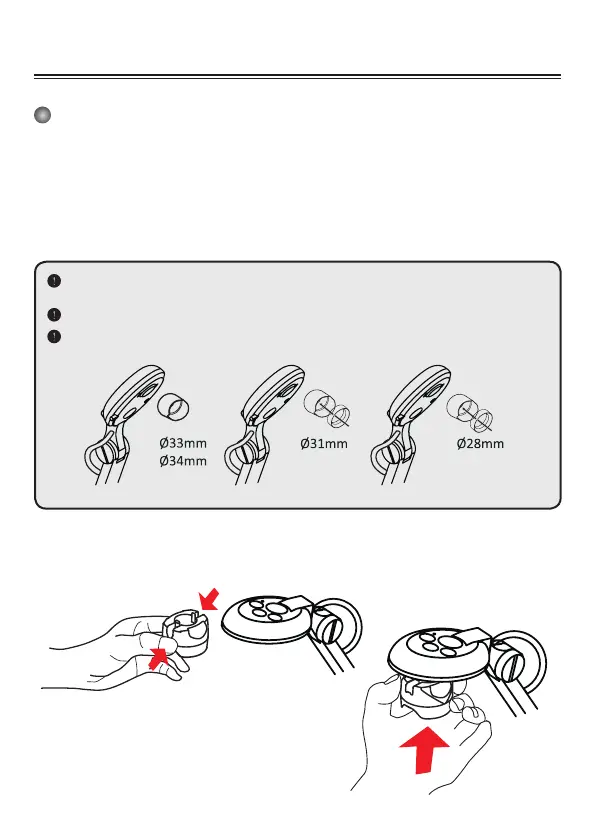
2. Choose an appropriate micoscope adapter.
3. Microscope adapter accessaries are applicable to Ø28mm ,Ø31mm, Ø33mm, and Ø34mm
eyepieces.
For eyepieces of about Ø33mm, Ø34mm, only a microscope adaptor should be
installed.
For a Ø28mm eyepiece, insert the Ø28mm adapter into the microscope adapter.
For a Ø31mm eyepiece, insert the Ø31mm adapter into the microscope adapter.
4. Mount / take off the microscope adapter onto / off
the lens by doing the action shown in the picture.



 To Next Page