2
2. Material Selection
Determine the required material for the model. If structural support is needed, select a printing support
material based on the chosen printing material.
Model
materials
PLA ABS ABS+ ASA PC PC/ABS PA6/66 PA6-CF PA12-CF
Support
materials
PVA/SP3030 HIPS SP3030 HIPS HIPS HIPS SP3030 SP3030 SP3050
INTAMSYS recommended model material and support material fit table
Note: Detailed printing process parameters for filaments can be found in the "FUNMAT PRO 310
Printing Process Guide".
3. Printer Preparation
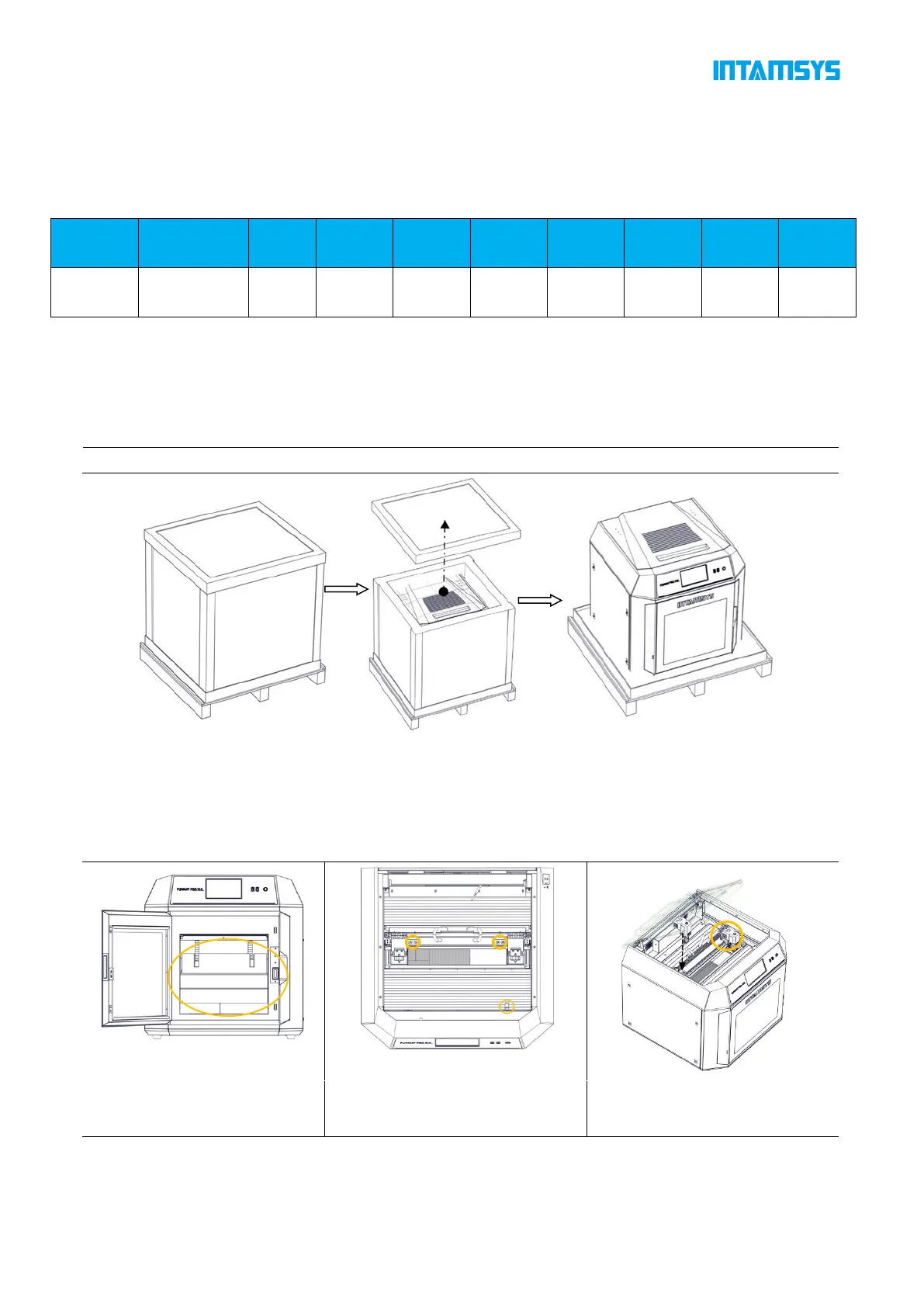
Unpacking
1) Remove the fixed straps from the packaging box and take off the wooden board on top of it;
2) Remove foam and packaging film;
3) Take off the top cover of the packaging box;
4) Remove paperboard and foam around the packaging box;
5) Lift up printer from bottom and move it to a stable working surface (at least two people are required).
6) Open front door of printer;
carefully remove accessories
7) Flip open printer's top cover.
8) Use an M4 hex wrench to
11) Install left/right nozzles
separately as shown in figure.



 To Next Page