7
File import and print
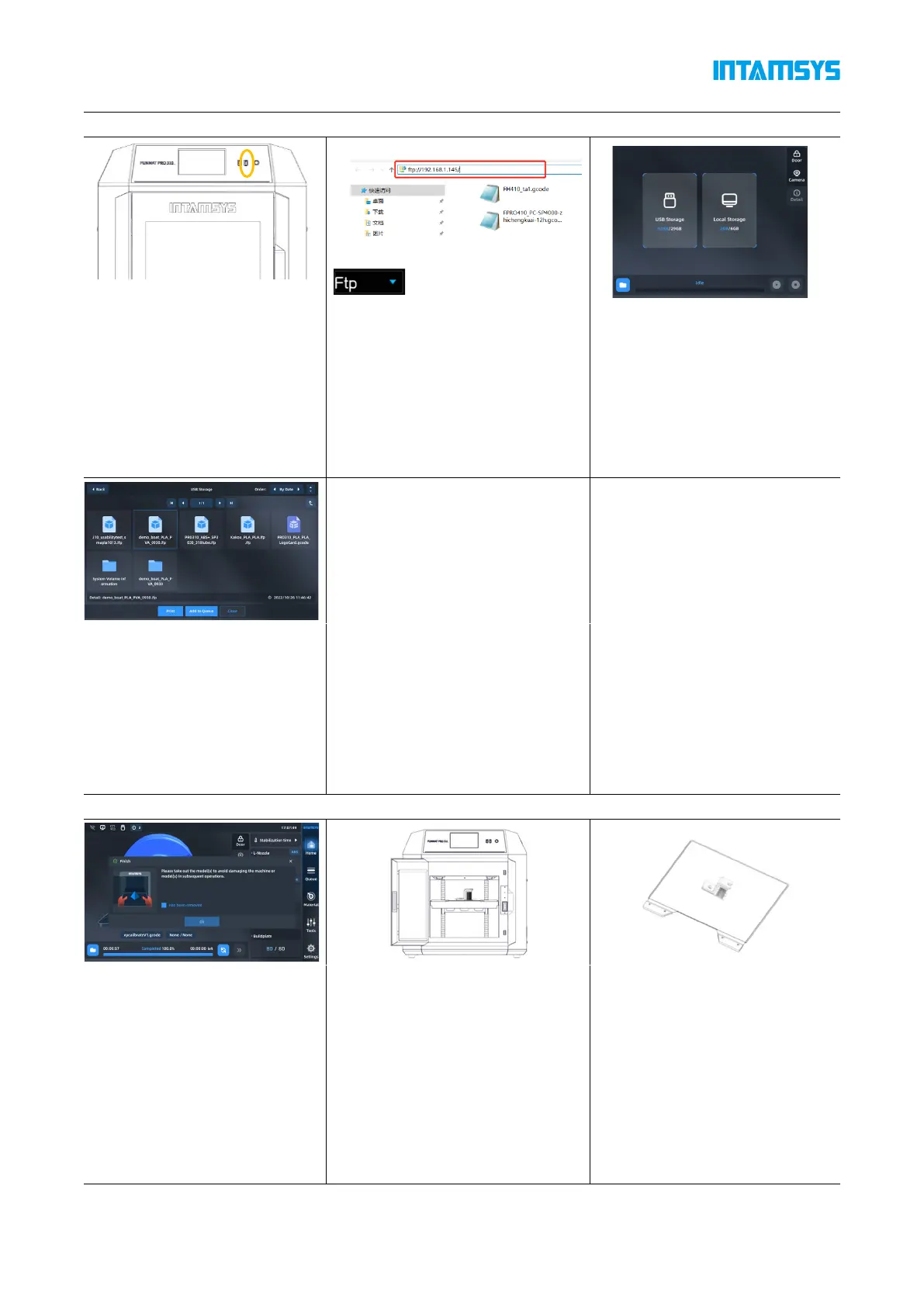
1) Use USB storage (USB flash
drive) to import. After copying
through the USB flash drive,
insert it into the USB port on
the right side of the printer's
operation panel for the printer
to read
2) Use the network transmission,
enter the IP address of the printer
in the address bar of the window
folder on the computer side, and
transfer the G-code file to the
printer through the network for the
printer to read
3) Select USB storage or local
storage;
4) Select file and click "Print"
button to load. You can also
select "Add to queue" to add to
the print queue. If use the U
disk (U-disk) import method,
after loading the file, you can
pull out the U disk.
Print sample out
1) After printing, the printhead
will return to zero and stop, the
buildplate will automatically
move to the bottom, the
printing progress on the screen
will display 100%, the model
printing is completed. The
model and buildplate need to
be removed from the printer
2) Unlatch the door and open the
chamber front door, turn off the
heat preservation button in the
"Heat Preservation". At this time,
the front door and top cover will
be unlocked
3) Put on gloves and take out the
flexible plate; Bend the plate up
and down with both hands, and
the part will come away from the
bottom plate. remove support
material.



 To Next Page