www.urcsupport.com
19
Locking Volume Control To One Mode (Global
Volume Lock)
NOTE: The audio mode’s volume controls are active
regardless of Volume Lock settings. However,
if you lock the volume controls to the AUD
mode, you will control the audio device’s vol-
ume in all other modes (i.e., VCR, DVD, TV, or
CBL). This can be an advantage if, for exam-
ple, you always listen to home entertainment
devices through your receiver’s speakers.
Now, when you press VOL+, VOL-,or MUTE, the volume of
the selected device (e.g., TV) is controlled regardless of
mode.
PROGRAMMING ID LOCK
The Potenza ST Universal Remote Control is locked at
the factory to operate your service provider’s set-top
box. However, if you have another brand or model of set-
top box or satellite service that you would like to control,
then you’ll need to perform the following steps to unlock
the ID Lock, enter a new manufacturer’s code, and lock
the ID Lock again.
1. Turn on the set-top box.
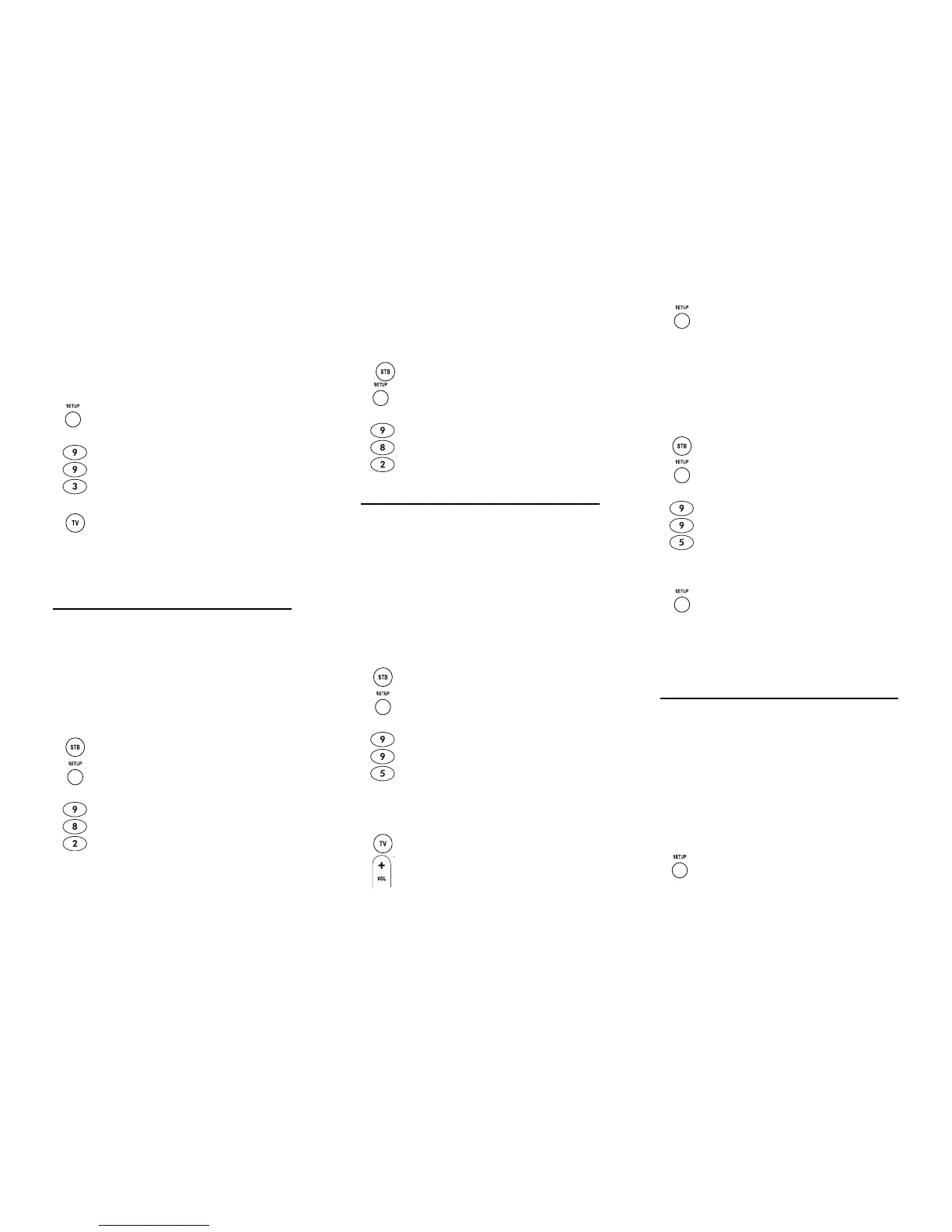
1. On the remote control, press and hold SETUP
until the last-selected device key blinks twice.
2. Enter 9 9 3. The last-selected device key will
blink twice.
3. Select a mode (e.g., TV or AUD) which you
want to use to control the volume. The
selected device key will blink twice.
2. On the remote control, press STB once; it will
blink once. Then press and hold SETUP until
the STB key blinks twice.
3. Enter 9 8 2. The STB key will blink four
times, indicating ID Lock is unlocked.
Nebula Potenza ST.fm Page 19 Monday, October 15, 2007 4:55 PM
www.urcsupport.com
20
4. Perform the instructions under
“Programming Device Control” on page 9 to
program device control for the desired cable
converter or satellite receiver.
When you are done, perform steps 5 and 6 on
this page to again lock the ID Lock.
PROGRAMMING MACRO KEYS
The Potenza ST Universal Remote Control includes two
macro keys (located directly below the MUTE and LAST
keys). Macro keys allow you to set up key macros to
activate certain keys in a specific order. For example, you
can set up a key macro to change the channels on your
TV, raise or lower the volume, and start recording on
your VCR, all with the touch of one key. If you want to
change the macros stored in a previously-programmed
macro key, you’ll need to clear the key first (see
“Clearing a Macro Key” on page 21).
Programming a Macro Key
3. Select a macro key (for example, F1) and
press it once.
5. On the remote control, press STB once; it will
blink once. Then press and hold SETUP until
the STB key blinks twice.
6. Enter 9 8 2. The STB key will blink twice,
indicating ID Lock is again locked.
1. On the remote control, press and hold SETUP
until it blinks twice.
2. Enter 9 9 5. The SETUP key blinks twice.
4. Press the key sequence you want to program
into the macro. For example, to turn on your
TV and raise its volume, press the TV mode
key once, followed by pressing the VOL+ key
once.
Nebula Potenza ST.fm Page 20 Monday, October 15, 2007 4:55 PM
www.urcsupport.com
21
NOTE: You can program up to 15 key presses into one
macro.
6. To add another macro, repeat steps 1 through
5, substituting the new key sequence to be
added in step 4.
NOTE: Programming more than five macros on the
same macro key overwrites previous settings.
Clearing a Macro Key
3. Press the macro key you want to clear once.
This macro key is now clear and ready for
reprogramming (see “Programming a Macro Key” on
page 20). If desired, repeat these to clear another Tune-
In key.
USING THE MASTER POWER KEY
The Potenza ST Remote Control has a unique feature
that allows you to sequentially turn up to five of your
home entertainment devices on or off with a single key
press.
NOTE: MASTER POWER (POWER) only works in the
STB mode. If it is not programmed, only the
set-top box will turn on or off. In any other
mode, pressing MASTER POWER (POWER)
once will turn the selected device on or off.
Programming the Master Power Key
5. Press and hold SETUP until it blinks twice.
1. On the remote control, press and hold SETUP
until it blinks twice.
2. Enter 9 9 5. The SETUP key blinks twice.
4. Press and hold SETUP until the active mode
key blinks twice.
1. On the remote control, press and hold SETUP
until the last-selected device key blinks twice.
Nebula Potenza ST.fm Page 21 Monday, October 15, 2007 4:55 PM


 To Next Page