EasyManua.ls Logo

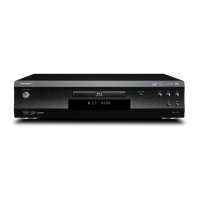
Integra DBS-30.3 - User Manual

Integra DBS-30.3
64 pages
Print Icon
To Next Page IconTo Next Page
Loading...
DBS-30.3
BLU-RAY DISC™ PLAYER
Instruction Manual
E5WF1UDENBook.indb1E5WF1UDENBook.indb1 2011/07/0415:21:162011/07/0415:21:16

Table of Contents

Questions and Answers

  • D
    Danielle RamirezAug 25, 2025
    What to do if Integra DBS-30.3 cannot play back a disc?
    • R
      Ryan MitchellAug 25, 2025
      First, make sure that the product supports the disc. Check the region code of the disc. This unit supports the following region codes: Blu-ray Disc™ : “A” and DVD : “ALL” or “1”. Finally, clean the disc.
  • V
    Vanessa BennettAug 25, 2025
    What to do if Integra Blu-ray Player has no power?
    • B
      Brandi SanchezAug 26, 2025
      First, check if the AC cord is properly connected. If it is, unplug the AC cord, wait for 5-10 seconds, and then plug it in again.
  • D
    Daisy StevensAug 26, 2025
    What to do if Integra DBS-30.3 remote control is not working?
    • J
      jamesjacobsAug 26, 2025
      First, ensure that the unit is connected to the power outlet. Then, point the remote control directly at the unit. Also, check that the batteries are inserted with the correct polarity or try inserting new batteries.
  • W
    William CrawfordAug 27, 2025
    Why Integra DBS-30.3 has no sound or picture?
    • G
      Grace SmithAug 27, 2025
      Check if the connected TV is turned on and ensure all connections are securely and correctly made. Verify that the connected TV or device supports HDCP, as the unit requires HDCP support to output a video signal. Also, confirm that the output format of the unit (HDMI FORMAT) matches the supported input format of the connected device. As an alternative, press and hold [Play] on the front panel for 5 seconds to revert the settings back to default.
  • N
    nicolecookAug 27, 2025
    What to do if Integra DBS-30.3 Blu-ray Player has no high-definition video signal on the TV screen?
    • R
      Rachel GlennAug 27, 2025
      Check if the disc contains high-definition video. High-definition video is not available when the disc does not contain it. Also, ensure the TV supports high-definition video, as it is not available if the TV does not support it.
  • J
    Johnny ChambersAug 28, 2025
    What to do if Integra DBS-30.3 picture freezes momentarily during playback?
    • M
      Michael CarrollAug 28, 2025
      Check the disc for fingerprints or scratches and clean it with a soft cloth, wiping from the center to the outer edge. You may also simply try cleaning the disc.
  • E
    Eric JacksonAug 29, 2025
    What to do if Integra Blu-ray Player displays completely distorted picture or black / white picture with Blu-ray Disc™ / DVD?
    • C
      Christopher RamirezAug 29, 2025
      Make sure the disc is Region compatible or otherwise compatible with this unit.
  • L
    Linda PenaAug 30, 2025
    What to do if Integra Blu-ray Player has no audio signal from the loudspeakers of the audio system?
    • I
      Isaac PriceAug 30, 2025
      Turn on the audio system, set it to the correct external audio input, and increase the volume level.
  • B
    Bridget VaughanAug 30, 2025
    What to do if Integra DBS-30.3 Blu-ray Player has no audio signal from the loudspeakers of the TV screen?
    • S
      Stephanie McphersonAug 30, 2025
      Assign the audio input of the TV to the corresponding video input. Also, make sure that the TV's speakers are turned on in the TV menu.
  • R
    Rebekah HamiltonAug 23, 2025
    What to do if Integra Blu-ray Player cannot connect to the network?
    • T
      Toni LyonsAug 23, 2025
      Check that the network connection is properly established and that your modem or router is turned on. Verify the network settings and ensure the router and/or modem are correctly connected. Also, check the BD-Live™ setting in “Manual” setup. If connecting directly to a modem via a LAN cable, power cycle the modem to reset its settings.

Summary

Important Safety Instructions

CAUTION; AVIS

Warning to reduce risk of fire/shock by not exposing apparatus to rain or moisture.

General Safety Instructions

Numbered list of safety precautions for operating the appliance.

Important Safety Instructions (Continued)

Precautions

Precautions for unit placement, care, power, and hearing loss.

LASER SAFETY

Information and precautions for Class 1 Laser Product.

Hearing Loss & Battery Safety

Warnings on hearing loss from earphones and battery heat exposure.

FCC Information for User

FCC warning and compliance details for digital devices.

Consignes de sécurité importantes

MISE EN GARDE; ATTENTION

French warnings about shock, moisture, and not removing covers.

French Safety Instructions

Numbered list of safety precautions in French.

Consignes de sécurité importantes (Continued)

Mesures de précaution

French precautions for placement, care, and usage.

LASER SAFETY (French)

French information on Class 1 Laser Product handling.

Hearing Loss & Battery Safety (French)

French warnings on hearing loss and battery heat exposure.

FCC Information (French)

French FCC warning and compliance details.

1. SUPPLIED ACCESSORIES

3. FEATURES

Playback & Connectivity Features

HDMI, HDMI CEC, PIP, USB playback, AVCHD, x.v.Color support.

3. FEATURES (Continued)

Network and Internet Services

BD-Live, Netflix, Film Fresh, VUDU, DLNA access.

4. FUNCTIONAL OVERVIEW

4.1 Front Panel Controls

Description of the controls and indicators on the front panel.

4.2 Rear Panel Terminals

Identification and explanation of the rear panel input/output terminals.

4.3 Remote Control Buttons

Overview of each button on the remote control and its function.

4. FUNCTIONAL OVERVIEW (Continued)

5. CONNECTIONS

5. CONNECTIONS (Continued)

5.3 HDMI Video;Audio Connection

Connecting via HDMI for high-definition video and audio.

5.5 Network Connection

6. BEFORE YOU START

7. INFORMATION ON PLAYBACK

7. INFORMATION ON PLAYBACK (Continued)

8. BASIC PLAYBACK

8.1 Playing Back a Disc

General instructions for playing back discs, including menu navigation.

8. BASIC PLAYBACK (Continued)

8.2 Blu-ray 3 D Disc Playback

Instructions for playing Blu-ray 3D™™ discs, requiring specific hardware.

9. SPECIAL PLAYBACK

9. SPECIAL PLAYBACK (Continued)

9.8 Enjoying BD-Live Discs Using Internet

How to use BD-Live™™ features requiring Internet connection.

9.15 Adjusting the Picture

How to adjust picture quality settings and save them.

10. NETWORK SERVICES

11. LIST OF SETTINGS

11. LIST OF SETTINGS (Continued)

Initialize Settings

Options for resetting player settings and formatting drives.

12. SETUPS

12.1 Network Connection

Guide for setting up automatic and manual network connections.

12. SETUPS (Continued)

12.2 HDMI CEC

Explanation of HDMI CEC feature for integrated system control.

12.3 Video Resolution

How to set the video output resolution for the HDMI jack.

12.4 Parental Controls

How to set parental controls, rating levels, and manage passwords.

12.5 Software Update

Guide on updating software via disc, USB flash drive, or network.

12.6 Initialize

Options for resetting player settings and formatting drives.

13. TROUBLESHOOTING

No Power Issues

Steps to resolve problems where the unit does not power on.

No Sound or Picture Issues

Troubleshooting audio/video signal problems.

Remote Control Issues

Solutions for when the remote control is unresponsive.

HDMI Signal Issues

Troubleshooting issues with HDMI connections.

13. TROUBLESHOOTING (Continued)

Disc Playback Issues

Reasons why discs may not play and how to resolve them.

Unit Responsiveness Issues

Solutions for unit unresponsiveness or commands not being accepted.

16. SPECIFICATIONS

17. IMPORTANT HEALTH AND SAFETY INFORMATION FOR 3 D TELEVISIONS

Integra DBS-30.3 Specifications

General IconGeneral
Ethernet PortYes
Network ConnectivityYes
Disc TypesDVD, CD
HDMIYes
Streaming ServicesNetflix
USB PortYes

Related product manuals