26
Basic Playback—Continued
This section explains how to load and remove discs with-
out stopping playback.
The section explains how to select loaded discs.
Notes:
• The type of disc currently selected is shown on the dis-
play: DVD, or CD (see page 12).
•You can select discs while the DPC-7.7 is stopped or
during playback.
•You can use the [Disc Skip] button to skip the current
disc and start the next disc. If disc #6 is the current
disc, disc #1 will be selected next.
Loading Discs During Playback
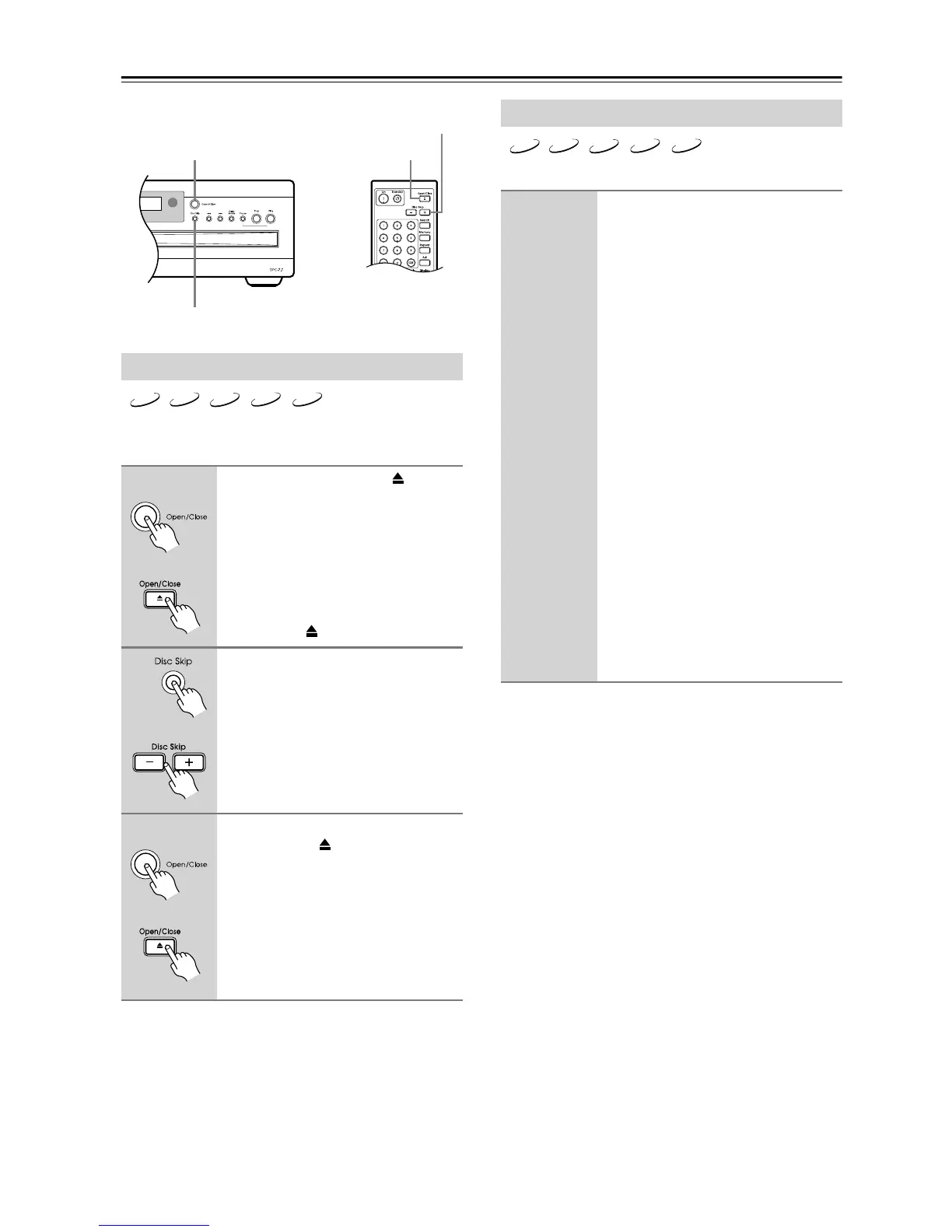
1
Press the Open/Close [ ]
button.
The disc tray opens.
The disc that’s currently playing
remains inside the DPC-7.7 and its disc
bay is empty and won’t come to the
front. To remove this disc you must
stop playback before pressing the
Open/Close [ ] button.
2
Load or remove discs as
required, and press the [Disc
Skip] button to access the other
disc bays.
3
When you’ve finished, press the
Open/Close [ ] button again.
The disc tray closes.
Playback of the current disc continues
uninterrupted until you either stop
playback or select another disc.
Enter
Open/Close
Disc Skip
Open/Close
Disc Skip
DVD
CD
MP3 WMA
JPEG
Remote controller
Remote controller
Remote controller
Selecting Discs
Use the front panel’s [Disc Skip]
button or the remote controller’s
Disc Skip [–] or [+] button to
select disc bays.
Press the DPC-7.7’s [Disc Skip] button,
or the remote controller’s Disc Skip [+]
button to select the next disc.
Press the remote controller’s Disc Skip
[–] button to select the previous disc.
On the display, the number of the cur-
rent disc has a circle around it.
What happens next depends on the type
of disc you selected, as follows:
DVD-Video:
Typically a menu appears onscreen.
See page 28.
Audio CD:
Playback starts automatically.
MP3/WMA/JPEG:
Playback starts automatically,
although this may vary depending
on the disc.
JPEG-only CD:
The slideshow starts automatically.
See page 34.
DVD
CD
MP3 WMA
JPEG



 To Next Page