- 4 -
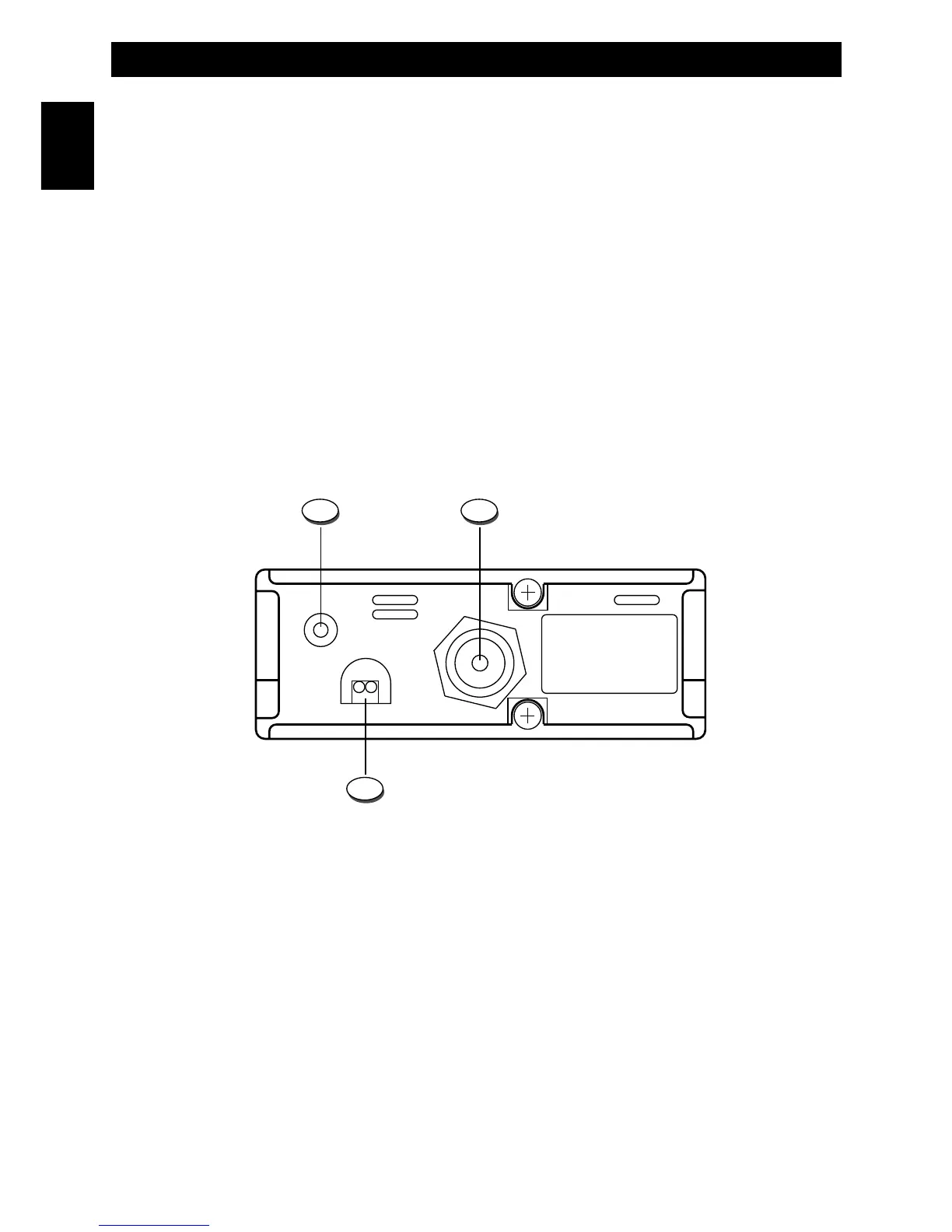
Rear Panel
11. EXT (External Speaker) Jack
This jack is for connecting an external speaker (optional).
12. ANTENNA Connector
Antenna connector. Refer to the sections INSTALLATION OF THE ANTENNA and INSTALLING AND CONNECTING
THE MOBILE ANTENNA WITH MAGNET BASE.
13. 13.2VDC POWER CORD
13.2VDC power cord input.
FULL KIT VERSION
The power cord is complete with lighter adaptor plug and fuse.
8. SQL Control (Squelch adjustement)
The SQUELCH control allows to silent the receiver by cutting the background noise, when no signals are received. Turn
the knob clockwise until the background noise is cut. Turn the knob counter clockwise (SQUELCH opening) in order to
listen to the weakest signals.
9. VOL/OFF (OFF/Volume) Control
Use this knob to switch radio ON and OFF, as well as to adjust the receiver volume to the desired level. To adjust the
receiver volume in case no signals are received on the operating channel, open the SQUELCH and then adjust the
receiver volume using the background noise as a reference.
10. Microphone Connector
Connect the microphone to this connector and turn the connector ring to lock it.
Controls, Indicators and operation
English


 To Next Page