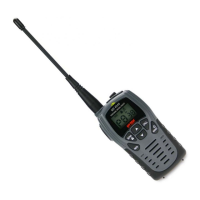
Keys and Controls
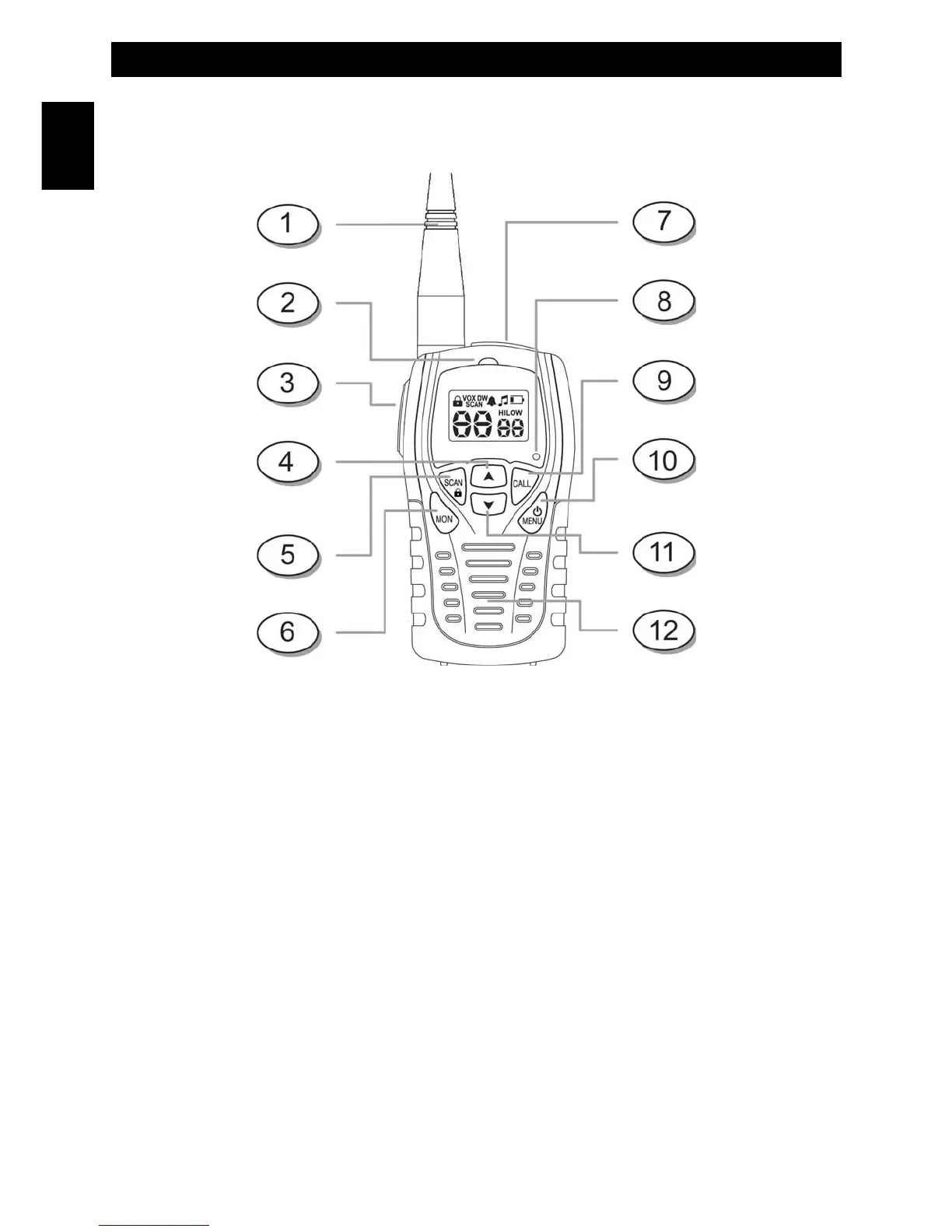
1. Antenna
2. TX/RX LED – It lights in RED color when the unit is transmitting or sending Call Tone, and in GREEN color when
the unit is receiving
3. PTT – Press and hold to transmit a communication
4. Up – Used to adjust volume level (default), change channel, CTCSS Code and toggle setting in Menu Mode
5. Scan / Keylock – Press to enter Channel Scan. Press and hold to enter Key Lock Mode
6. Monitor – Press to enter Monitor Mode
7. Earset-Microphone Jack and 230 VAC Wall A/C Adaptor Charger Jack
8. MIC – Built-in microphone
9. CALL – Press to transmit a musical Call Alert Tone
10. Power / Menu (Multi Function) – Press and hold to turn the Radio ON/OFF. Momentary press will enter the Menu
setting
11. Down – Used to adjust volume level (default), change channel, CTCSS Code and toggle setting in Menu Mode
12. Speaker – Built-in speaker
Keys and Controls
- 5 -
English


 To Next Page