8. MONITOR Key
Press this key to open the Squelch and release it to close the Squelch.
9. External earset-microphone jack rubber cover
This cover protects the external earset-microphone jack and makes the radio splash proof.
10. Desktop Charger Contacts
GETTING STARTED
Power ON
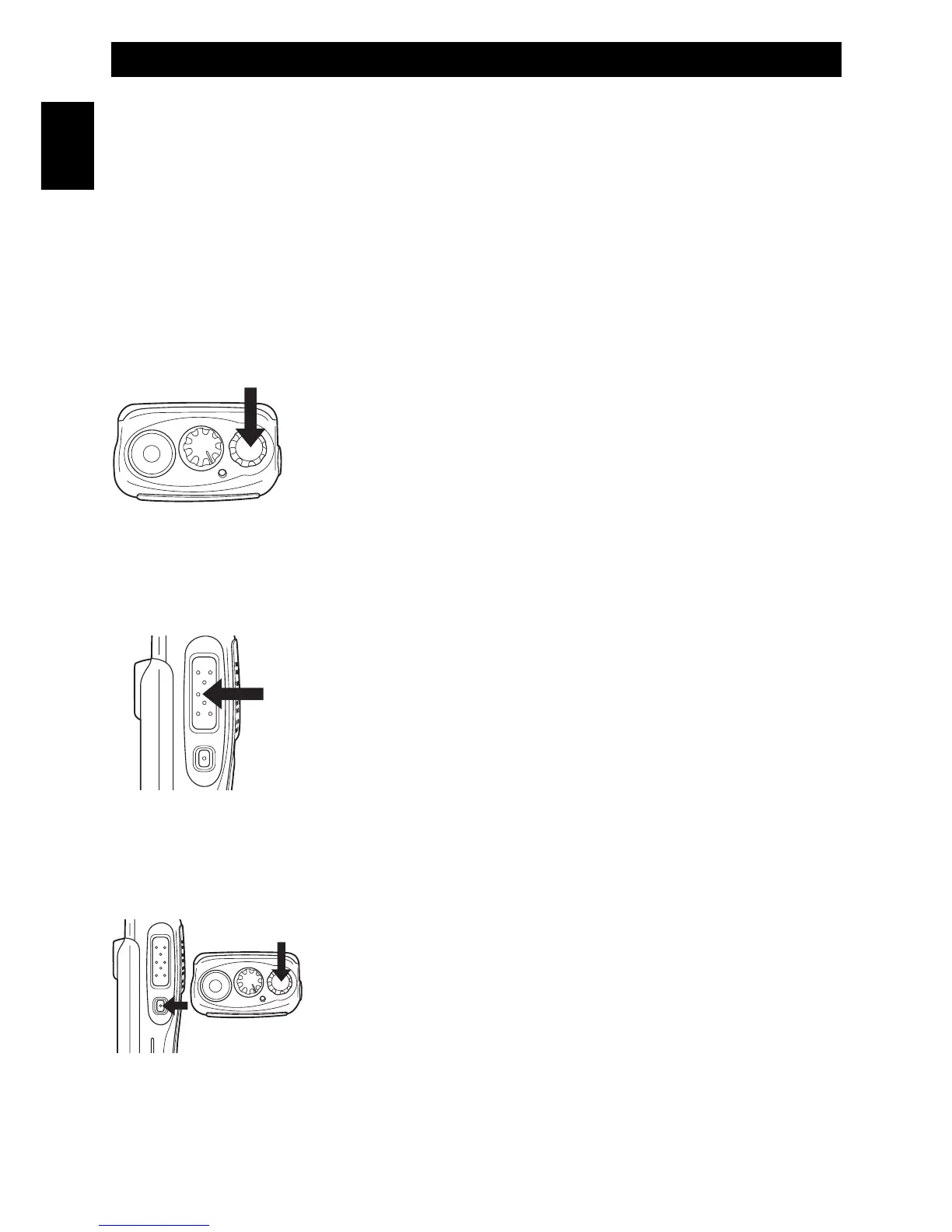
Switch on the transceiver turning the Power/Volume knob (3)
clockwise until you hear a click, the transceiver now is in stand-by
mode. If the transceiver emits only one beep the high power is
enabled. If it emits two beeps the low power is enabled.
Switching between high and low power
(this function may be disabled or enabled with the programming of the radio)
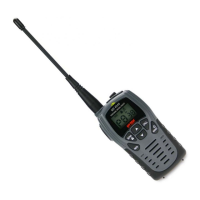
Turn off the transceiver. Press the PTT key (7) and at the same time
turn on the transceiver; this way the original power mode will be
changed. If only one beep is heard, the transceiver is in high power
mode. If two beeps are heard, the transceiver is in low power mode.
Volume adjustment
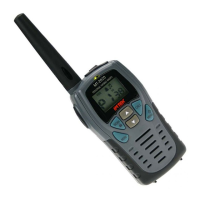
To adjust the volume, turn the volume knob (3) while using the
MONITOR key (8) to listen to the background noise of the channels.
Getting Acquainted with the Product - Getting Started
- 8 -
English


 To Next Page