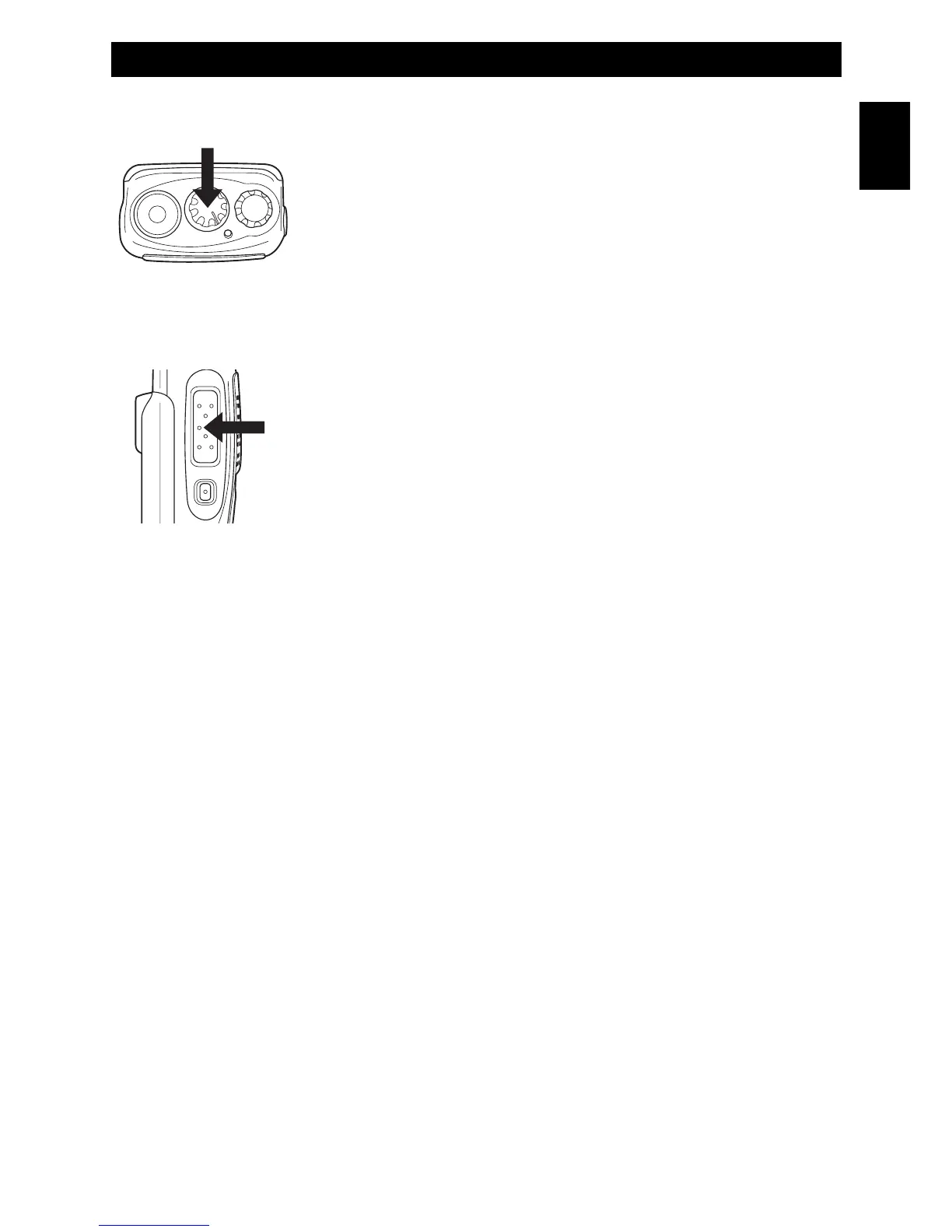
Channels selection
Turn the channels selector (2) to select the channels.
Transmission
In order to transmit, press the PTT key (7) and speak with your normal
voice, keeping the microphone at about 4 cm from your mouth. The
LED indicator (6) will light in red color. Release the PTT key (7) at the
end of transmission.
If during transmission the battery voltage drops below the pre-set
minimum level, radio will automatically switch to RX mode and the
LED low battery indicator (6) will blink in red colour.
Receiving
Release the PTT key (7) and properly adjusting volume, yo will be able to receive the incoming signals.
When receiving a signal, the LED indicator (6) will light in green colour.
AUTOMATIC CHANNEL SCANNING
This function can be ENABLED with the programming of the radio.
To operate this function, you must program the channels to be scanned (CH-1 to 15), but no frequency
must be programmed at CH-16.
Scan start
Set the transceiver on channel 16. Scanning will start and it will stop whenever a signal is received.
Scan end
To stop scanning, tune the transceiver on a channel 1-15.
Getting Started - Automatic Channel Scanning
- 9 -
English


 To Next Page