9
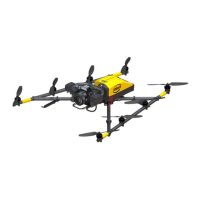
There are dierent connectors on the back of the controller:
4 X USB
1 X HDMI*
The USB port, labeled USB 1, can only be used to perform Intel
Cockpit Controller rmware updates from a USB stick.
The other USB ports can be used to connect the ICC, or USB
sticks with pre-planned ight missions to be imported.
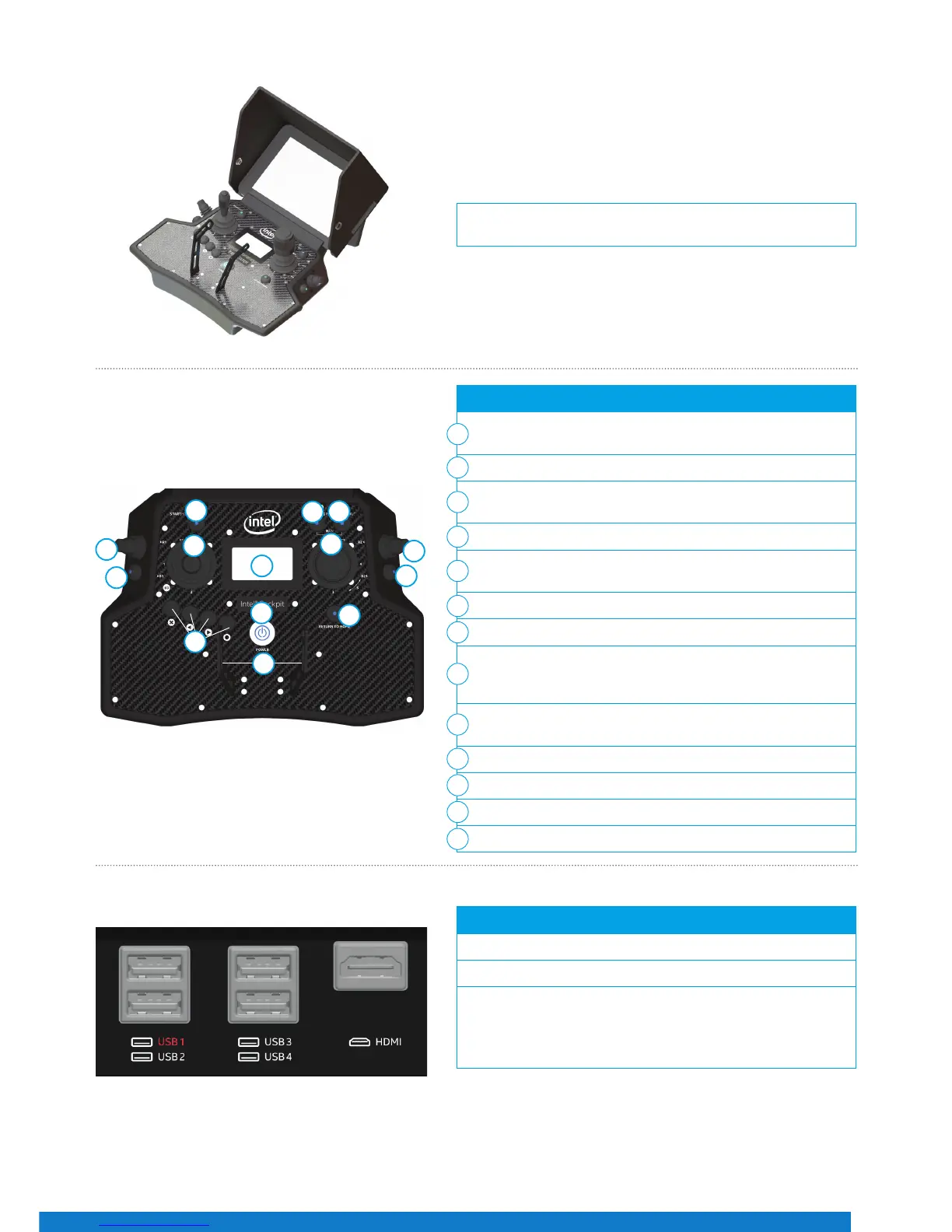
A sun shield can be attached to the touchscreen tablet to avoid
reections. It is foldable for storage and transport.
Figure 15
The functional elements of the controller are:
Start/Stop Button (starts/stops the motors when the left stick
is simultaneously held down at minimum)
GPS (GPS-Mode ON)
HGT (Height-Mode ON) when both buttons are switched ON/lit,
then Manual-Mode is activated
Left Rocker Switch (R1) (controls the camera pitch angle)
Right Rocker Switch (R2) (controls dierent camera functions
depending on the attached payload)
Left and Right Control Sticks
Status Display
Left Push Button (B1) (sets the camera to predened angles
+/-90°, +/-45° and 0° - see "Setting the Camera Angle" section
for details)
Right Push Button (B2) (controls dierent camera functions
depending on the attached payload)
4 Function Buttons for Status Display
Return to Home Button
Power Button
Integrated Shoulder Harness Holders
1
2
3
4
4
5
6
7
7
8
9
10
11
1
2
4
4
5
5
6
7
7
9
10
3
Figure 16
Figure 17
11
8


 To Next Page