EasyManua.ls Logo

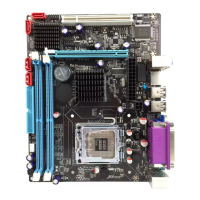
Intel G41 - User Manual

Intel G41
20 pages
Print Icon
To Next Page IconTo Next Page
Loading...
USER'S MANUAL
Of
Intel G41 Express Chipset
&
Intel ICH7 Chipset
Based
M/B for LGA 775 Quad Core Ready
Intel Core Processor Family
No. G03-MI5G41SGMD2F
Rev: 5.0
Release date: Nov., 2009
Trademark:
* Specifications and Information contained in this documentation are furnished for information use only, and are
subject to change at any time without notice, and should not be construed as a commitment by manufacturer.

Other manuals for Intel G41

Questions and Answers

  • B
    browncrystalAug 14, 2025
    Why can't I boot Intel G41 system after installing second hard drive?
    • J
      Justin YoungAug 14, 2025
      If you cannot boot the Intel Motherboard system after installing a second hard drive, set the master/slave jumpers correctly. Also, run the SETUP program and select the correct drive types.
  • A
    anthony44Aug 17, 2025
    What to do if Intel G41 Motherboard shows 'Invalid Configuration' or 'CMOS Failure'?
    • Q
      qbrooksAug 18, 2025
      If the Intel Motherboard displays an 'Invalid Configuration' or 'CMOS Failure' message, review the system's equipment and ensure that the correct information is in the setup.
  • G
    Gregory BoothAug 21, 2025
    How to troubleshoot no power on Intel G41?
    • F
      fcooperAug 21, 2025
      If there is no power to the Intel Motherboard system and the power light doesn’t illuminate, ensure the power cable is securely plugged in. If it still doesn't work, replace the cable.
  • J
    Joseph BrooksAug 26, 2025
    What to do if my Intel G41 system doesn’t boot from hard disk drive?
    • G
      guerrerorebeccaAug 26, 2025
      If your Intel Motherboard system doesn’t boot from the hard disk drive but boots from the optical drive, check the cable running from the disk to the disk controller board, ensuring both ends are securely plugged in. Also, check the drive type in the standard CMOS setup. Backing up the hard drive is extremely important, as all hard disks are capable of breaking down at any time.
  • J
    Jon CochranAug 28, 2025
    How to fix Intel Motherboard when it only boots from optical drive?
    • K
      kristin32Aug 29, 2025
      If your Intel Motherboard system only boots from the optical drive, but the hard disk can be read and applications can be used, you should back up your data and application files. Then, reformat the hard drive and reinstall the applications and data using backup disks.
  • S
    Shannon JonesSep 1, 2025
    What to do if Intel G41 shows “Invalid Configuration” or “CMOS Failure”?
    • N
      Natalie GutierrezSep 2, 2025
      If the screen displays an “Invalid Configuration” or “CMOS Failure” message on your Intel Motherboard, review the system's equipment and ensure the correct information is in the setup.
  • S
    scott07Sep 5, 2025
    What to do if Intel Motherboard is inoperative but keyboard lights are on?
    • E
      Eric ScottSep 5, 2025
      If your Intel Motherboard system is inoperative but keyboard lights are on, the power indicator lights are lit, and the hard drive is spinning, firmly press down on both ends of the DIMM until the module snaps into place.
  • A
    asampsonSep 9, 2025
    How to troubleshoot no power to the Intel Motherboard system?
    • J
      Joshua GarciaSep 9, 2025
      Make sure the power cable is securely plugged in. If it is, try replacing the cable. If the issue persists, contact technical support.

Summary

Introduction of Intel G41 Motherboard Series

Motherboard Features

Details the key features of the Intel G41 chipset motherboard series, including CPU support and memory capabilities.

Motherboard Specifications

Lists the technical specifications of the motherboard, covering chipset, sockets, slots, LAN, audio, and I/O ports.

Item Checklist

Provides a list of items included with the motherboard package for verification by the user.

Motherboard Layout Diagram

Illustrates the physical layout of the motherboard components and connectors for easy identification.

Hardware Installation Guide

Intel Processor Installation (LGA 775)

Step-by-step instructions for installing an LGA 775 supported Intel processor, including orientation and safety precautions.

Memory Module Installation

Guides on installing DDR2 or DDR3 memory modules, including valid configurations and dual-channel setup.

Expansion Card Installation

Details the available expansion slots like PCI-Express x16, PCI-Express x1, and 32-bit PCI slots for add-on cards.

Connectors, Headers, and Jumpers

Motherboard Connectors

Explains various motherboard connectors such as ATX Power, ATX12V, PS/2, USB, LAN, Audio, IDE, and SATA ports.

Front Panel Headers

Details headers for front panel audio, USB ports, speaker, power LED, HDD LED, reset switch, and power switch connections.

Jumper Settings

Describes jumper configurations for keyboard/mouse power-on, USB power-on, and CMOS RAM clearing procedures.

User Assistance and Troubleshooting

How to Update BIOS

Provides instructions for preparing a bootable disk and updating the motherboard's BIOS files.

Troubleshooting Common Issues

Offers solutions for common system problems like no power, inoperative system, boot failures, and configuration errors.

Intel G41 Specifications

General IconGeneral
SocketLGA 775
Maximum Memory8 GB
NorthbridgeIntel G41
SouthbridgeIntel ICH7
RAID SupportNo
ChipsetIntel G41
Memory TypeDDR2/DDR3
GraphicsIntel GMA X4500
Storage InterfaceSATA 3Gb/s
Supported CPUIntel Core 2 Quad, Core 2 Duo, Pentium, Celeron
Memory Slots2
AudioVaries by motherboard manufacturer
LANVaries by motherboard manufacturer
FSB1333 MHz
Graphics OutputVGA
PCI Express VersionPCIe 1.1
USB PortsVaries by motherboard manufacturer

Related product manuals