8 Intel® RAID Controller RS2WC080 Hardware User’s Guide
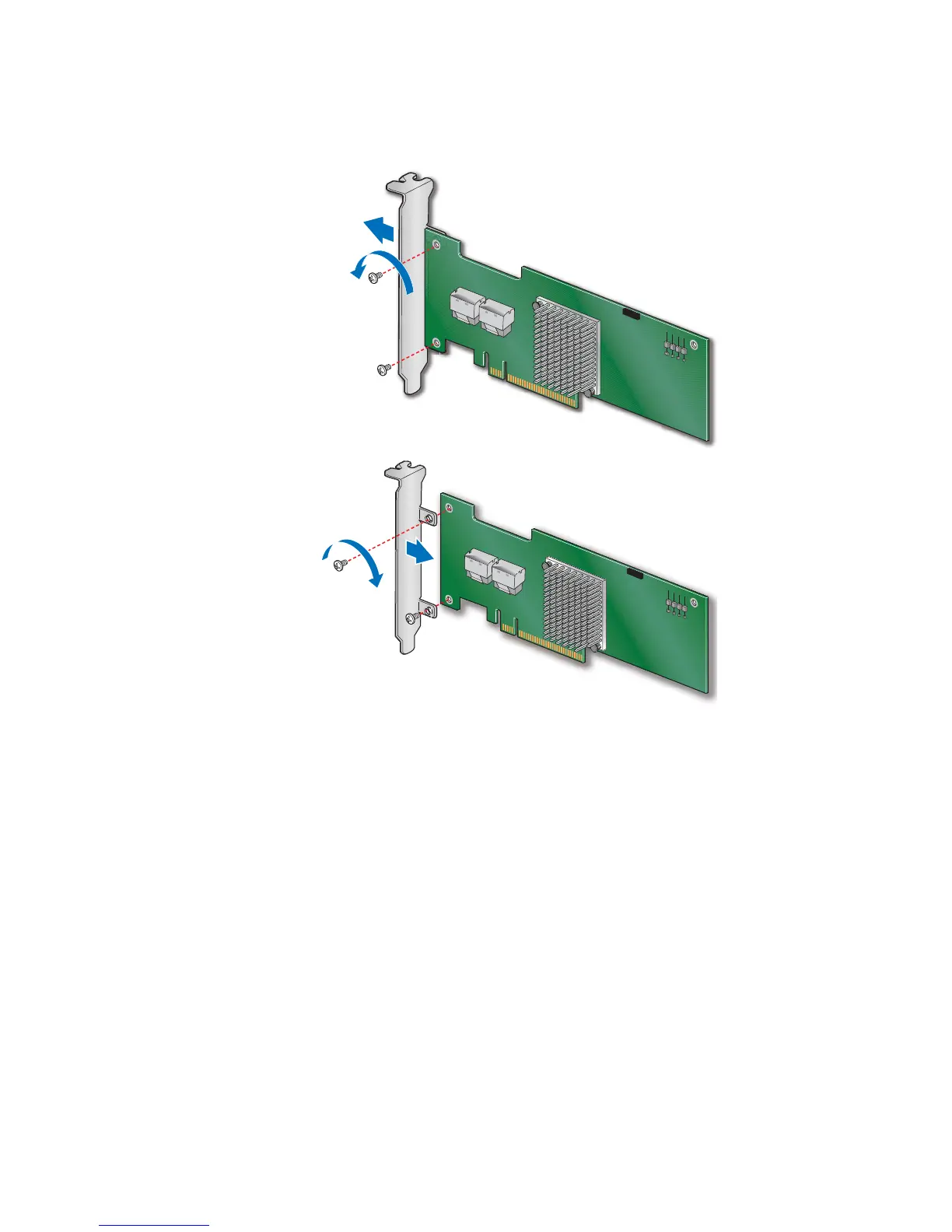
Figure 1. Changing the Bracket
4. Install the RAID controller into an available server system x8 or x16 PCI-Express*
slot (see
Figure 2). To locate an appropriate slot and for instructions on installing an
add-in card, see your server system documentation.






 To Next Page