8
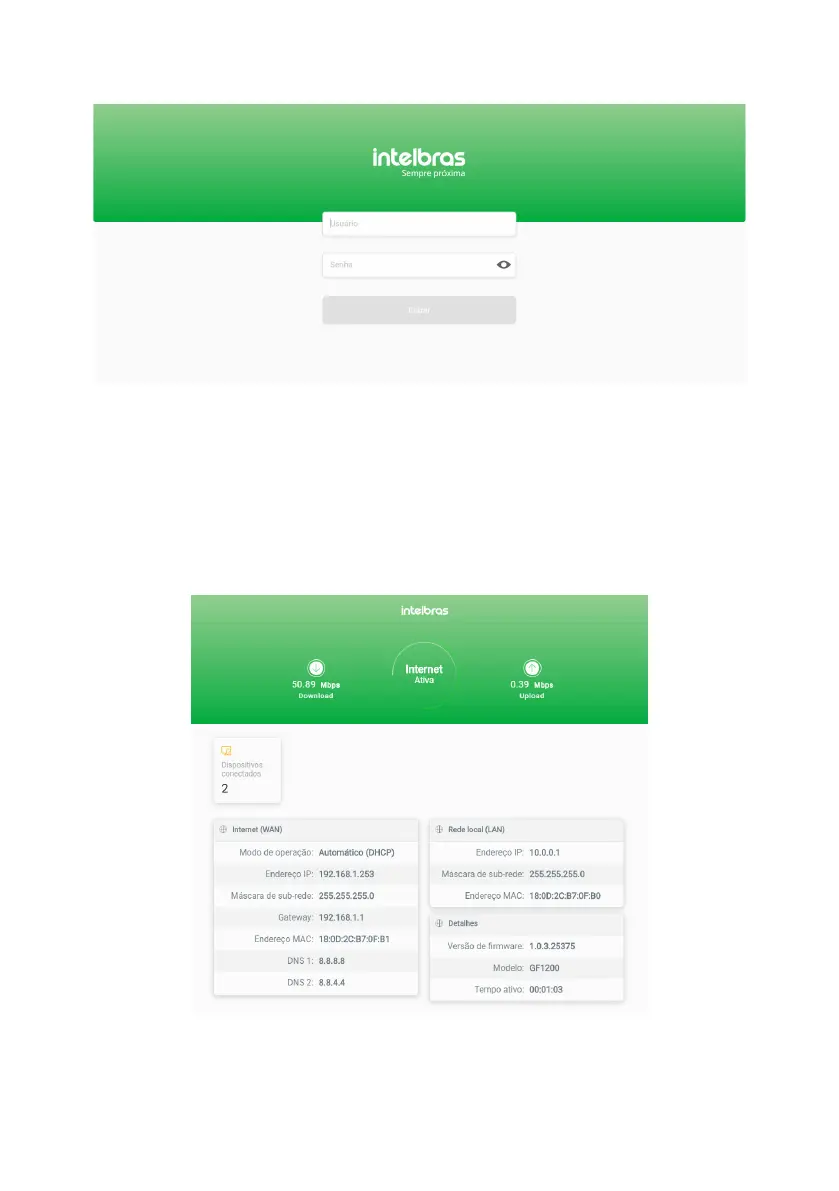
Your router’s login page will open. As factory default, the user is
admin
and the password is
admin
. Enter these creden-
tials in the corresponding elds and click on
Enter.
Login page
Note:
if access is not possible with these credentials:
1.
If your router is managed by your ISP or internet operator, please contact the service provider support.
2.
If your router is managed by yourself, please refer to the item
5. Dúvidas frequentes
or contact our support.
4.2. Dashboard
After logging in, you will see the
dashboard
screen (following gure), which contains the main router information: In-
ternet connection status, current band consumption, WAN settings, LAN settings, rmware version details, and number
of connected devices.
Dashboard
In the animation of the Internet circle, you can see the status of the Internet connection: if the connection is working,
you will see
Internet
Active
written; if there is any failure, you will see
Internet Inactive
written with a red sign.



 To Next Page