5
1. Technical specications
Hardware
Chipset (CPU) RTL8196E
Chipset wireless RTL8192ER
Flash memory 4 MB
SDRAM memory 32 MB
2 external antennas 3 dBi
Wireless parameters
Standards IEEE 802.11b/g/n
Radio mode MiMo
Mode of operation Wi-Fi Repeater
Frequency of operation 2.4 GHz
Bandwidth 20, 40 MHz
Transmission rate Up to 300 Mbps
Channels of operation 1-13 (Brazil)
Maximum power (EIRP) 20 dBm (100 mW)
Security WEP and WPA-WPA2/PSK (TKIP/AES)
Supply
Input 100-240 V to 50/60 Hz
Maximum power consumption 6 W
1.1. Meaning of LED
Green on Connected and functioning normally.
Green ashing Performing some conguration.
Red on It is not connected to a network or the product has not been congured.
Red ashing The product is starting.
Alternating between green and orange
(ashing)
The signal from the repeated network is weak. Please refer to item
Cuidados e
segurança
to identify the best place for installation.
2. Accessories
» Installation guide
3. Installation and conguration
Next, we will explain how to install and congure your product as a
Wi-Fi Repeater
. Before you start, we recommend
that you check the information of the item Care and safety, to choose the best location to install your IWE 3001. If you
wish, you can also access our YouTube channel:
https://www.youtube.com/user/IntelbrasBR
.
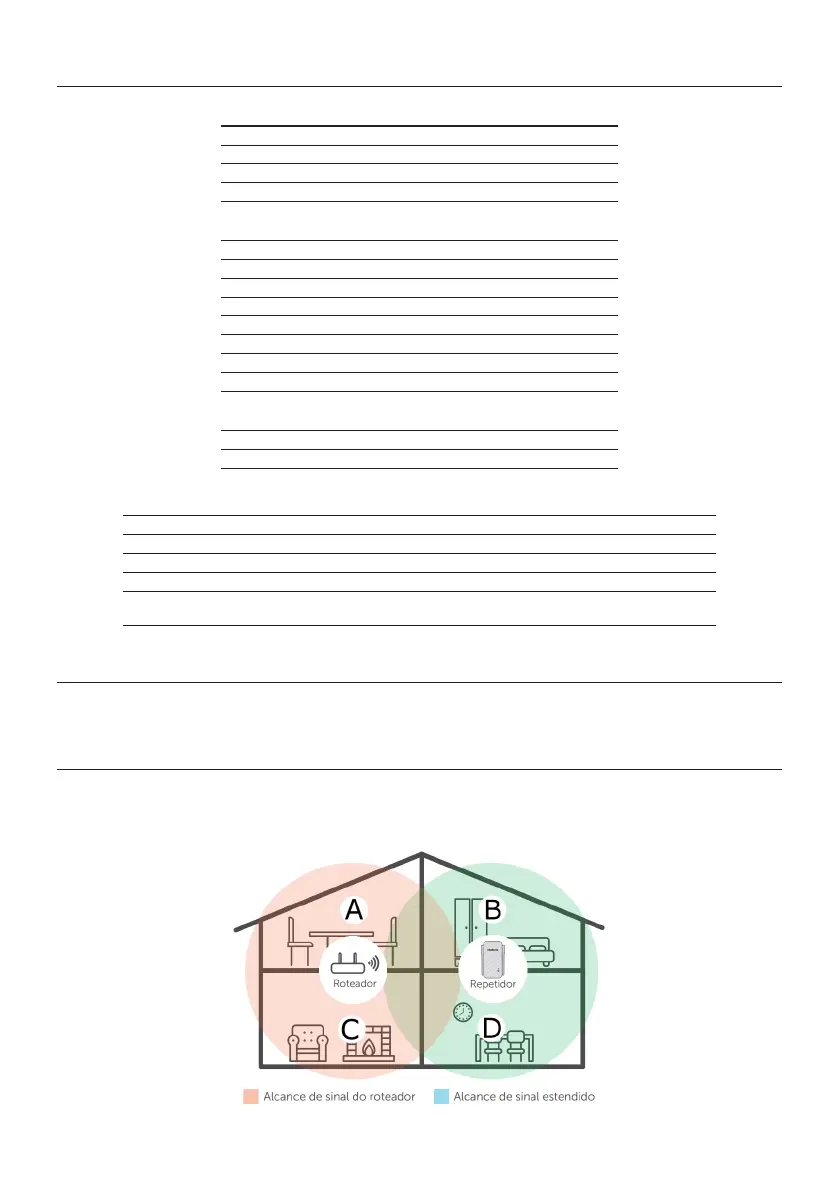
Example of residence with Wi-Fi signal repeater



 To Next Page