EasyManua.ls Logo

Intelect 2778 - User Manual

Intelect 2778
20 pages
Print Icon
To Next Page IconTo Next Page
Loading...
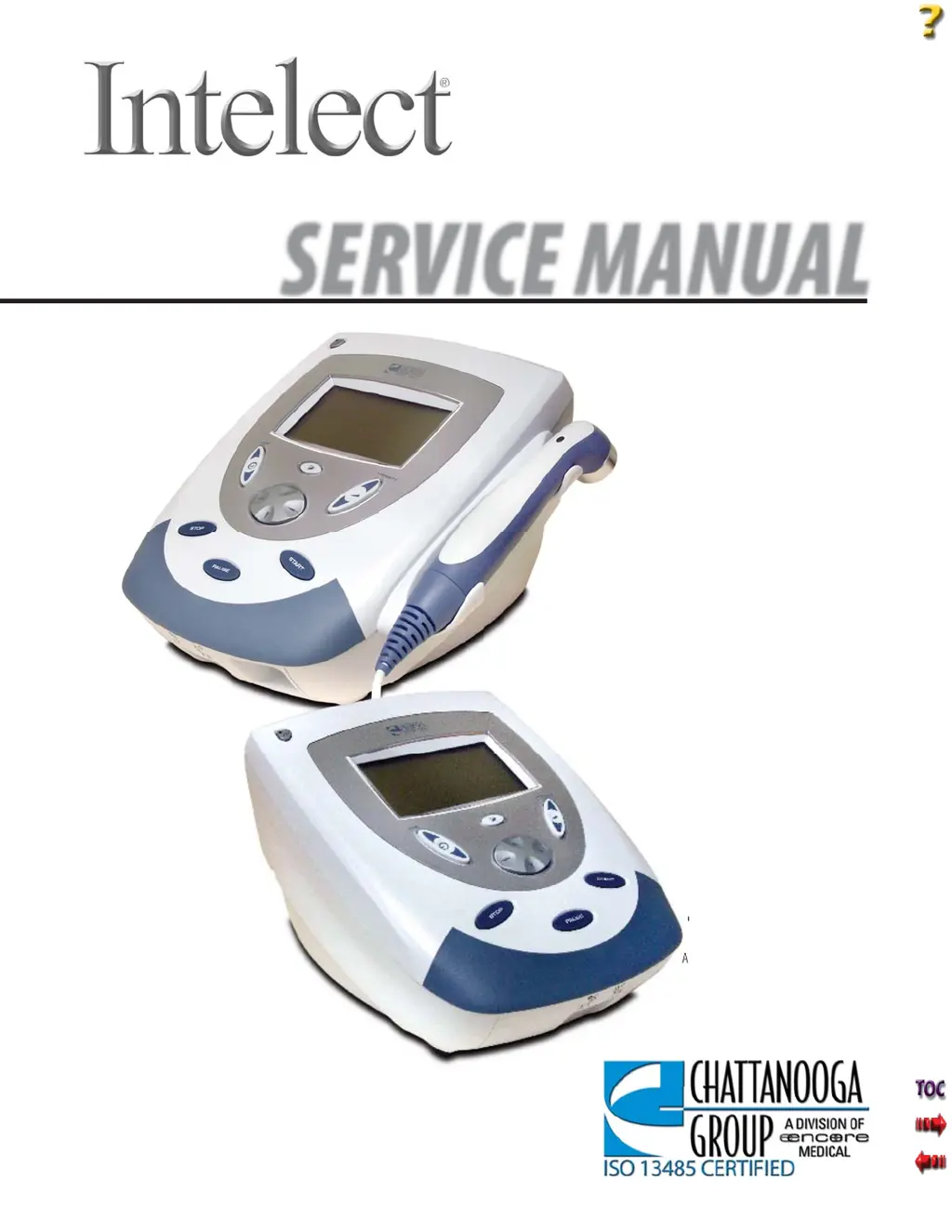
Mobile Stim & Combo Therapy Systems
SERVICE MANUAL
© 2005 Encore Medical, L.P.
Model- 2777
Mobile Stim
Therapy System
Applies to Serial numbers 1000 and above
Model- 2778
Mobile Combo
Therapy System
Applies to Serial numbers 1000 and above

Questions and Answers

  • M
    Miss Susan JonesAug 15, 2025
    What to do if Intelect 2778 Medical Equipment shows bad contact quality?
    • M
      Mrs. Suzanne WeeksAug 15, 2025
      If you're getting a 'Bad Contact Quality' message on your Intelect Medical Equipment, it means the electrode contact is poor. The suggested solution is to apply new electrodes to the treatment area.
  • F
    feliciaguzmanAug 18, 2025
    What to do if Intelect 2778 Medical Equipment shows overcurrent?
    • S
      Scott MilesAug 18, 2025
      If your Intelect Medical Equipment displays an overcurrent message, it means the stim channel has exceeded the allowed current level, and the treatment has been stopped. You should reset the treatment parameters and attempt the session again.
  • A
    Ashley GonzalezAug 21, 2025
    Why does my Intelect 2778 Medical Equipment say stim channel not available?
    • M
      Martha NguyenAug 21, 2025
      If you encounter the 'Stim Channel not available' message on your Intelect Medical Equipment, it's because you attempted to select an Electrotherapy or Combo treatment, but all Stim Channels are currently in use. You can either wait until the Electrotherapy treatment is completed, or stop the Electrotherapy treatment and try again.
  • M
    Mary EvansAug 25, 2025
    What to do if Intelect 2778 Medical Equipment says stim channels not available?
    • V
      Vincent ReynoldsAug 26, 2025
      If you see 'Stim Channels not available' on your Intelect Medical Equipment, it means you tried to select a two-channel Electrotherapy treatment, but at least one of the two stim channels was already in use. Wait until the Electrotherapy treatment is completed, or stop the Electrotherapy treatment and try again.
  • S
    Shannon BairdAug 28, 2025
    How to fix shorted lead wires on Intelect 2778?
    • R
      Rebecca BushAug 28, 2025
      If your Intelect Medical Equipment displays 'Shorted Lead Wires', it indicates that the lead wires are faulty. Replace them with new lead wires.
  • K
    Keith SummersAug 31, 2025
    Why Intelect 2778 shows power supply current limit?
    • C
      Catherine ScottSep 1, 2025
      If you're getting a 'Power Supply current limit' error on your Intelect Medical Equipment, it means you tried to start two channels of Electrotherapy while running an Ultrasound treatment with a 10 cm2 Ultrasound Applicator, and the Ultrasound Output is currently set to greater than 15 Watts. You can wait until the Ultrasound treatment is completed, stop the Ultrasound treatment and try again, or decrease the ultrasound output to less than 15 Watts.
  • D
    daviscoreySep 3, 2025
    What to do if Intelect 2778 Medical Equipment ultrasound channel not available?
    • M
      Michael HarperSep 3, 2025
      If you see 'Ultrasound Channel not available' on your Intelect Medical Equipment, it means you tried to select a Combo treatment, but the Ultrasound Channel was already in use. You should wait until the Ultrasound treatment is completed or stop the Ultrasound treatment and try again.
  • S
    Shannon FosterSep 7, 2025
    How to resolve Intelect 2778 ultrasound applicator became unplugged?
    • E
      Elizabeth MirandaSep 7, 2025
      If the Ultrasound Applicator becomes unplugged during an Ultrasound treatment with Intelect Medical Equipment, plug the Ultrasound Applicator into the proper receptacle on the unit, making certain it is completely seated.
  • L
    Lisa CarrSep 10, 2025
    What to do if Intelect 2778 ultrasound applicator is unplugged?
    • J
      Joseph LunaSep 12, 2025
      If the Ultrasound Applicator is unplugged when starting an Ultrasound treatment with Intelect Medical Equipment, plug the Ultrasound Applicator into the proper receptacle on the unit, ensuring it is completely seated.

Summary

FOREWORD

SAFETY PRECAUTIONS

PRECAUTIONARY SYMBOL DEFINITIONS

Defines symbols used for safety instructions in the manual.

GENERAL SAFETY PRECAUTIONS

General safety rules for operating and servicing the systems.

THEORY OF OPERATION

SYSTEM OVERVIEW

Describes the main components of the Intelect Mobile Therapy Systems.

POWER SUPPLY CIRCUIT

Details the universal 75 Watt input power supply and its function.

CONTROL BOARD FUNCTION

Explains the function and communication of the Control Board.

NOMENCLATURE

COMPONENT AND CONTROLS

Identifies exterior components of the Intelect Mobile Combo System.

HARDWARE AND SOFTWARE SYMBOL DEFINITIONS

Defines hardware and software symbols used on the systems.

SPECIFICATIONS

INTELECT MOBILE COMBO SYSTEM

Provides physical and operating specifications for the Combo System.

INTELECT MOBILE STIM SYSTEM

Provides physical and operating specifications for the Stim System.

INTELECT ELECTROTHERAPY WAVEFORM SPECIFICATIONS

Details waveform specifications for electrotherapy.

INTELECT MOBILE COMBO ULTRASOUND SPECIFICATIONS

Provides ultrasound specifications for the Combo System.

TROUBLESHOOTING

INTELECT MOBILE STIM AND COMBO ERROR MESSAGES

Lists error codes, definitions, probable causes, and remedies.

Intelect 2778 Specifications

General IconGeneral
BrandIntelect
Model2778
CategoryMedical Equipment
LanguageEnglish

Related product manuals