EasyManua.ls Logo

Intelligent Weighing Technology AGS Series - User Manual

Intelligent Weighing Technology AGS Series
13 pages
Print Icon
To Next Page IconTo Next Page
Loading...
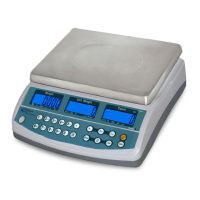
AGS
Digital Weighing Scale
Operation Manual

Questions and Answers

  • A
    Ana WilliamsAug 11, 2025
    How to fix inaccurate weighing results on Intelligent Weighing Technology AGS Scales?
    • W
      William JensenAug 11, 2025
      To ensure accurate weighing results with your Intelligent Weighing Technology Scales, first, adjust the adjustable feet to ensure the scale is level. Then, move the scale away from any disturbances such as airflow, vibration, or radio frequency interference. If these steps do not resolve the issue, it is recommended to contact your dealer.
  • H
    Heather YoungAug 20, 2025
    What to do if my Intelligent Weighing Technology AGS cannot reach the rated capacity?
    • A
      Alan MillerAug 20, 2025
      If your Intelligent Weighing Technology Scales cannot reach the rated capacity, ensure that nothing is obstructing the weighing platter or the scale body. Remove everything from the weighing plate and restart the scale.
  • D
    David FranklinAug 31, 2025
    Why do my Intelligent Weighing Technology AGS Scales turn off automatically?
    • J
      Jacqueline BradleyAug 31, 2025
      If your Intelligent Weighing Technology Scales turn off automatically, refer to setting F4 to disable the auto power off feature. Also, if the Lo-BAT indicator is on, connect the power adapter.

Intelligent Weighing Technology AGS Series Specifications

General IconGeneral
ModelAGS Series
Overload ProtectionYes
CalibrationExternal Calibration
DisplayLCD
Unitsg, oz, lb
Power SourceAC Adapter
Communication InterfaceRS232
Auto CalibrationNo
MaterialStainless steel platform

Related product manuals