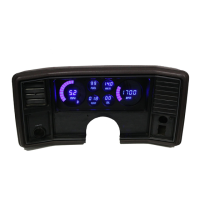
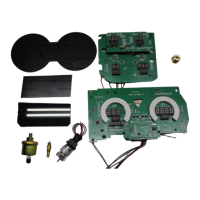
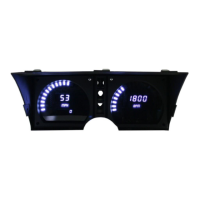
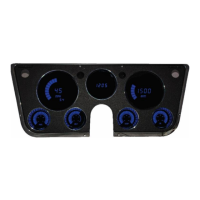
3 – DP 9002 Intellitronix (rev. 09/10/2020BB) www.intellitronix.com
Use 18 AWG wire to ensure the system receives a sufficient power feed.
Water – Blue – This is signal wire for water temp. This gauge is incompatible with other sending
units, so you must replace the existing water temperature sending unit with the included sender.
Water –Black/ Blue -This is ground for water temp sender and must be wired to corresponding
wire on dash.
Oil Pressure – Orange - Replace the existing oil pressure sending unit with the unit included. Do
not use Teflon tape or other sealer on the new sending unit’s threads. This will avoid inaccurate
ground connections as the sending units get their ground from the threads. The oil sender gets its
ground from the threading into the engine block, thus proper grounding is crucial. Connect to the
sending unit.
Dimmer – Purple Connect to the parking lights to dim the LEDs 50% when the headlights are on. However,
*DO NOT * connect to the headlight rheostat control wire, or the dimming feature will not work properly
and may cause damage to Unit.
Right Turn Signals - Grey with White strip RIGHT turn signal. This wire works when 12v is
activated.
Left Turn Signals – Grey with Black strip Left turn signal. This wire works when 12v is activated.
CABLE BUTTONS
Trip/Cal Button – Grey Cable Button or Push button on Dash - There are two grey wires
connected to the push-button for the speedometer board. Mount the switch in a convenient location
such as under the steering column so that you may easily reset your trip odometer or other
speedometer functions.
Tach program Button – Grey Cable Button or Push button on Dash There are two grey wires
connected to the push-button for the tachometer board. Mount the switch in a convenient location
such as under the steering column so that you may easily set the other functions of the tachometer.
FUEL GAUGE
Fuel – Yellow – The fuel gauge sending unit is not normally supplied because the display system
can use the existing fuel level sending unit in the tank in most cases. If your wiring harness
already has a single wire routed through the vehicle for the fuel sender, then it may be used. If
using a wire from an external harness, make sure that the wire does not have power. Fuel senders
reference their ground from the sender mounting plate. Connect the yellow wire to the factory
sending unit.
Fuel –Black/Yellow – Run a new ground wire and attach to your Fuel sending unit housing to
ensure proper fuel gauge operation. If the sending unit does not have a sufficient ground it will
not work properly.
Note: The default setting for this dash is the GM industry standard of 0-90Ω
See Test on next page


 To Next Page
 Loading...