8
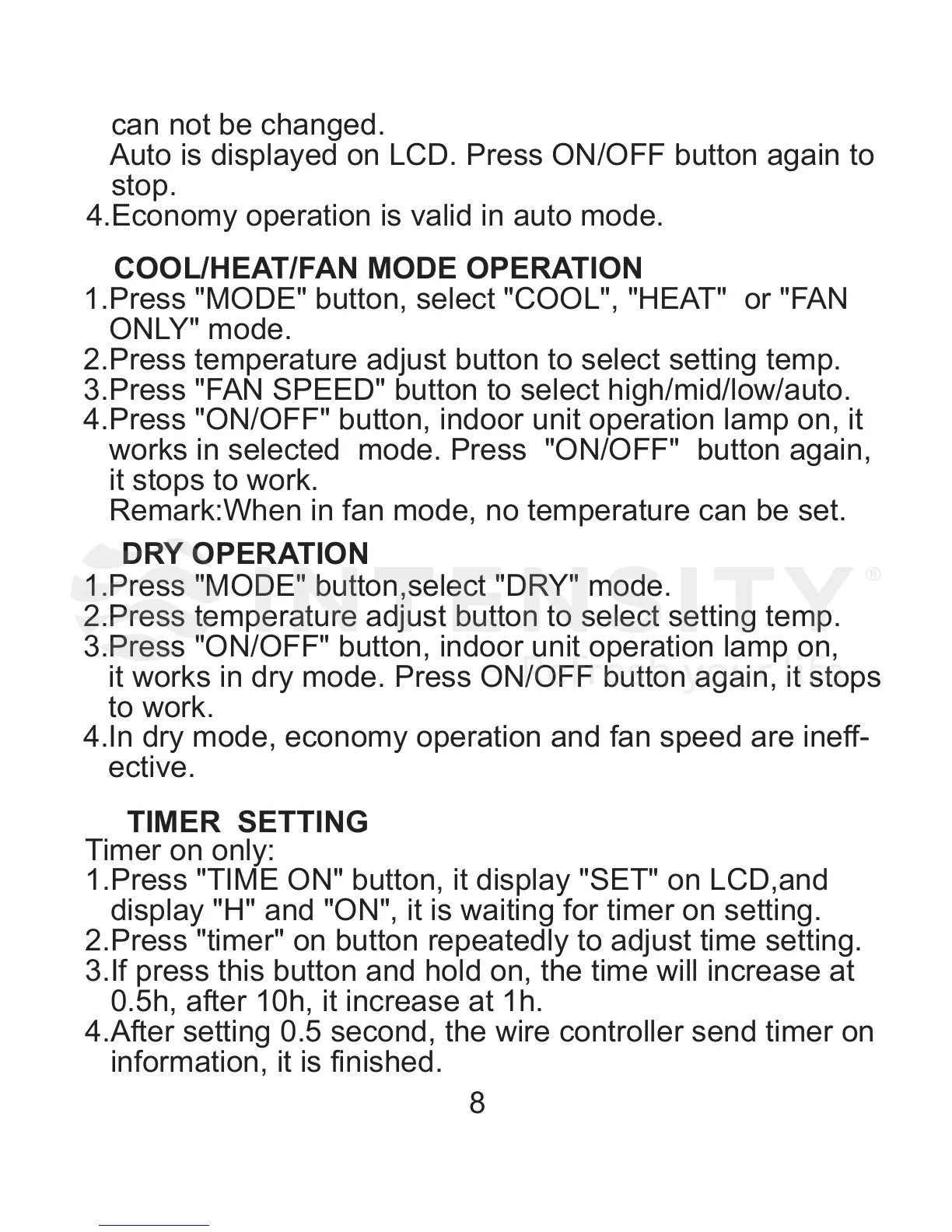
1.Press "MODE" button, select "COOL", "HEAT" or "FAN
ONLY" mode.
2.Press temperature adjust button to select setting temp.
3.Press "FAN SPEED" button to select high/mid/low/auto.
4.Press "ON/OFF" button, indoor unit operation lamp on, it
works in selected mode. Press "ON/OFF" button again,
it stops to work.
Remark:When in fan mode, no temperature can be set.
1.Press "MODE" button,select "DRY" mode.
2.Press temperature adjust button to select setting temp.
3.Press "ON/OFF" button, indoor unit operation lamp on,
it works in dry mode. Press ON/OFF button again, it stops
to work.
4.In dry mode, economy operation and fan speed are ineff-
ective.
COOL/HEAT/FAN MODE OPERATIO N
DRY OPERATION
can not be changed.
Auto is displayed on LCD. Press ON/OFF button again to
stop.
4.Economy operation is valid in auto mode.
TIMER SETTING
Timer on only:
1.Press "TIME ON" button, it display "SET" on LCD,and
display "H" and "ON", it is waiting for timer on setting.
2.Press "timer" on button repeatedly to adjust time setting.
3.If press this button and hold on, the time will increase at
0.5h, after 10h, it increase at 1h.
4.After setting 0.5 second, the wire controller send timer on
information, it is finished.


 To Next Page
 Loading...