5
1.Mode botton:When press this botton,the operation mode
change as the following sequence:
Remark : For the cooling only model, the heating mode is
skipped.
2.Timer on button : Press this button, timer on function is
active. Then every press, the time increase 0.5h, after
10h, 1h increasement after each press. If cancel this
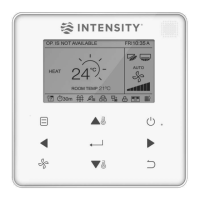
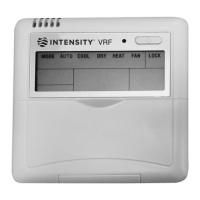
NAME AND OPERATION OF THE BUTTON ON THE WIRE CONTROLLER
AUTO
ĺ
COOL
ĺ
DRY
ĺ
HEAT
ĺ
FAN
TIMER
TEMP
RESET LOCK
MODE
FAN
0
TURBO
DIRECT
ON/OFF BUTTON
AJUDSTMENT BUTTON
DIRECT/
HORIZONTAL SWING BUTTON
VERTICAL SWING BUTTON
LOCK BUTTON
FAN SPEED SELECTION
AJUDSTMENT BUTTON
ON
OFF
TIMER
ECO
FOLLOW
ME
SPEED
MODE BUTTON
TIMER ON BUTTON
TIMER OFF BUTTON
ECONOMY OPERATION BUTTON
FOLLOW ME BUTTON
RESET BUTTON
TURBO BUTTON


 To Next Page
 Loading...