EN- 10
11.2 PC WIFI FINDER
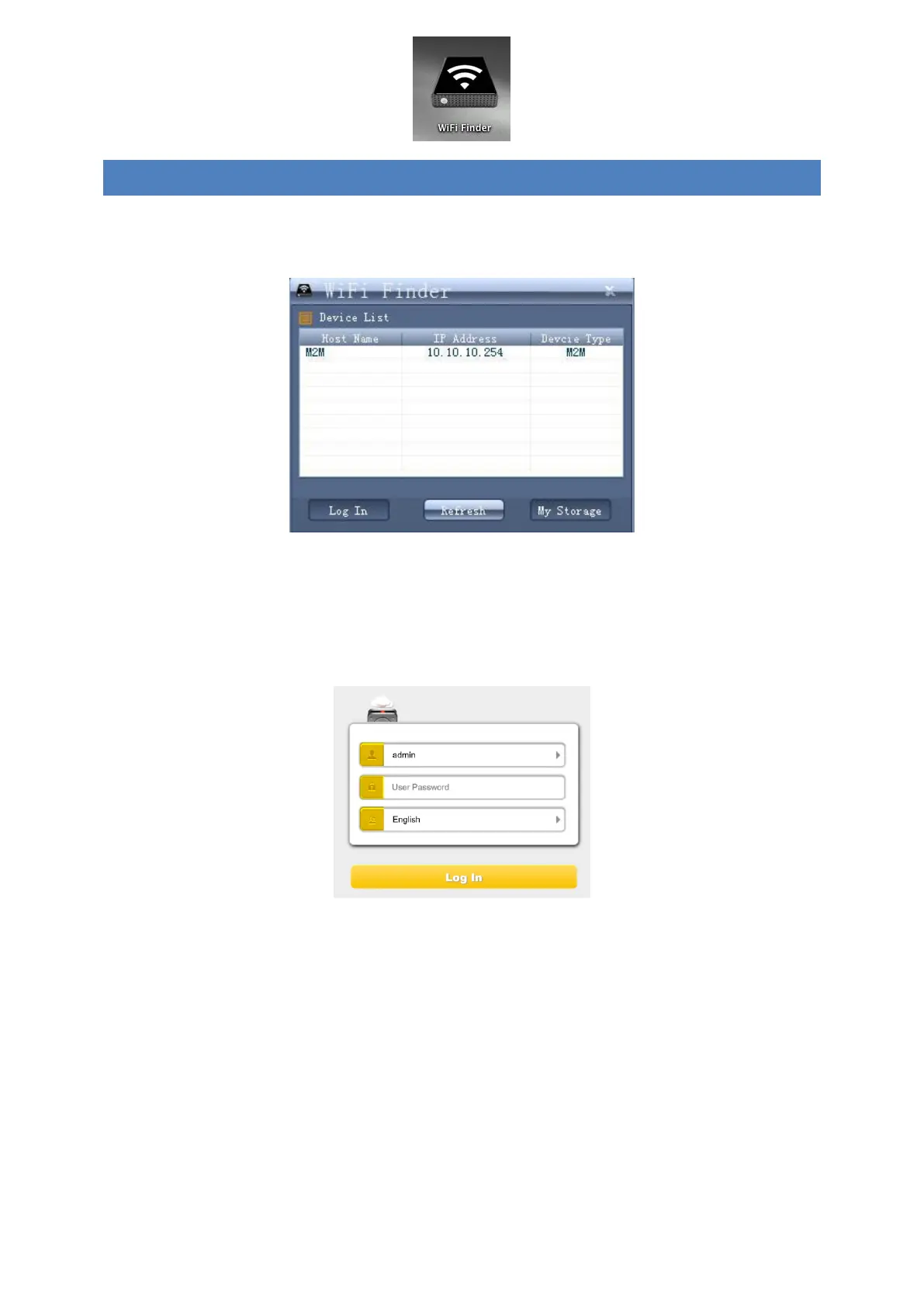
Double-click the “WiFi Finder” icon to start the software. This utility will search for all the
connected devices in your network as mentioned on below screenshot.
If you do not find the Memory 2 Move Pro on the list of devices connected in your network,
click on the “Refresh” button to update the device list.
1.) Select the Memory 2 Move Pro on the list, and then click on the “Log In” button to
enter the web interface.
Default user name: admin
Default password: 00000
Click on the “Log In” button to access the Web Management Interface.
Note: For your own safety, please change the password after successful connection.
2.) You may transfer the data between PC and Memory 2 Move Pro, such as upload the
data from PC into the WiFi Disk, or download the data from the WiFi Disk into PC.


 To Next Page
 Loading...



