PC-9335 Dual Cassette Deck
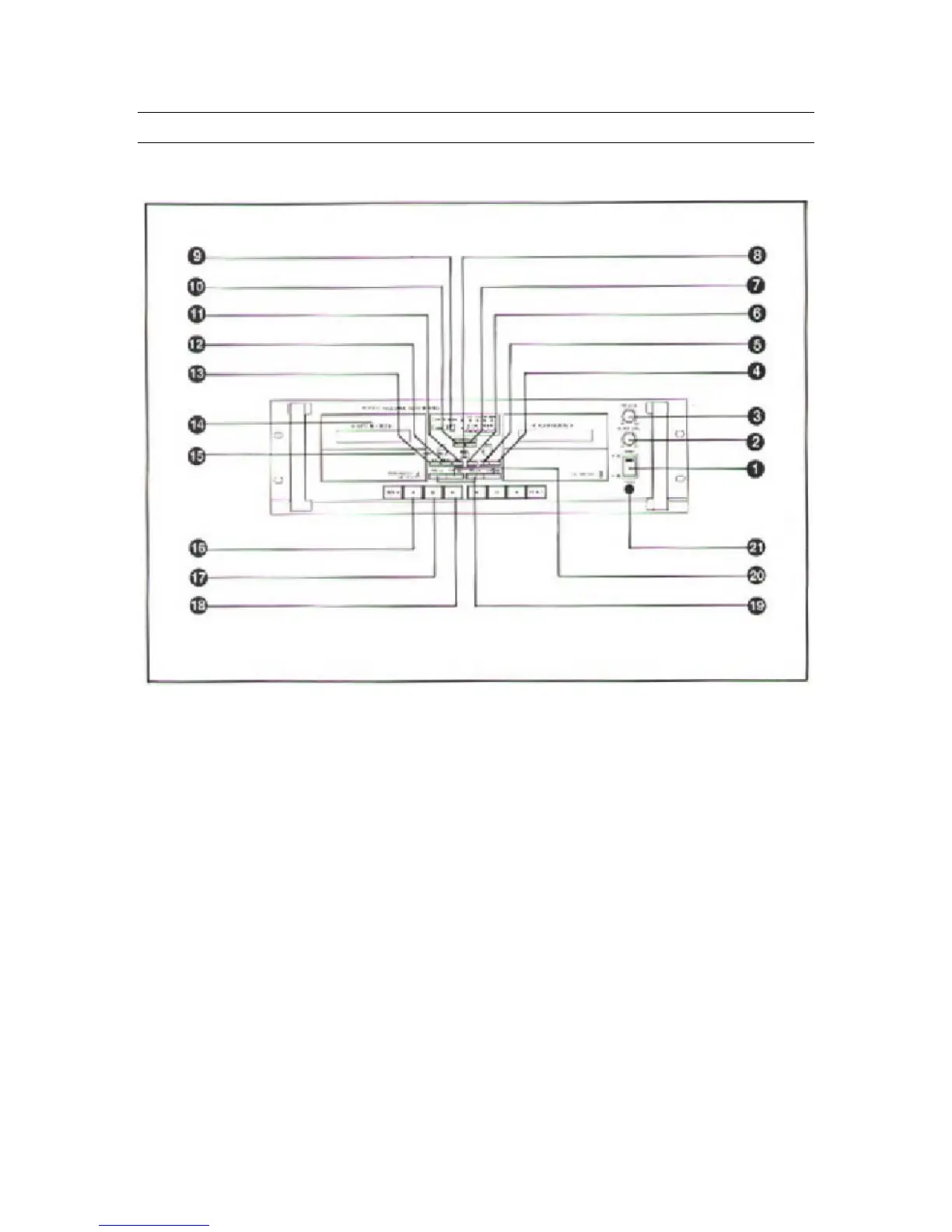
Front Panel Controls
1. Power Switch
Pressing this button switches the unit on, as indicated by the integrated Power
LED. Pressing the button again will switch the unit off.
2. Play Level Control
This control adjusts the output level of the main output and headphone outputs.
3. Record Level Control
This control adjusts the record level of Deck A.
4. Blank Skip
Pressing this button will cause the tape to scan forward through a blank (no
audio) passage.
5. Relay Play Button
Pressing this button activates Relay Play mode for continuous playback between
Deck A and Deck B. Pressing the button again deactivates Relay Play mode.
7



 To Next Page