5
PC-9335AD
STEREO DOUBLE CASSETTE DECK
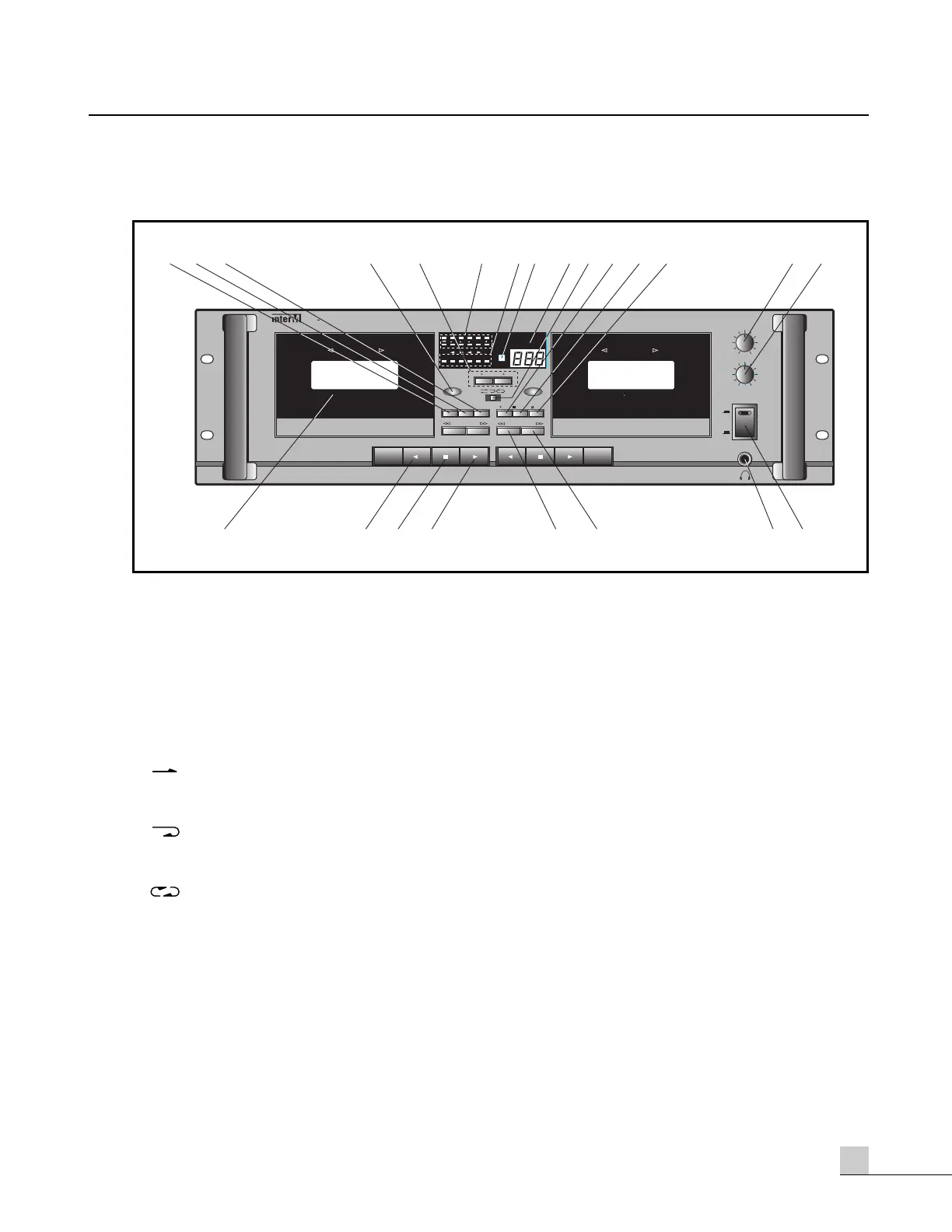
Front Panel
Front Panel
1. MEMORY BUTTON
Tape will end the Fast Forward or Rewind functions when the Tape Counter reaches approximately “000”
(only when the Memory Button is ON).
2. RELAY PLAY (R/PLAY)
This function expands the operation of the MODE SELECTOR to include both decks. RELAY PLAY is active
when the indicator in the display screen is illuminated.
Side one only Play Mode – Playback automatically stops when the tape reaches the end of side one of
both cassettes.
Auto-Reverse Mode – Playback automatically stops when the tape reaches the end of both side one
and side two both cassettes.
Continuous Play Mode – Playback automatically repeats using the Auto-Reverse function of both
cassettes until stopped manually.
3. SKIP/B BUTTON
Depress this button to enable the Skip Blank function. This will automatically fast wind to the next program on
the tape that is playing after detecting a period of more than 10 seconds of silence between programs or at
the end of a tape. The blank/skip indicator in the display screen will indicate the blank/skip mode has been
selected.


 To Next Page