D-0123234-D – 2020/05
Affinity Compact - Instructions for Use - EN Page 36
3.2.3 PC keyboard shortcuts manager
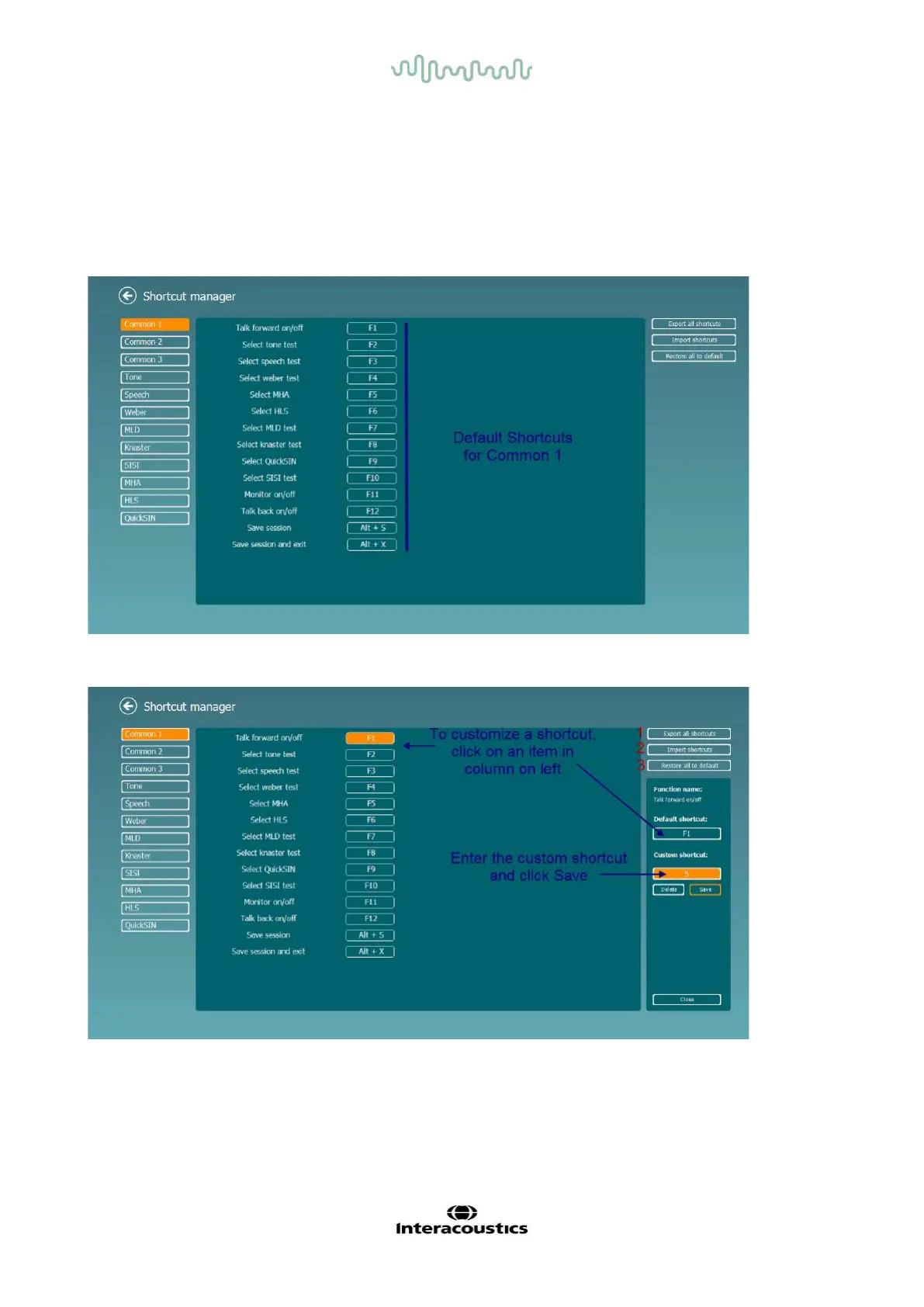
The PC Shortcut Manager allows the user to personalize PC shortcuts in the AC440 Module. To access the
PC Shortcut Manager:
Go to AUD module │Menu │ Setup │PC Shortcut Keys
To view the default shortcuts, click on the items in the left hand column (Common 1, Common 2, Common 3,
etc.)
To personalize a shortcut, click on the column in the middle and add the custom shortcut in the field on the
right hand of the screen
1. Export all shortcuts: Use this function to save custom shortcuts and transfer them to another
computer.
2. Import shortcuts: Use this function to import shortcuts that have already been exported from
another computer.
3. Restore all defaults: Use this function to restore the PC shortcuts to Factory Settings default.



 To Next Page