D-0004578-R – 2022/05 Page 39
Affinity2.0/Equinox2.0 - Instructions for Use - US
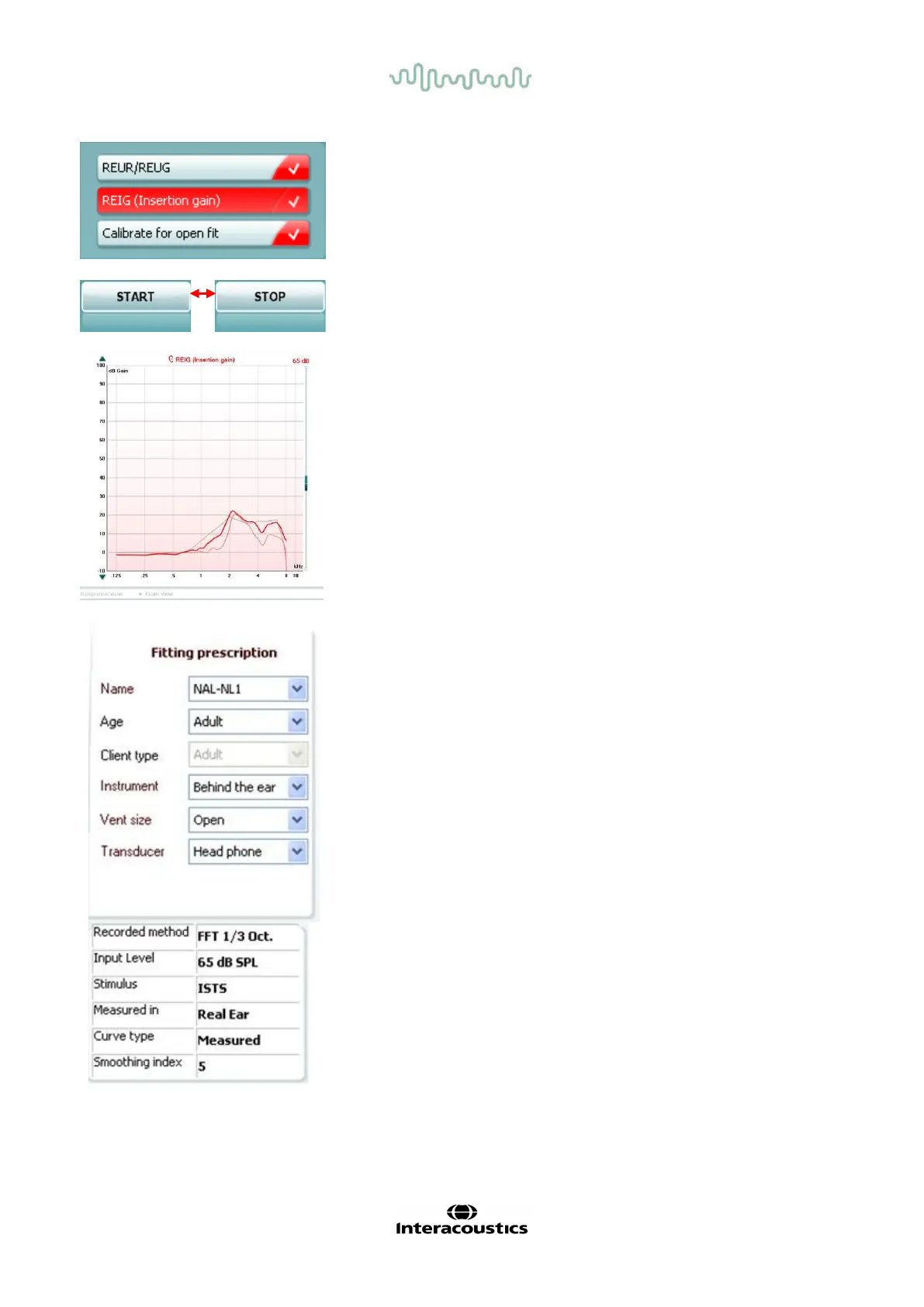
Current Protocol is listed in the lower left-hand corner.
Upon perf orming a test, the system automatically jumps to the next one
in the test flow. The checkmarks indicates that a curve has been
measured.
Test protocols can be created and adjusted in the REM440 setup.
Colour on each test button indicates the colour selected f or each curve.
Start/Stop button initiates and ends the current test. Note that af ter
pressing START the text on the button will change to STOP.
The Graph shows measured REM curves. The X axis shows the
frequency,
and the Y axis shows the intensity of the test signal.
allows for toggling between viewing the
as a gain or response curve. Note that this option is not
e f or REIG.
ement Type is indicated above the graph, with a right/left
In this example the REIG is displayed for the right ear.
the Input Level using the slider on the right-hand side.
raph Up/Down on the left-hand side allows for scrolling
he graph up or down ensuring that the curve is always visible in
middle of the screen.
Fitting Prescription and related details can be adjusted on the
right
-hand side of the screen. Select your preferred fitting
n the upper dropdown list.
hoose between Berger, DSLv.5.0, Half Gain, NAL-NL1, NAL-
AL-R, NAL-RP, POGO1, POGO2, Third Gain, or ’Custom’
edited your target with the Edit feature.
rget shown will be calculated based on the selected f itting
the audiogram and can be shown as REIG
or REAR targets. If no audiogram has been entered into
iogram screen, no targets will be displayed.
tting prescription settings (such as Age and Client
) will differ depending on what f itting prescription is selected.
Measurement Details of the selected curve are displayed as a
table on the right-hand side of the screen.



 To Next Page