D-0101246-Q – 2022/05
Callisto™ Instructions for Use - US Page 10
2.5.1 Software installation Windows®11, Windows®10, Windows®8.1, and Windows®8
Insert the installation USB drive and follow the steps below to install the Callisto
™
Suite sof tware. To f ind the
installation f ile; click “Start”, then go to “My Computer” and double click the USB drive to view the contents of
the installation USB. Double click the “setup.exe” f ile to initiate the installation.
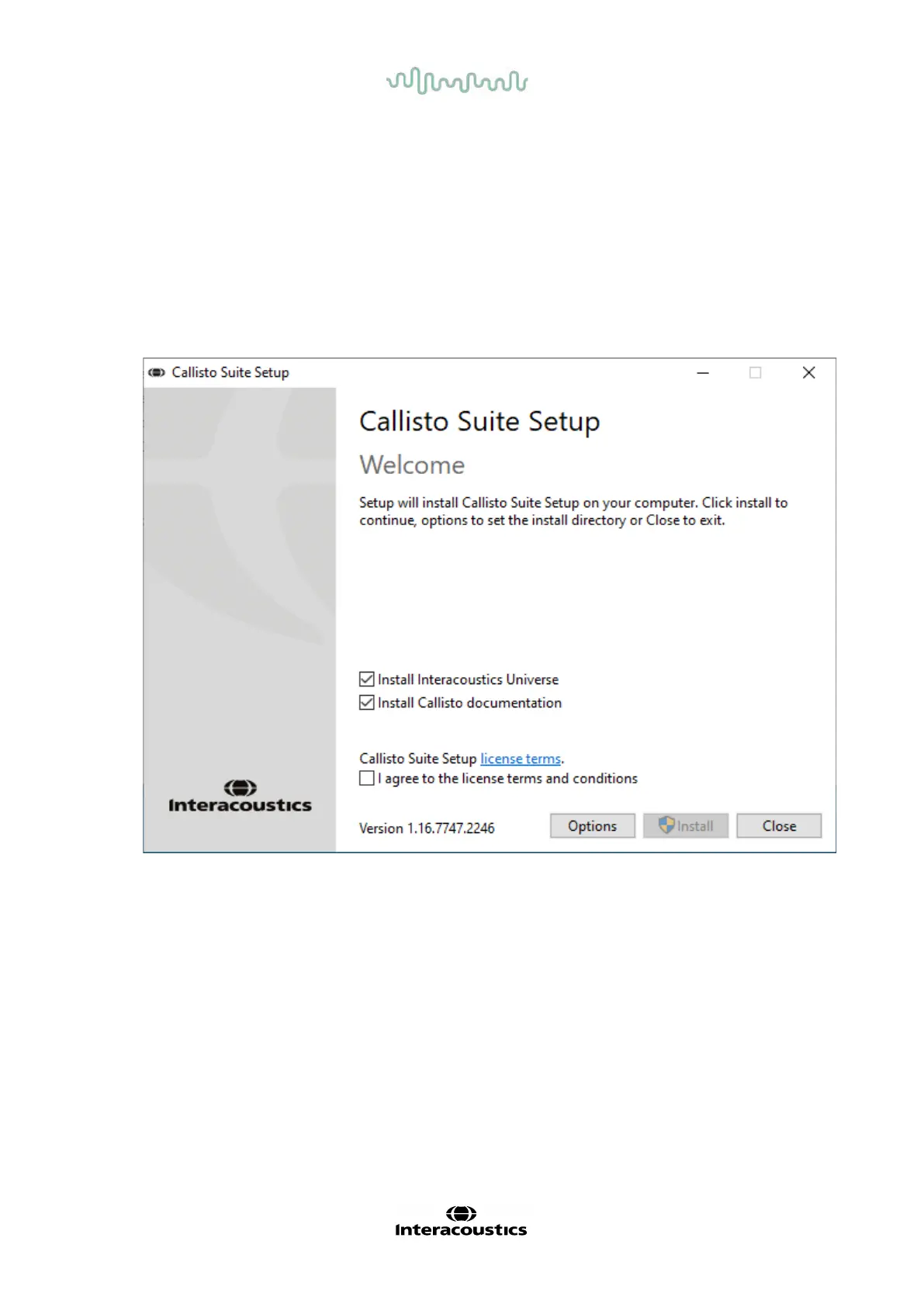
Wait for the dialog shown below to appear, you must accept the license terms and conditions ahead of
installing. On checking the box to accept this, the Install button will become available, click “Install” to begin
the installation.
Note: There are also options to include the installation of Interacoustics Universe and Callisto documentation
within this step. They are by default checked on; you can disable this if you wish.



 To Next Page