D-0101246-Q – 2022/05
Callisto™ Instructions for Use - US Page 14
2.6 Driver installation
Now that the Callisto™
Suite software is installed, you must install the driver for the Callisto™.
1. Connect the Callisto
TM
hardware to the PC via the USB connection.
2. The system will now automatically detect the hardware and a pop- up will appear on the task bar
near the clock indicating that the driver is installed and the hardware is ready for use.
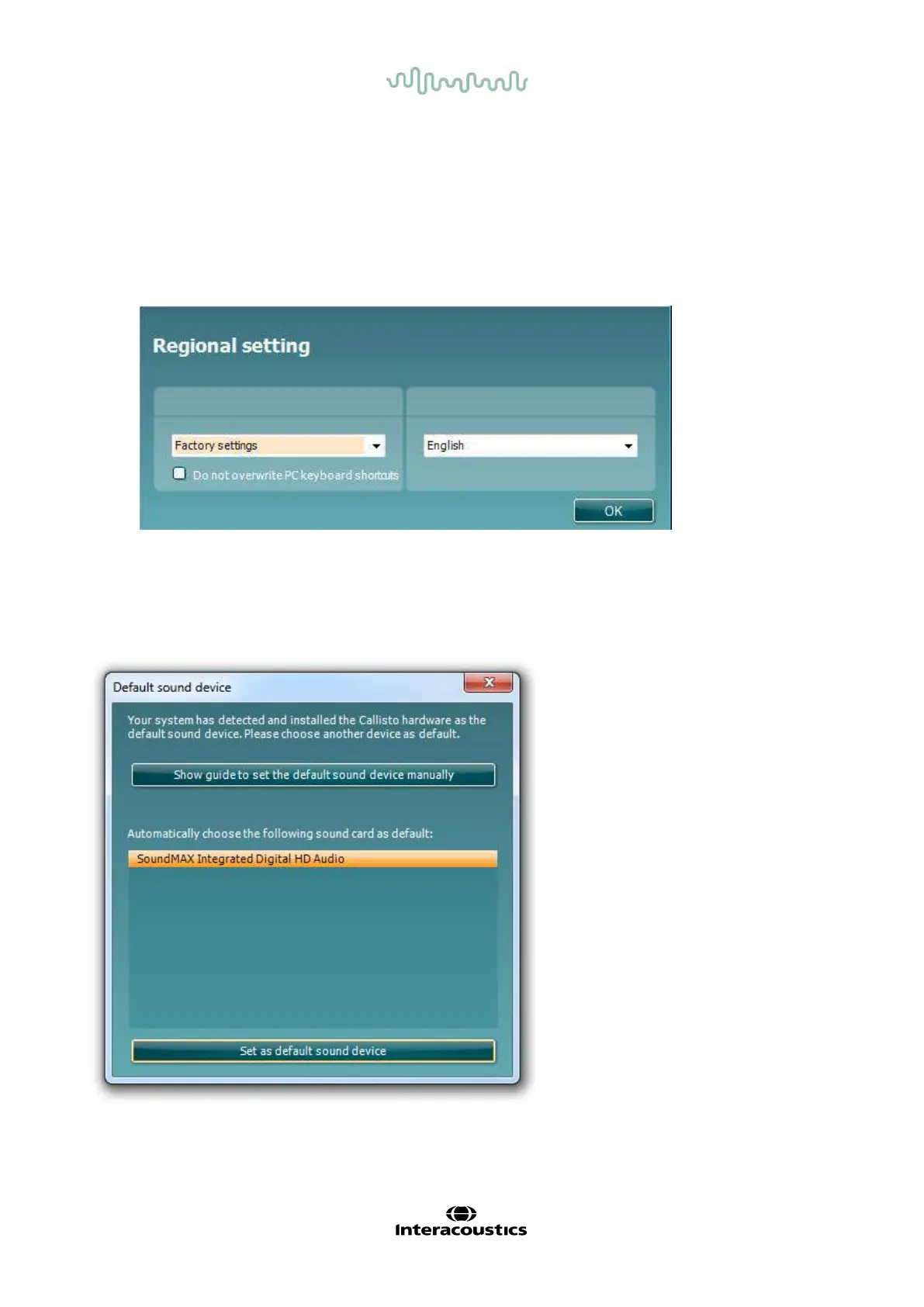
3. To finalize the installation process, start the Callisto™ Suite. Select the desired Regional settings
and Language when the pop-up below appears.
2.6.1 Sound device settings
If the sound card has not been correctly conf igured during the installation, the dialog below will appear the
first time you open the Callisto
TM
Suite. To automatically setup your sound device select your preferred
device f rom the list of click “Set as default sound device”. After automatically setting the default sound device
you must restart the suite for the changes to take effect.
F
or manual setup click “Show guide to set the sound device manually”. Now select “Video instructions” or
“Written instructions” depending on your pref erence and f ollow the instructions to change the sound card
settings.



 To Next Page