D-0120588-B – 2019/03
Eclipse – Instructions for Use - EN Page 24
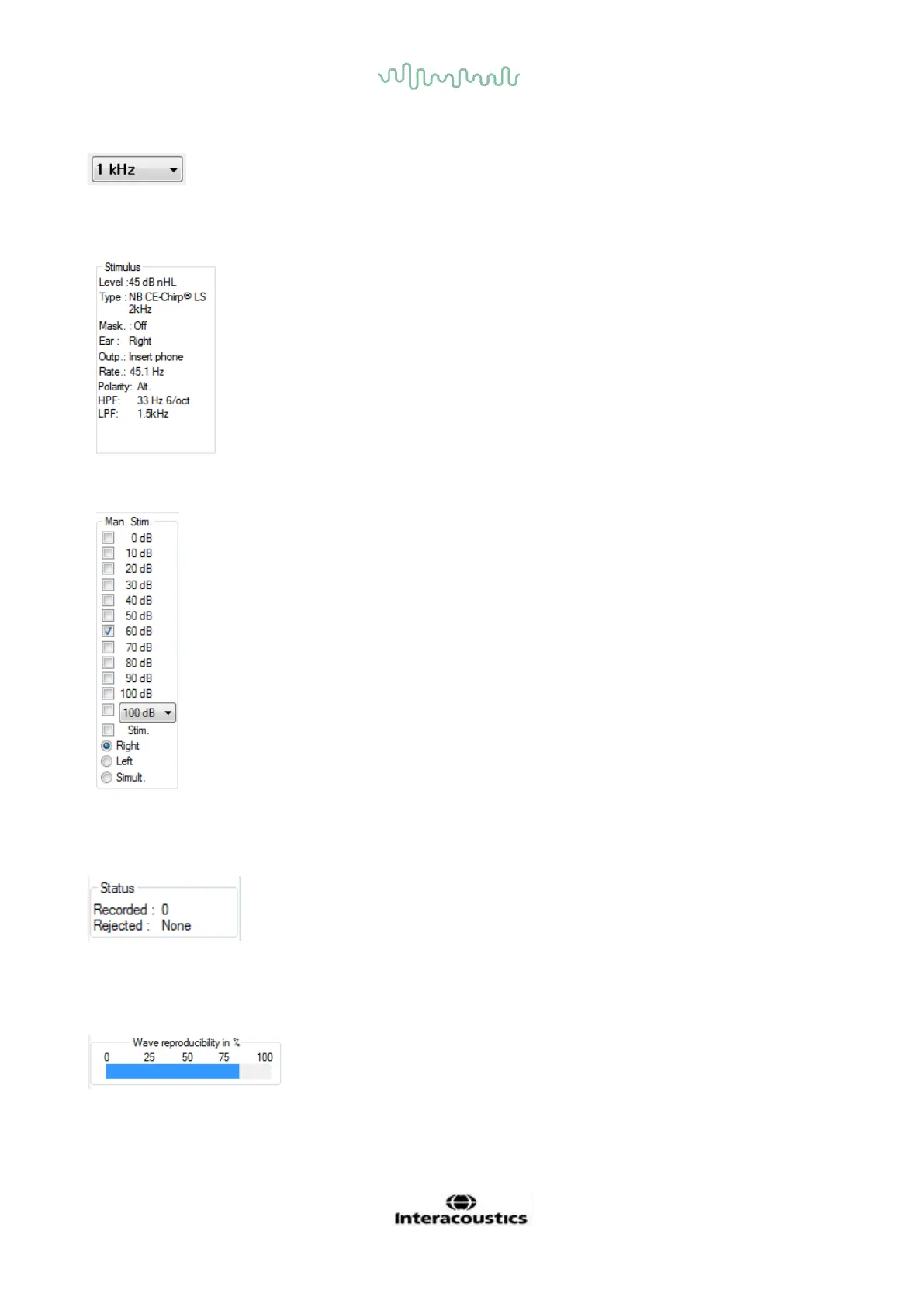
3.1.18 Frequency selection
Select a different stimulus frequency from the dropdown menu.
3.1.19 Stimulus window
The Stimulus window displays the stimulus parameters for the curve
currently being recorded – Stimulus level, Stimulus type, Masking on or off,
Test ear, Transducer, Stimulus rate, Stimulus polarity, the High Pass Filter
setting and the Low Pass Filter setting.
3.1.20 Manual stimulation window
From the Manual Stimulus window the following options are available
1. Stimulus intensity – You must select a stimulus intensity before
starting a test, unless the selected protocol is an auto protocol with a
predefined stimulus. The start button will not be active if no stimulus
intensity is selected. Before and during recording, more than one
intensity can be selected. The highest intensity will be presented
first. Use the Next Intensity button to move to the next intensity
without stopping the test.
2. Stimulate (Stim.) – Stimulate presents the stimulus at the selected
intensity to the patient prior to starting the testing. This option is
useful when using the Advanced EEG.
3. Test ear – Select either Right, Left or Simultaneous (Simult.). When
simultaneous is selected, a single combined waveform in black is
displayed on the screen.
3.1.21 Status window
The Status window shows the number of record (accepted) sweeps together with the number of rejected
sweeps as a percentage.
3.1.22 Waveform reproducibility
During testing, responses are allocated alternately to buffer A and buffer B (see “Display A-B Curves”). The
waveform reproducibility indicator shows an automatic calculation of the correlation (similarity) between the
two curves within a specific time frame indicated by the bold black line on the time scale.














 To Next Page