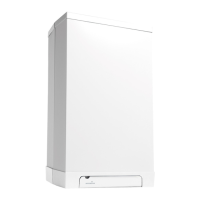
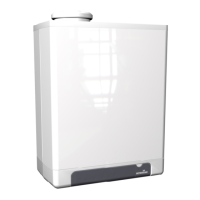
This document provides operation instructions for the Intergas Xtreme series of high-efficiency wall-mounted gas boilers, designed for domestic use.
Function Description:
The Intergas Xtreme series are modulating high-efficiency boilers that adjust their capacity according to the desired heating demand. They feature two separate copper circuits integrated into an aluminum heat exchanger. A key innovation is the inclusion of a second heat exchanger (heat recovery unit) integrated into the boiler's flue. This design enhances the efficiency of domestic hot water (DHW) production by utilizing residual heat from central heating flue gases to preheat DHW. This technology reduces energy consumption, leading to extremely high efficiency.
The boiler incorporates a burner controller that manages the pump (only during central heating demand) and fan, opens the gas valve, ignites the burner, and continuously monitors and regulates the flame based on the requested capacity for both heating and DHW.
Operation of Central Heating:
The central heating system water flows through the heat exchanger and is heated by the burner. The boiler adjusts its power to meet the required heat demand.
- On/Off control: The boiler's load varies between minimum and maximum values according to the flow temperature set at the boiler. An on/off thermostat can be connected.
- Modulation control: The load varies based on the flow temperature set by a modulating controller. The boiler power can be modulated with a suitable controller, such as an OpenTherm or RF thermostat.
When the desired room temperature is reached, the room thermostat signals the boiler. The burner controller then turns off the fan, closes the gas valve, and switches off the burner (if the DHW comfort function is set to "eco" or "off"). The circulation pump continues to run for a 1-minute overrun time, which can be modified. The pump also automatically runs for approximately 10 seconds every 24 hours to prevent seizing.
Operation of Domestic Hot Water Facility:
The DHW facility activates automatically when more than 2 liters/minute of hot water is drawn. For quick DHW supply, the boiler includes a DHW comfort function that, when activated, maintains the heat exchanger at a set temperature.
The DHW comfort function offers several settings:
- P-On (Program on): The DHW comfort function is active within chosen time blocks, maintaining the heat exchanger temperature during these periods. This option is only available if a clock program is active and is intended for use with a W-plan (Intergas cylinder sensor and 3-port valve) wired directly to the boiler.
- On: The DHW comfort function is continuously active, ensuring immediate hot water supply.
- Eco: The DHW comfort function is self-learning, adapting to the user's DHW usage patterns. This means the heat exchanger will not maintain temperature during the night or prolonged absences.
- Off: The heat exchanger is not kept warm, resulting in a slight delay in hot water supply. This setting is suitable when quick DHW supply is not required.
Important Safety Note for DHW: Water temperatures over 125°F (52°C) can cause severe burns or death from scalding. Children, disabled individuals, and the elderly are at the highest risk. Users should consult the instruction manual before setting the water heater temperature and feel the water before bathing or showering. Temperature limiting valves are available.
Control Panel and Readout:
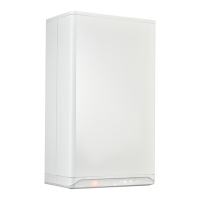
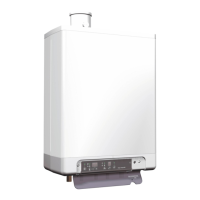
The boiler features a fully integrated touch screen control panel that displays information about its operational mode using symbols, numbers, points, and letters. Buttons on the display illuminate when operable and extinguish when unavailable. The touch screen is operated using fingers.
- Left display (8.8.8.8): Shows desired temperature in °C, central heating pressure, fault code, or time.
- Minus button (-): For decreasing values.
- Plus button (+): For increasing values.
- In operation (burner is switched on) (0): Indicates the burner is active.
- Power LED (9): Indicates power status.
- DHW operation / DHW comfort setting / Temperature domestic hot water setting (r): Indicates DHW activity or settings.
- Central heating demand / Adjusting maximum central heating temperature (): Indicates central heating demand or settings.
- Service button (): For service-related functions.
- Enter button (P): To confirm settings.
- Right display / operational code (8.): Shows operational codes.
Using the Control Panel:
- Touching: A brief touch activates a function.
- Touching and holding for 2 seconds: Activates functions requiring a longer press, such as switching the boiler on/off or resetting.
Operational Modes:
- Boiler switched off: Connected to mains voltage, but not operating. Displays the power LED [•], central heating system pressure [18], and a line [-] on the right display.
- Boiler switched on and ready for a heat demand: Displays only the power LED [•]. All other symbols and values are not shown.
- Boiler switched on and supplying domestic hot water: Displays the power LED [•], the flame [0], and the tap symbol [r].
- Boiler switched on and supplying central heating water: Displays the power LED [•], the flame [0], and the radiator symbol [].
Switching Boiler On and Off:
The boiler can be switched on by touching and holding the control panel just above the power LED for 2 seconds. To switch off, repeat the same action.
Changing Settings:
Settings can be adjusted even if the boiler is not fully turned on, provided it is wired to a fuse spur and mains voltage is present. The settings are organized into menus:
- Main menu: The highest-level menu, accessible by touching the control panel above the power LED. It provides access to other menus.
- Domestic hot water menu: For DHW-related settings, including temperature (40°C - 65°C, default 55°C) and comfort function.
- Central heating menu: For central heating-related settings, including maximum central heating water temperature (30°C - 90°C, default 80°C) and clock program.
Modifying DHW Temperature:
- Touch the Domestic Hot Water button (r). The current set temperature is shown.
- Use the Plus (+) and Minus (-) buttons to set the desired temperature.
- Touch the Enter button (P) to confirm (or wait 30 seconds). A 'P' appears on the right display, indicating the setting is stored.
- The display returns to the main menu.
Modifying DHW Comfort Function:
- Touch the Domestic Hot Water button (r) twice. The current DHW comfort setting is shown.
- Use the Plus (+) and Minus (-) buttons to select the desired setting (e.g., ECO).
- Touch the Enter button (P) to confirm (or wait 30 seconds). A 'P' appears, indicating the setting is stored.
- The display returns to the main menu.
Modifying Central Heating Water Temperature:
- Touch the Central Heating button (). The current set temperature is shown.
- Use the Plus (+) and Minus (-) buttons to set the desired temperature.
- Touch the Enter button (P) to confirm (or wait 30 seconds). A 'P' appears, indicating the setting is stored.
- The display returns to the main menu.
Applying the Clock Program (if active):
- From standby or operational mode, touch the control panel above the power LED to access the main menu.
- Touch the Central Heating button (). The current CH water temperature is displayed.
- Touch the Central Heating button () again to switch to the clock program setting.
- Use Plus (+) and Minus (-) buttons to set the desired program:
- P-on (Program on): Boiler responds only to CH demands within chosen time blocks. If no valid switching points, it responds to any CH demand.
- T-on (Temporary on): Overrules the clock program temporarily. Boiler responds to every CH demand until the next "on" switching point.
- On (Continuous on): Boiler responds to every CH demand without time limit.
- Off: Boiler does not respond to any CH demand.
- Touch the Enter button (P) to confirm. The setting is saved. A 'P' appears, and the display returns to the Central Heating menu. Changes are also saved after 2 minutes of inactivity. Touching the control panel above the power LED instead of the Enter button returns to the menu without saving changes.
Filling and Bleeding the Boiler and Installation:
For correct operation, the central heating system pressure (when cold) must be between 1 and 1.5 bar. This pressure is displayed on the left when the boiler is off. If the pressure drops below 0.5 bar during CH demand, the display will flash, and boiler operation will be limited to prevent damage. The system must be refilled.
Procedure:
- Connect the filling loop and fill the installation to a maximum pressure of 1.5 bar (cold).
- Bleed the appliance using the manual bleed vent on the top left of the boiler.
- Bleed air from the installation using manual bleed vents on the radiators.
- Top up the CH installation if the pressure drops after bleeding.
- Switch on the boiler by touching and holding the control panel above the power LED for 2 seconds.
Note: If the system requires frequent refilling, contact your installer as there may be a leak.
Frost Protection:
The boiler must be installed in a frost-free area, and the condensate pipe should ideally be installed internally. The boiler has built-in frost protection: as long as mains voltage and gas supply are present, it switches on the central heating pump and, if needed, the burner if the heat exchanger temperature drops excessively. If an external frost thermostat is used and connected to the boiler, it is not active when the boiler is switched off on the control display.
Maintenance:
The boiler can be cleaned with a damp cloth; avoid aggressive or scrubbing cleaning agents or solvents. The boiler and system, including the flue and air supply duct pipe, should be inspected and cleaned annually by an authorized installer.
Faults and Resetting:
Simple faults can be resolved as follows:
- Central heating system not hot enough:
- Increase room thermostat temperature.
- Open radiator valves.
- Set central heating flow temperature higher (see §2.3.3).
- Vent the system and check central heating pressure.
- Domestic hot water not hot enough:
- Central heating pressure is too low (flashing on display).
- Set domestic hot water temperature higher (see §2.3.2).
- 'F004' appears (service symbol flashes): Indicates the burner does not ignite. Check if the gas valve is open and if there is gas supply. If so, reset the boiler. If the fault persists, contact your installer.
Important: Always contact your installer for repeated occurrences of faults.
Requesting Fault Code:
If the burner controller detects a fault, a flashing service symbol () appears, and a fault code (e.g., F004) is displayed for 30 seconds before the left display extinguishes, leaving the service symbol flashing. The fault code can be requested by touching the flashing service symbol.
Resetting the Boiler:
To reset the boiler, touch and hold the flashing Service button () for 2 seconds. The boiler will then restart.
Important Technical Specifications (implied by text):
- Heating capacity: Modulating, adjusts to demand.
- Heat exchangers: Aluminum (main), second heat exchanger (heat recovery unit) in flue.
- DHW temperature range: 40°C - 65°C (default 55°C).
- Central heating water temperature range: 30°C - 90°C (default 80°C).
- Central heating system pressure (cold): 1 - 1.5 bar (minimum operational 0.5 bar).
- DHW activation flow rate: > 2 liters/minute.
- Pump overrun time: 1 minute (modifiable).
- Pump anti-seize function: Runs for ±10 seconds every 24 hours.
Usage Features:
- Touch screen control panel for intuitive operation.
- Multiple operational modes for central heating and domestic hot water.
- Self-learning "Eco" mode for DHW comfort.
- Clock program functionality for scheduled heating and DHW.
- Integrated frost protection.
- Display of system pressure and fault codes for easy monitoring.
Maintenance Features:
- Requires annual inspection and cleaning by an authorized installer.
- User-friendly instructions for filling and bleeding the central heating system.
- Simple cleaning with a damp cloth.

 Need help?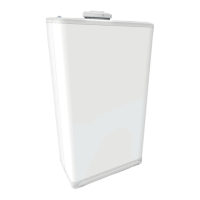

 To Next Page
 General