Interklima High wall unit
II/IO - SCV1
26
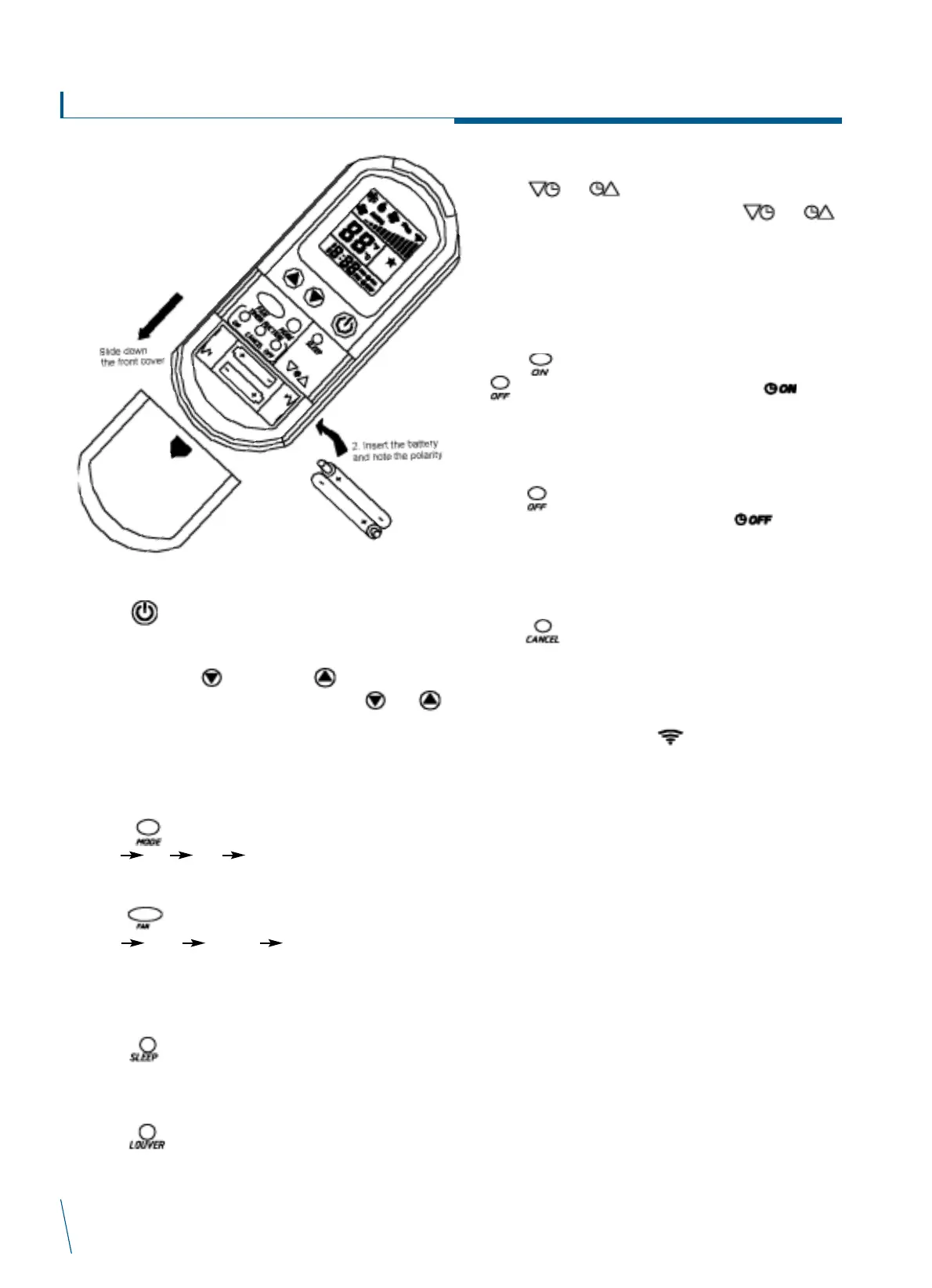
1. How to insert new batteries
1. On/Off
Press to start or stop the air conditioner.
2. Temperature setting
Press temperature or temperature to decrease or
increase the set temperature. Press temperature and
temperature together to change the temperature setting from
C to F. Valid temperature set range is 16
o
C-30
o
C or 60F-86F.
Temperature setting is not available in Fan mode.
3. Mode setting
Press button to change the operation mode as follow:-
Cool dry heat auto cool/heat
4. Fan speed setting
Press button to change the fan speed
Auto Low Medium High. Auto fan setting is not
available in Fan mode. Fan speed setting is not available in
dry mode.
5. Sleep setting
Press button to activate or deactivate sleep setting.
Sleep is not available in Dry mode.
6. Louver setting
Press button to set the louver at fixed positions
1,2,3,4, auto swing or stop position.
7. Clock setting
Press or for 2 seconds to change the real
time clock setting. Subsequent pressing of or
will increase or decrease the current setting in 1 minute
intervals. Holding the button for 4 seconds will change the
current setting with a faster speed. Holding the button for 6
seconds will change the setting with high speed.
8. On timer setting
Press button to activate on timer setting. First press of
button will show the last timer setting and symbol
flashes. Subsequent pressing will change the timer setting in
10 minute increments.
9. Off timer setting
Press button to activate off timer setting. First press of
button will show the last timer setting and symbol
flashes. Subsequent pressing will change the timer setting in
10 minute increments.
10. Cancel timer setting
Press button to cancel both on and off timer setting.
Tips about remote control handset
ñ The range of handset signal is 6 meters distance, without
any obstructions.
ñ Remote controller will show when transmitting the
signal after pressing any button and at the same time, unit
will sound, meaning it has received the signal. If this sound
cannot be heard, please press the button again or check if
unit is within signal receiving range.
ñ Remote controller must not be exposed to humidity, sunlight,
heat source, or rough handling.
ñ Signal transmitter must be aimed at signal receiving window,
at a maximum angle of 30
o
.
ñ Signal receiving window must not be exposed to strong light
which will interfere with handset signal.
ñ Pressing multiple buttons at the same time may damage the
handset.


 To Next Page
 Loading...