Interklima High wall unit
II/IO - SCV1
28
1. Operation display area:
Shows the selected operation mode.
You can select Auto heat/cool ,
cooling ,
heating ,
dry ,
or sleep .
2. Temperature display:
Show the set temperature.
3. Fan speed display:
Shows the selected fan speed.
You can select Auto Fan ,
low ,
medium ,
or high .
4. Airflow direction display (not applicable):
Shows the selected airflow direction.
You can select auto direction.
5. Time display area:
If you have set timer on or timer off, it will show your timing,
or it will show you the current real time.
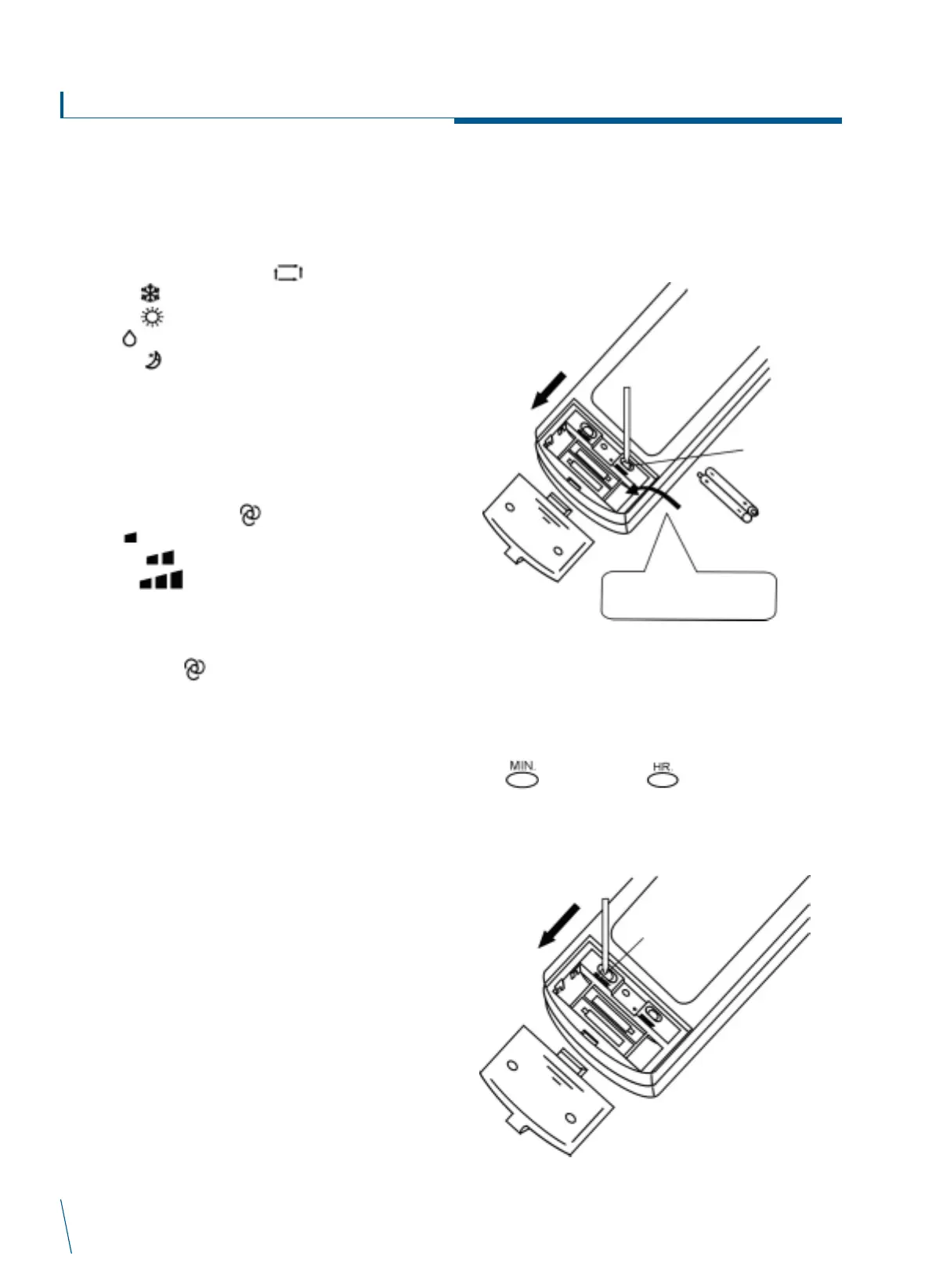
1. How to insert new batteries
After inserting the batteries, please press the reset button to set
the remote controller ready for use.
2. Adjusting the time of remote controller
Open the back cover of remote controller, press * CLOCK button,
when the display is flashing *ñ and CLOCK, then begin to set the
time.
Press button and press button to change the time.
Press *CLOCK to fix right time, then flashing will stop.
Names and functions of
Handset Display Area
Operation Instructions
NOTES
1. All the icons shown in the picture of remote controller are for customer’s
reference. When in actual use, screen will only show you the corresponding area.
2. If the air-conditioner is turned off, screen will show nothing. (Except for starting
air-conditioner using timer-on.)
RESET
Put pole "+" and "-"
correctly



 To Next Page