23
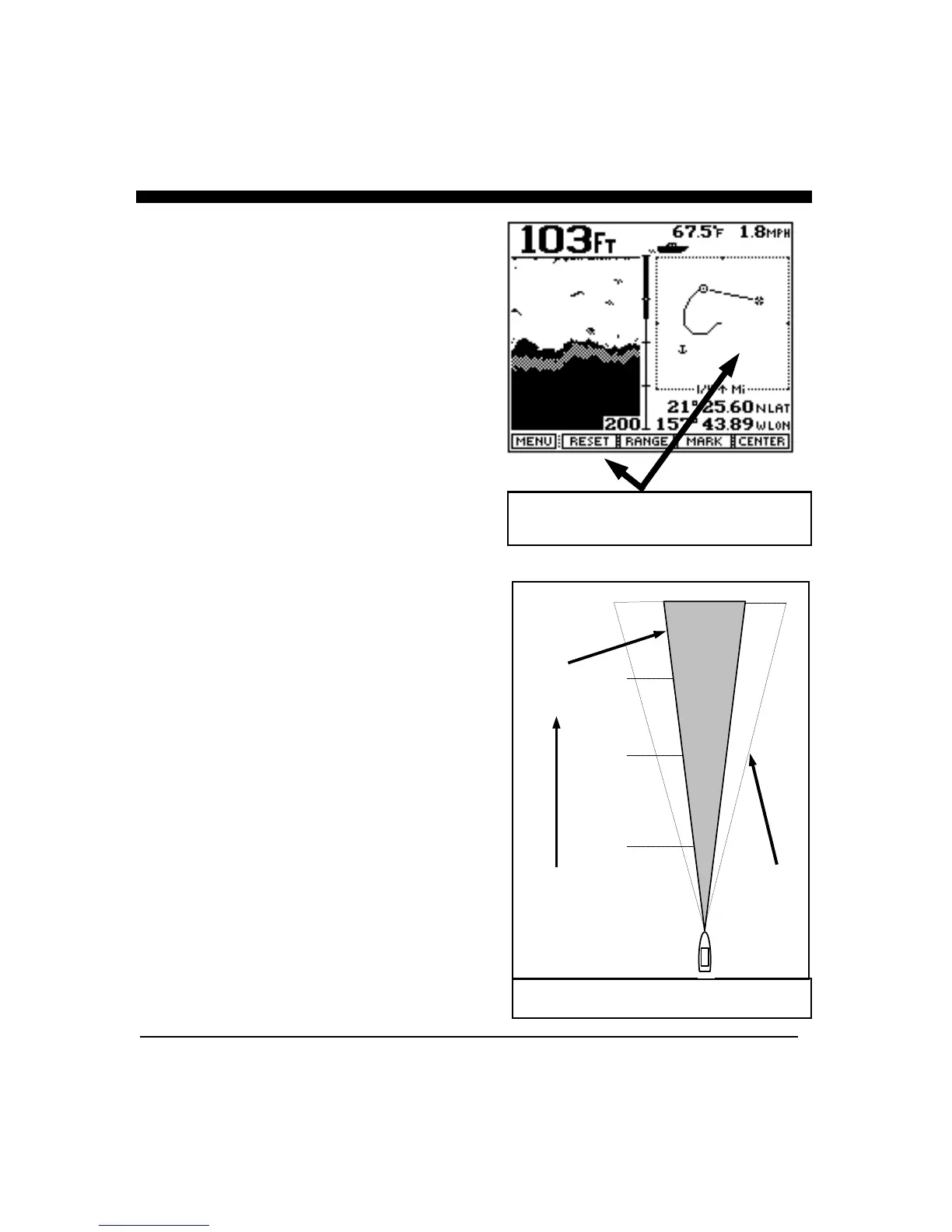
For example, when you are in the split screen Chart/Track
Plotter display, the Track Plot will appear on the right
side of the display and the softkey menu will allow you to
change the Track Plotter settings. In order to make
changes to the downlooking Chart display, you must go
to a display where the Chart display is on the right side of
the display (such as the Chart mode).
In addition to the fact that the softkey menu typically
relates to only the right side of the split screen displays,
other features such as Bottom Hardness and Fish Symbols
will not appear in Zoomed, Bottom Track or Bottom
Locked displays.
Cone Angle & Area Covered to Side
The Twinscope’s Primary Cone Angle is approximately
12 degrees. The Chart at right shows the approximate
width of the cone at different distances from the boat.
Although 50% of the acoustic radiation is concentrated
within this cone, 50% is also outside the cone which
permits the Twinscope to detect targets typically up to
twice the cone angle, (i.e. 24 degrees). This means, for
example, that at 1,000 feet the Twinscope will typically
be able to see targets across a 420 foot width (210 feet
each side of center). See Figure at right. In order to
calculate the approximate width of the primary beam,
divide the forward range by 5. Examples: At 300 feet
forward, the primary cone is approximately 60 feet in
diameter. At 20 feet forward, the primary cone is
approximately 4 feet in diameter
In Split Screen Views, the Softkey Menu
Relates to the Right Side of the Display
Width of 12 Degree Acoustic Beam
250
500
750
1000
210
158
105
53
Distance
Forward
or Below
Boat
Probe can
typically
see targets
within this
area.
12 Degree
Cone
Angle



 To Next Page