54
Chart View
(Conventional down looking)
The Twinscope’s phased array transducer can be
electronically steered to look directly below the boat.
In this mode the Twinscope LCD display will show a
picture exactly like conventional fixed beam down-
looking fish finders. When in this mode, the
Twinscope offers a full range of sophisticated
features which are found on advanced conventional
depth sounders, such as split screen zoom, bottom
lock, fish and depth alarms, bottom hardness (white-
line), plus several other advanced features.
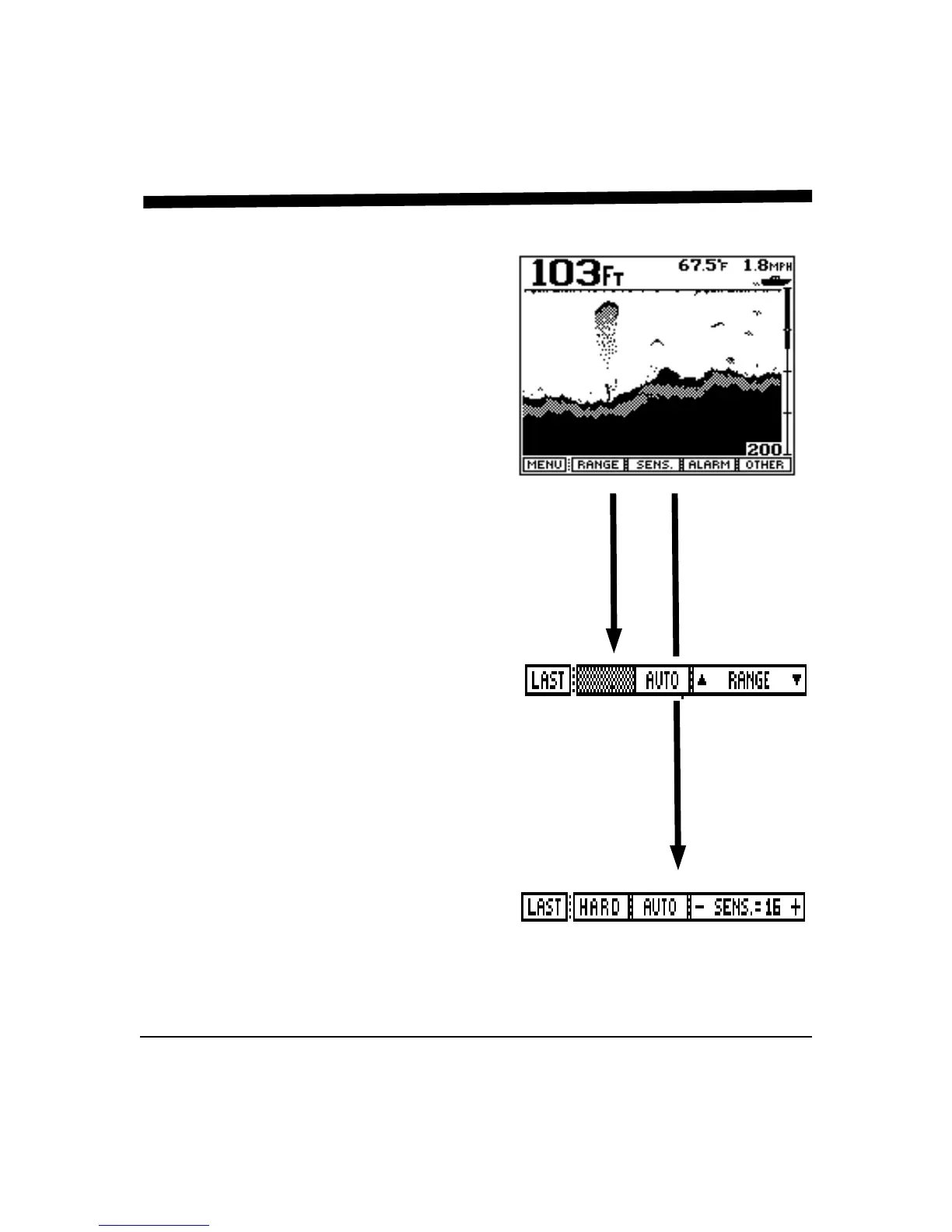
From the Command Center select the "CHART"
View and press the "GO" soft key to bring up the
menu showing the features and adjustments for this
view. The display should be similar to that at right.
Range Adjustment
Press the button labeled "RANGE" to bring up the
Range Adjustment soft key menu. Press the button
labeled "AUTO" if you would like the Twinscope’s
internal microprocessor to automatically select and
adjust the depth range as bottom conditions change.
To manually adjust the depth, rotate the front panel
knob or press either the range button labeled "∩" or
"∪". If you make a manual depth adjustment, the
AUTO range mode is turned off and will remain off
until the button labeled AUTO is again selected.
Note: when in the AUTO mode, the soft key labeled
"AUTO" will be shown in reverse video (white on
black). To return to the main forward looking menu,
press the soft key labeled "LAST". (To return to the
Control Center press the soft key labeled "MENU")
Sensitivity Adjustment
Press the soft key labeled "SENS." to bring up the
choices available for adjusting the Twinscope's
receiver sensitivity. Press the button labeled "AUTO"
so that the word AUTO is shown in reverse video
(white letters on a black background) if you would
like the Twinscope to automatically adjust its
sensitivity for changing conditions. To manually
adjust the sensitivity, rotate the front panel knob or
press the button labeled“- Sens.” or “Sens +” to
increase or decrease the receiver gain. Note that the
soft key shows a number which indicates the relative
sensitivity being used (+1 to +32). When you choose



 To Next Page