30
Forward View (Full Screen)
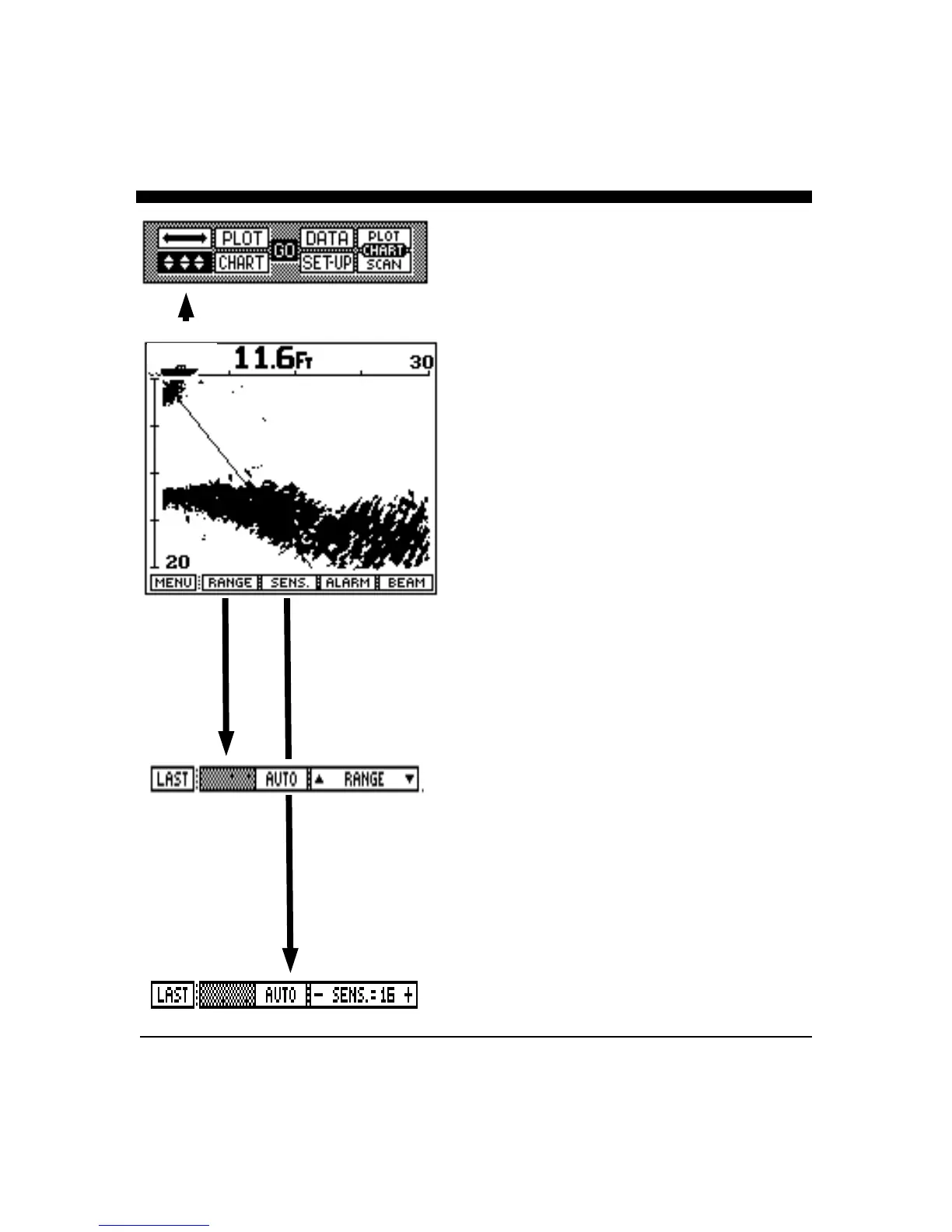
While in the Control Center press the leftmost button until
the display shows the up/down arrows in reverse video as
shown at left. At the top of the screen the current depth
beneath the boat is shown in digital numbers. If the
optional speed/temperature transducer is connected to
theunit, the boat’s speed is displayed just to the left of the
digital depth.
Press the GO button to bring up additional adjustments and
features for this forward looking view. Your display menus
should appear as on the left. Notice that both the
downward depth and forward range are shown by the
digital numbers at the bottom left and the top right side of
the LCD screen. These numbers will change as different
ranges are selected, either automatically or manually.
Range Adjustment
Press the button labeled "RANGE" to bring up the Range
Adjustment soft key menu as shown at left. Press the
button labeled "AUTO" if you would like the Twinscope’s
internal microprocessor to automatically select and adjust
the range as bottom conditions change. To manually adjust
the range, press either the range button labeled "∩" or "∪",
or rotate the large knob. If you make a manual depth
adjustment, the AUTO range mode is turned off and will
remain off until the button labeled AUTO is again selected.
Note: when in the AUTO mode, the soft key labeled
AUTO will be shown in reverse video (white on black). To
return to the main forward looking menu, press the left soft
key labeled "LAST".
Sensitivity Adjustment
Press the soft key labeled "SENS" (for sensitivity) to bring
up the choices available for adjusting the Twinscope's
receiver sensitivity. Press the button labeled "AUTO" so
that the word AUTO is shown in reverse video (white
letters on a black background) if you would like the
Twinscope to automatically adjust its sensitivity for
changing conditions. To manually adjust the sensitivity,
either press the button labeled “- Sens.” or “Sens +” or
rotate the control knob. Note that the soft key shows a
number which indicates the relative sensitivity being used
(+1 to +32). When you choose to manually adjust the
sensitivity, the Twinscope turns off the AUTO sensitivity
mode and it will remain off until the AUTO soft key is
again selected. To exit the sensitivity menu and save your
38.1 MPH



 To Next Page