41
menu to clear all alarms simultaneously, or press
"CLEAR" in the sub-menus to clear the selected
Shallow or Deep Alarm.
Sector Width & Steer Adjustment
The large front panel rotary knob can be used to both
adjust the beam scanning width and the direction of the
scan. For example, you may not want to scan the full
90 degree sector from the surface ahead to beneath the
boat, but instead only to scan from the surface ahead to
a certain depth below the surface. Press the soft key
labeled "BEAM" to bring up a sub-menu of beam
adjustment choices.
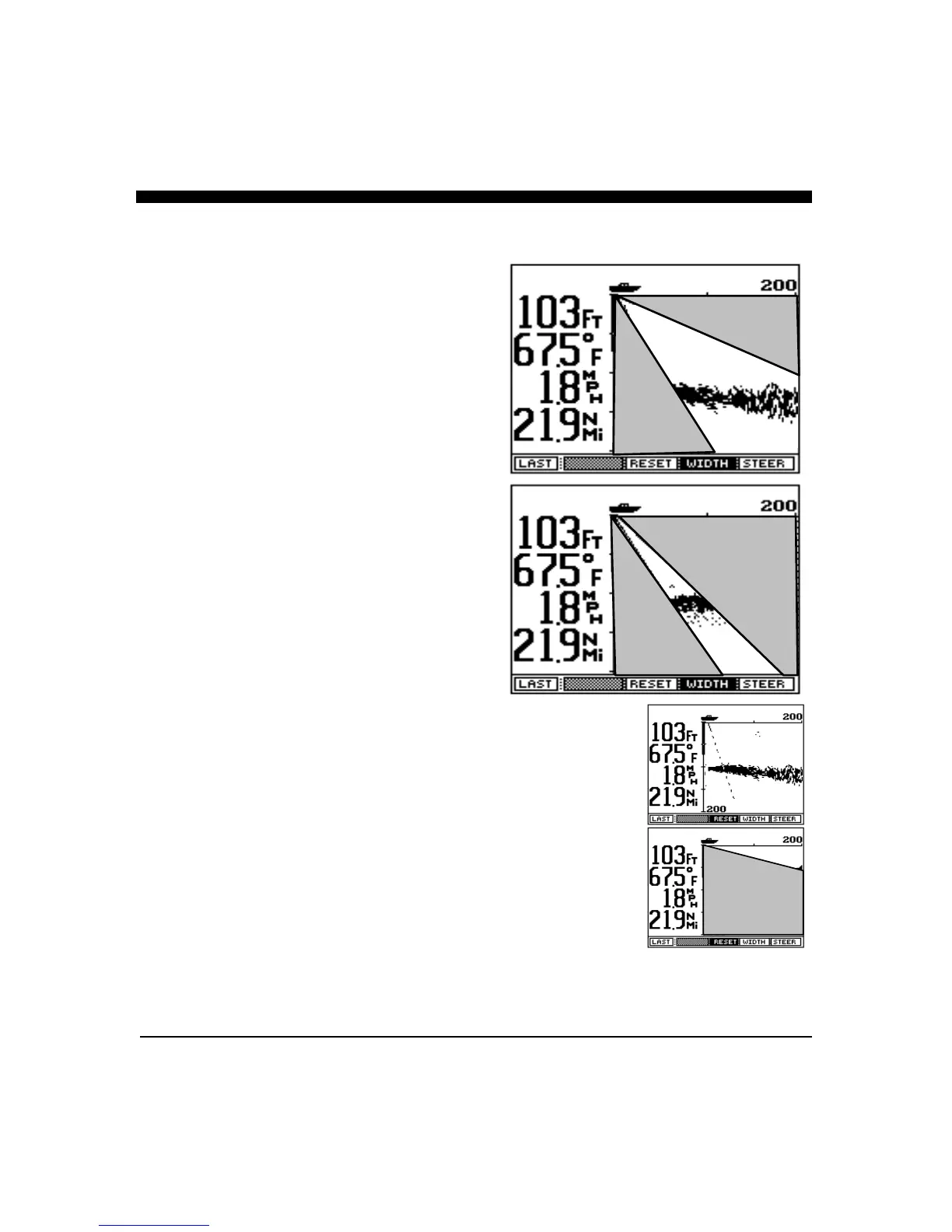
By pressing the soft key labeled "WIDTH", the front
panel knob can be used to adjust the scanning sector
width. The actual sector size will be shown on the
display as the BEAM width is adjusted.
By pressing the soft key labeled “STEER”, the
resulting sector can then be steered throughout the
possible 90 degree sector (from directly beneath the
boat to the surface ahead).
The “RESET” button can be used to quickly select
three popular scanning sectors. If the “RESET” button
is pressed once, the Twinscope will return to the full
90 degree sector scan (from straight ahead to below the
boat), pressing “RESET” again will put the
Twinscope into a far forward scan and pressing it a
third time will set select another far forward scan.
Each of the far forward scans is approximately 12
degrees wide.
Beam Speed (Resolution)
In its normal scanning mode “NORM”, the
Twinscope will send out 50 forward beams and will
alternate between a forward beam and the down-
looking beam. In the “FAST” position, only 30 beams
will be used and the Twinscope will send 5 forward
scanning beams for every down-looking sample. In the
“DETAIL” mode, the Twinscope sends out 90 beams,
one every 1 degree for the maximum resolution, but
also at the slowest speed.
RESET
(Full Sector Scans)
RESET
(Far Forward
Sector Scans)



 To Next Page