59
conditions. To manually adjust the sensitivity press the
button labeled “- Sens.” or “ Sens +” to increase or
decrease the receiver gain. Note that the soft key shows a
number which indicates the relative sensitivity being
used. When you choose to manually adjust the
sensitivity, the Twinscope turns off the AUTO
sensitivity mode and it will remain off until the “AUTO”
soft key is again selected. Note: when AUTO mode is
turned on the word AUTO will be displayed in reverse
video (white letters on a black background). To exit the
sensitivity menu and save your adjustments simply press
the soft key labeled “LAST” to return to the main
forward looking menu. (Press "MENU" to then return to
the Control Center).
Alarm Adjustment
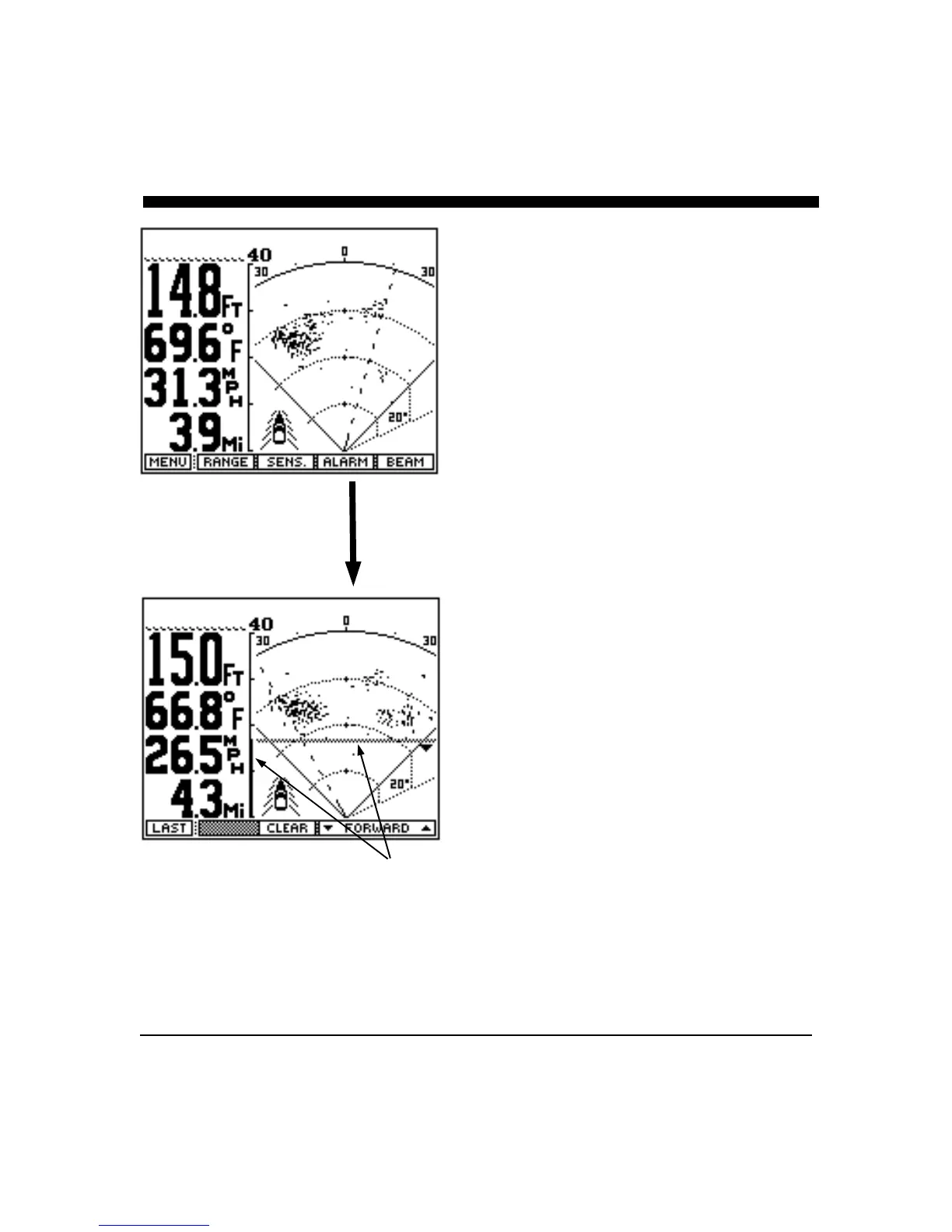
In the forward looking display or view, a forward alarm
may be set for targets which are closer than a present
distance.
To adjust or clear the alarm settings, press the soft key
labeled “ALARM” to bring up the forward looking
alarm menu choices. As either the up or down keys are
pressed and held down, or the large knob is rotated
counterclockwise, a horizontal bar will move from the
bottom of the display towards the top. A vertical bar will
also move along the range scale. The horizontal and
vertical bar indicate the alarm range. Any strong target
between the boat (at the bottom of the display) and the
alarm bar will cause the alarm to sound. (Note: the
horizontal line will disappear a few seconds after the
alarm is adjusted, but the vertical bar will remain to
indicate the alarms setting.)
To deactivate the alarm either press the "CLEAR" soft
key to clear the forward alarm, or rotate the control knob
clockwise until the alarm bar disappears at the bottom of
the display.
Alarm Indication



 To Next Page