EasyManua.ls Logo

Intex Saltwater System CS8111 - User Manual

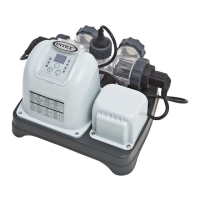
Intex Saltwater System CS8111
35 pages
Print Icon
To Next Page IconTo Next Page
Loading...
133
(133) MODEL CS8111 SALTWATER SYSTEM & FILTER PUMP ENGLISH 7.5” X 10.3” PANTONE 295U 11/17/2011
English
OOWWNNEERRSS MMAANNUUAALL
Krystal Clear
Saltwater System
®
& Filter Pump
Model CS8111
IMPORTANT
SAFETY RULES
Read, understand, and follow all
instructions carefully before
installing and using this product.
IIMMPPOORRTTAANNTT!!
DO NOT RETURN PRODUCT TO STORE
To purchase parts and accessories or to obtain non-technical assistance,
Visit www.intexcorp.com
For technical assistance and missing parts call us toll-free (for U.S. and Canadian Residents):
1-800-234-6839
Monday through Friday, 8:30am to 5:00pm Pacific Time
Don’t forget to try these other fine Intex products: pools, pool accessories,
inflatable pools and in-home toys, airbeds and boats available at fine
retailers or visit our website.
133-***-R1-1211
For illustrative purposes only.

Questions and Answers

  • A
    April SmithAug 18, 2025
    Why is there insufficient chlorine in my Intex Water System?
    • M
      Mary CamposAug 19, 2025
      To address insufficient chlorine in your Intex Water System, consider increasing the daily operating time. Check the salt level with a test kit and adjust as needed to maintain at least 2000ppm. Use a pool cover to minimize chlorine loss from sunlight. If the bather load has increased, increase the daily operating time. Inspect and clean the electrolytic cell if it's clogged or dirty.
  • O
    Omar McbrideAug 21, 2025
    Why doesn't my Intex Saltwater System CS8111 filter clean the pool?
    • T
      Tracy PinedaAug 21, 2025
      If the Intex Water System filter doesn't clean the pool effectively, try the following: * Adjust the sanitizer and pH levels, consulting your local pool supply store for guidance. * Clean or replace the filter cartridge if it's dirty or damaged. * If the pool is excessively dirty, operate the filter for longer periods. * Ensure the strainer screen at the inlet is clean to avoid restricting water flow.
  • V
    Vanessa HardingAug 23, 2025
    How to troubleshoot a filter motor that fails to start in Intex Water System?
    • C
      craigkimberlyAug 23, 2025
      If your Intex Water System filter motor fails to start, ensure the filter cord is plugged into a 3-wire outlet protected by a Class A Ground Fault Circuit Interrupter, or RCD. Also, check if the GFCI circuit breaker has tripped and reset it. If it repeatedly trips, there may be an electrical system defect requiring an electrician's attention. Finally, if the motor is too hot, allow it to cool down.
  • P
    Patricia BellAug 26, 2025
    What to do if my Intex Saltwater System CS8111 pump doesn't work?
    • J
      jameshortonAug 26, 2025
      If your Intex Water System pump isn't working, make sure the pool water level is correct and clean the strainer screens at the pool inlet. Tighten hose nuts and inspect hoses for damage to prevent air leaks. Clear any obstructions in the intake hose and ensure there's no air lock inside the cartridge and motor chamber. Turn and pull valve handle to full upright position. Unscrew two air release valve on the chamber to fullfill water.
  • R
    rachelnguyenAug 28, 2025
    Why is the water flow very slow in my Intex Saltwater System CS8111 filter?
    • H
      hilldavidAug 28, 2025
      If the Intex Water System filter doesn't pump water or the flow is very slow, clear any obstructions in the intake hose, tighten hose nuts, and check hoses for damage to prevent air leaks. Replace the cartridge if there's scale or buildup. Clean the cartridge more often if the pool is excessively dirty, and clean inside the plunger valve if the filter cartridge is dirty. Pull valve handle to full upright position.
  • M
    Madison BrownAug 30, 2025
    How to fix air lock in Intex Saltwater System CS8111?
    • D
      Dean HillAug 30, 2025
      If you have an air lock in your Intex Water System, open the air release valves and lift and lower the inlet hose until water starts to flow out of the valve, then close it. Ensure the lower position of the pool outlet connects to the filter pump water inlet and the upper position of the pool inlet connects to the filter pump water outlet.
  • S
    smithmariaSep 1, 2025
    What to do if Intex Saltwater System CS8111 top cover is leaking?
    • V
      Vickie MillerSep 2, 2025
      To fix a leaking top cover on your Intex Water System, first, remove the cover and check for the O-ring; replace it if missing. Then, manually tighten the cover. If the filter cartridge is dirty, replace or clean it.
  • A
    Antonio CastanedaSep 3, 2025
    How to increase copper ion level in Intex Saltwater System CS8111 Water System?
    • W
      William RussellSep 3, 2025
      To address insufficient copper ion levels in your Intex Water System, increase the operating time per day. If the pH is too high, use a pH decrease chemical to adjust it. If the bather load has increased, increase the operating time per day. Inspect and clean the copper electrode if it's clogged or dirty.
  • M
    Michelle DanielSep 6, 2025
    Why are there white flakes in my Intex Water System pool?
    • H
      Heather DeanSep 6, 2025
      If you notice white flakes in the water of your Intex Water System, drain about 20 to 25% of the pool water and add fresh water to decrease the calcium hardness. Also, inspect the electrolytic cell for scale buildup and clean it if necessary.
  • A
    Amy BarrySep 8, 2025
    How to prevent green hair with Intex Saltwater System CS8111 Water System?
    • J
      Joanne HarringtonSep 8, 2025
      If you notice green hair related to your Intex Water System, drain about 20% of the pool water and add fresh water to decrease the copper ion concentration below 0.2ppm. You can also add aluminum sulfate (2g per 1000 liters of water) or aluminum potassium sulfate (3g per 1000 liters of water) to the pool. Alternatively, use ‘Ultra-Swim’ shampoo or a shampoo containing chelating agents.

Summary

Important Safety Rules

Essential Safety Precautions

Crucial safety guidelines for product installation and use.

Product Parts Information

Parts List

Detailed list of all system parts with corresponding numbers.

Parts Reference

Visual guide to identify all product components.

Product Information and Specifications

Setup Instructions

Strainer & Plunger Valve Setup

Guides installation of strainer and plunger valves.

Nozzle & Plunger Valve Setup

Guides installation of nozzle and plunger valves.

Saltwater System;Filter Pump Setup

Instructions for connecting the main system components.

Water Volumes and Tables

Intex Pool Data Tables

Salt, operating time, and cyanuric acid tables for Intex pools.

Non-Intex Pool Data Tables

Salt, operating time, and cyanuric acid tables for non-Intex pools.

Operation and Controls

Filter Pump Operation

Steps to start and run the filter pump.

Saltwater System Operation

How to start, program, and use the saltwater system.

LED Code Chart

Explanation of status codes displayed on the control panel.

Maintenance and Troubleshooting

Maintenance Procedures

Instructions for cleaning flow sensor, cell, and filter cartridges.

Pool Maintenance and Chemical Definitions

Explains water chemistry parameters and their effects.

Troubleshooting Guide

Lists common problems, causes, and solutions.

General Aquatic Safety

Warranty and Service

Limited Warranty

Details the warranty coverage and terms for the product.

Service Center Locations

Contact information for service centers by region.

Intex Saltwater System CS8111 Specifications

General IconGeneral
ModelCS8111
TypeSaltwater System
BrandIntex
Pool SizeUp to 15, 000 gallons
Power Supply110-120V
Cell TypeElectrolytic Cell
Voltage110-120V
Warranty1 year limited
Chlorine Output12 grams per hour
UsageAbove-ground pools
Power SourceElectric

Related product manuals