

EasyManua.ls Logo

Intoprint SP1360S - User Manual

Intoprint SP1360S
105 pages
Print Icon
To Next Page IconTo Next Page
Loading...
Read for any points that
are not understood, or
for maintenance
1
Troubleshooting
2
Maintenance
Index
User’s Manual
Troubleshooting/Daily
Maintenance Manual
SP1360
SP1360W
SP1360S
Question and Answer IconNeed help?

Do you have a question about the Intoprint SP1360S and is the answer not in the manual?

Summary

Troubleshooting

Troubleshooting Solutions Procedure

Outlines the procedure for solving printer problems.

Paper Jams

Details procedures for clearing paper jams.

If Paper Messages Are Displayed

Explains messages related to paper type/size errors.

If Replace Consumables Messages Are Displayed

Explains messages for replacing consumables.

If Other Messages Are Displayed

Lists and explains other error messages.

Printing Troubles

Covers possible printing problems and their solutions.

Maintenance

Replacing Consumables and Maintenance Unit

Details the replacement of consumables and maintenance units.

Device Maintenance

Covers cleaning procedures for device surfaces and components.

Moving and Shipping the Device

Provides instructions for safely moving and shipping the printer.
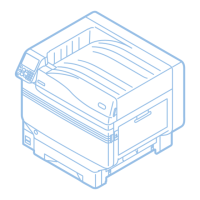
Intoprint SP1360S Specifications

General IconGeneral
BrandIntoprint
ModelSP1360S
CategoryPrinter
LanguageEnglish