IndexTroubleshooting
1
2
Maintenance
- 77 -
Replacing consumables and maintenance unit
Replacing waste toner boxes
Replacing waste toner boxes
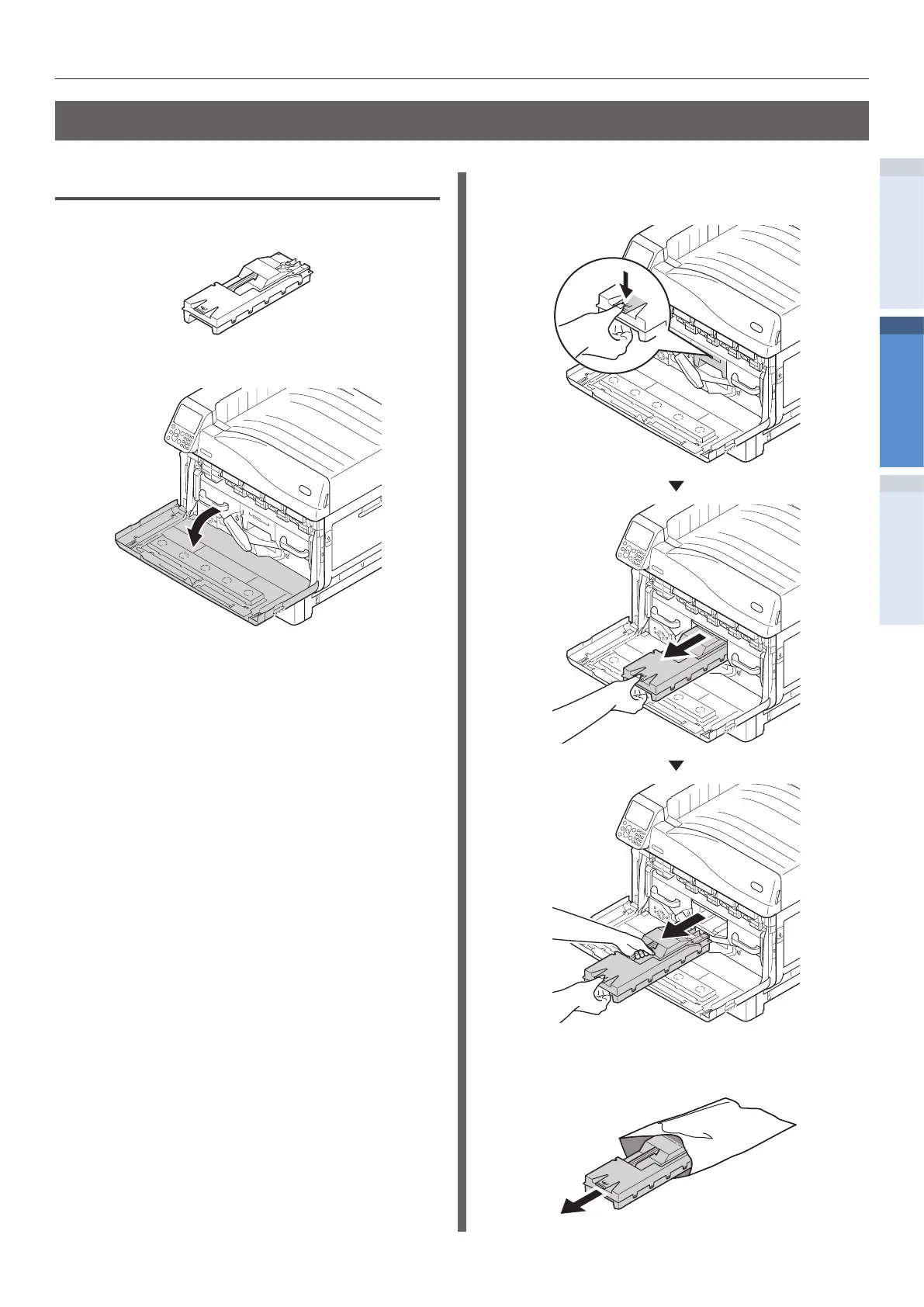
1
Prepare a new waste toner box.
2
Open the front cover.
3
Remove the waste toner box from the
printer.
4
Remove the new waste toner box from
its packaging.


 To Next Page