IndexTroubleshooting
1
2
Maintenance
- 75 -
Replacing consumables and maintenance unit
Replacing fuser units
Replacing fuser units
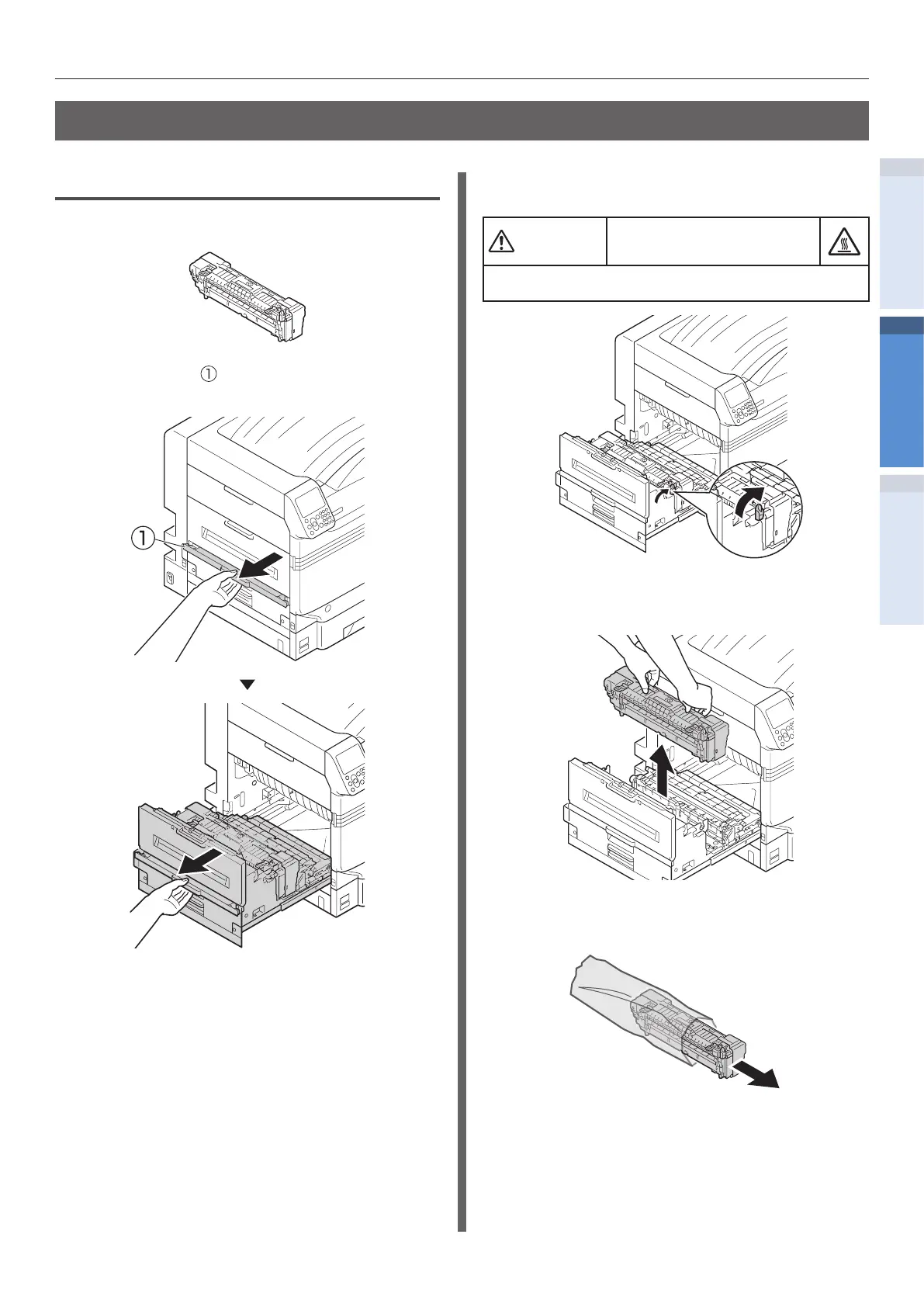
1
Prepare a new fuser unit.
2
Lift opener ( ) of the exit unit, and pull
out the exit unit.
3
Pull up the fuser unit's lock lever (blue).
Possible to get burned.
Do not touch the fuser unit because it is hot.
4
Hold the fuser unit's handle with both
hands and remove it.
5
Remove the new fuser unit from its
packaging.


 To Next Page