Device Maintenance
- 96 -
IndexTroubleshooting
1
2
Maintenance
Cleaning the Transfer Roller
Unit and Paper Transfer Path
If the front or rear edge of the output paper
becomes dirty frequently, clean the transfer
roller unit and paper transfer path.
Periodical cleaning prevents dirt and stains.
Note
z
Be careful not to touch sponge of the transfer roller unit
or damage the transfer roller unit.
z
Do not use water or such solvents as neutral detergent
and methyl alcohol. It may damage the transfer roller.
Please prepare a soft tissue paper
1
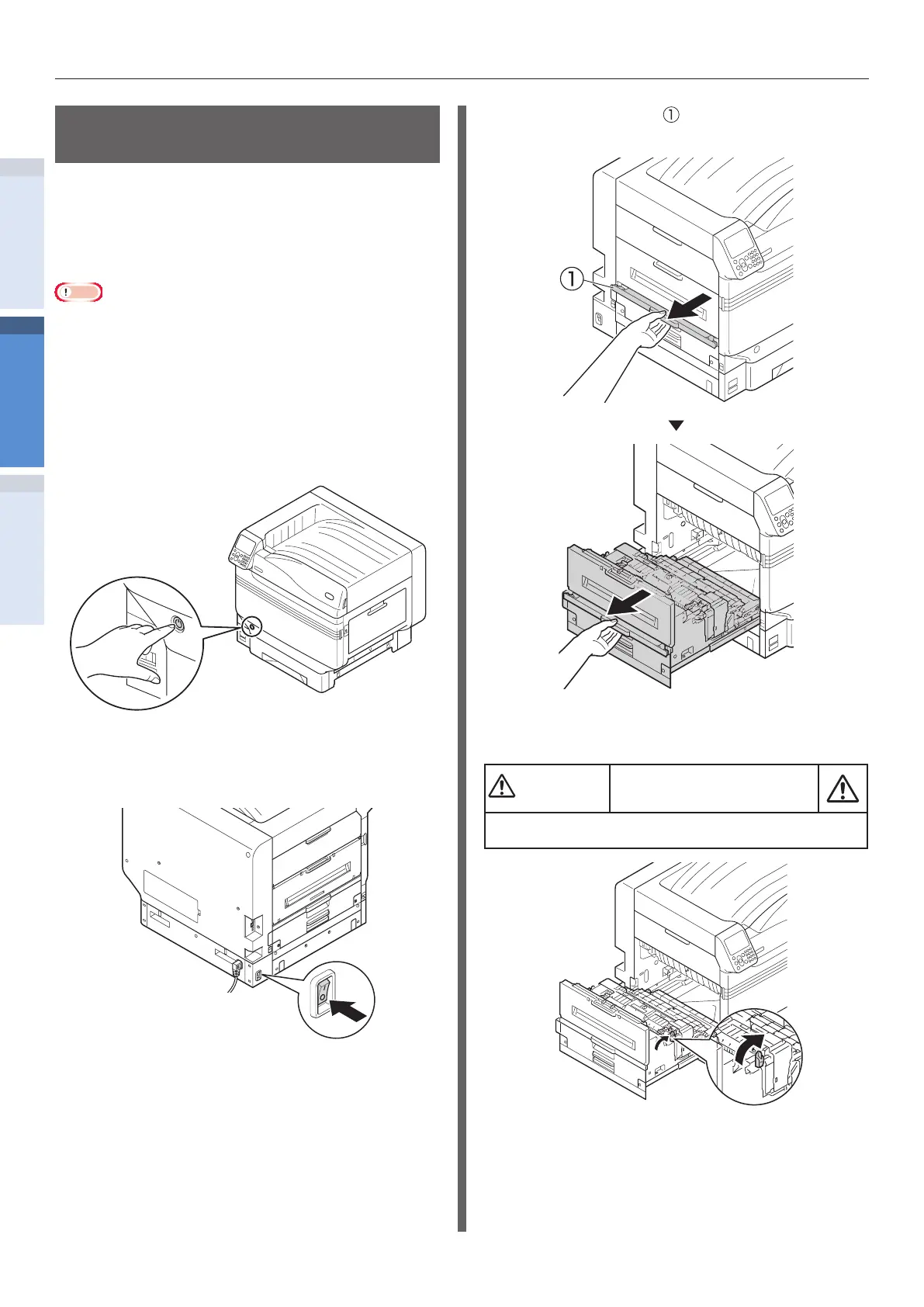
Press and hold the power switch for
about 1 second to turn o the power.
2
Check that the control panel has been
turned o completely, and then turn o
the main power.
3
Lift the opener ( ) of the exit unit, and
pull out the exit unit.
4
Raise the lock lever (blue) of the fuser
unit.
There is a risk of injury.
Do not touch the fuser unit because it is hot.


 To Next Page