Device Maintenance
- 95 -
IndexTroubleshooting
1
2
Maintenance
4
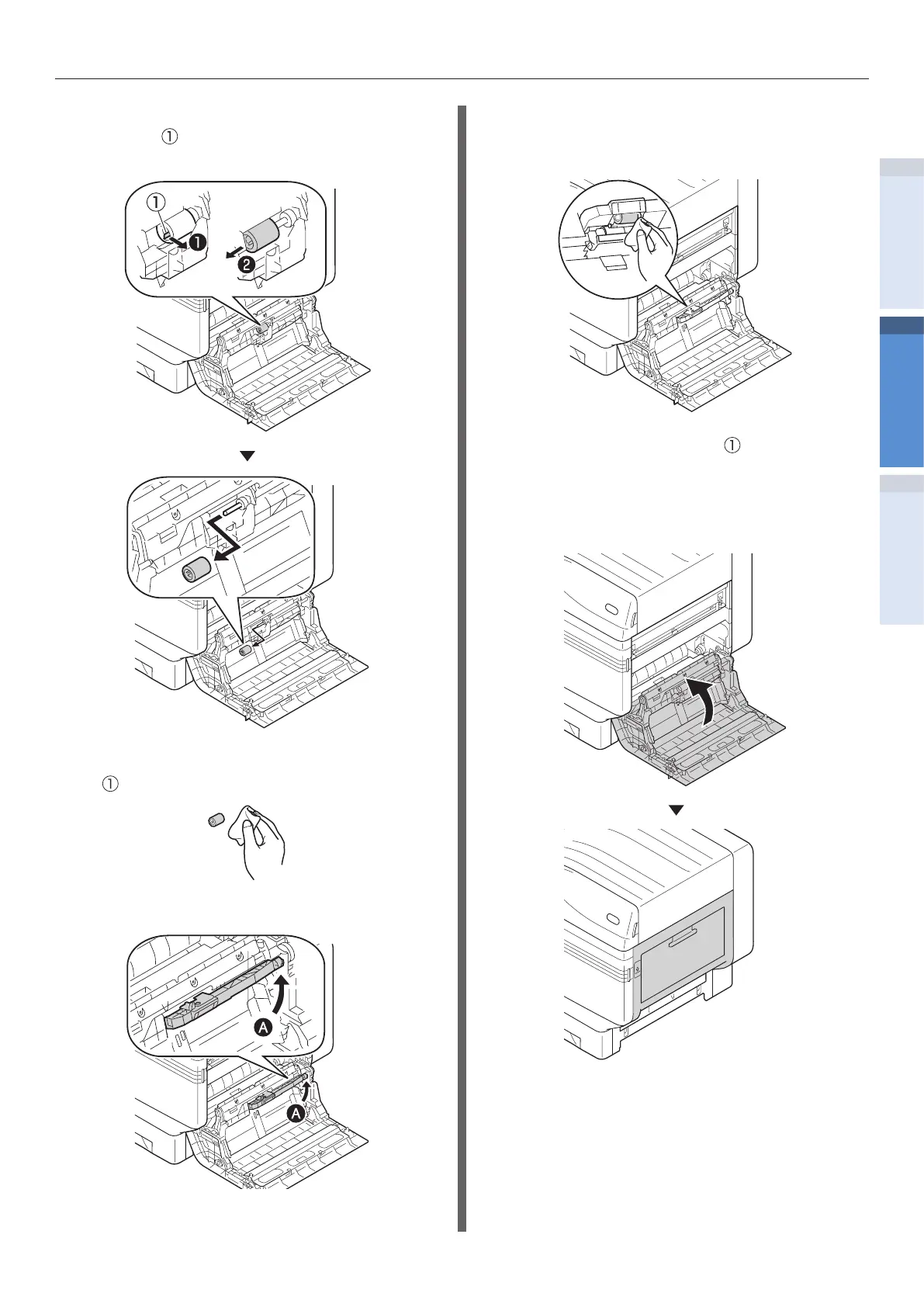
While expanding the claws of feed
rollers ( ) in outside direction, remove
them from the axial.
5
Wipe o the dirt on paper feed rollers
( ) with the moist soft cloth.
6
Lift Section A.
7
Wipe o the dirt on paper feed rollers (2
places) and on separator with the moist
soft cloth.
8
Insert the feed rollers ( ) in the axial,
and rmly insert up to inside while
rotating them.
9
Close the right side cover.
10
Switch on the main power supply, press
the power supply switch and start the
printer.


 To Next Page