Moving and shipping the device
- 101 -
IndexTroubleshooting
1
2
Maintenance
5
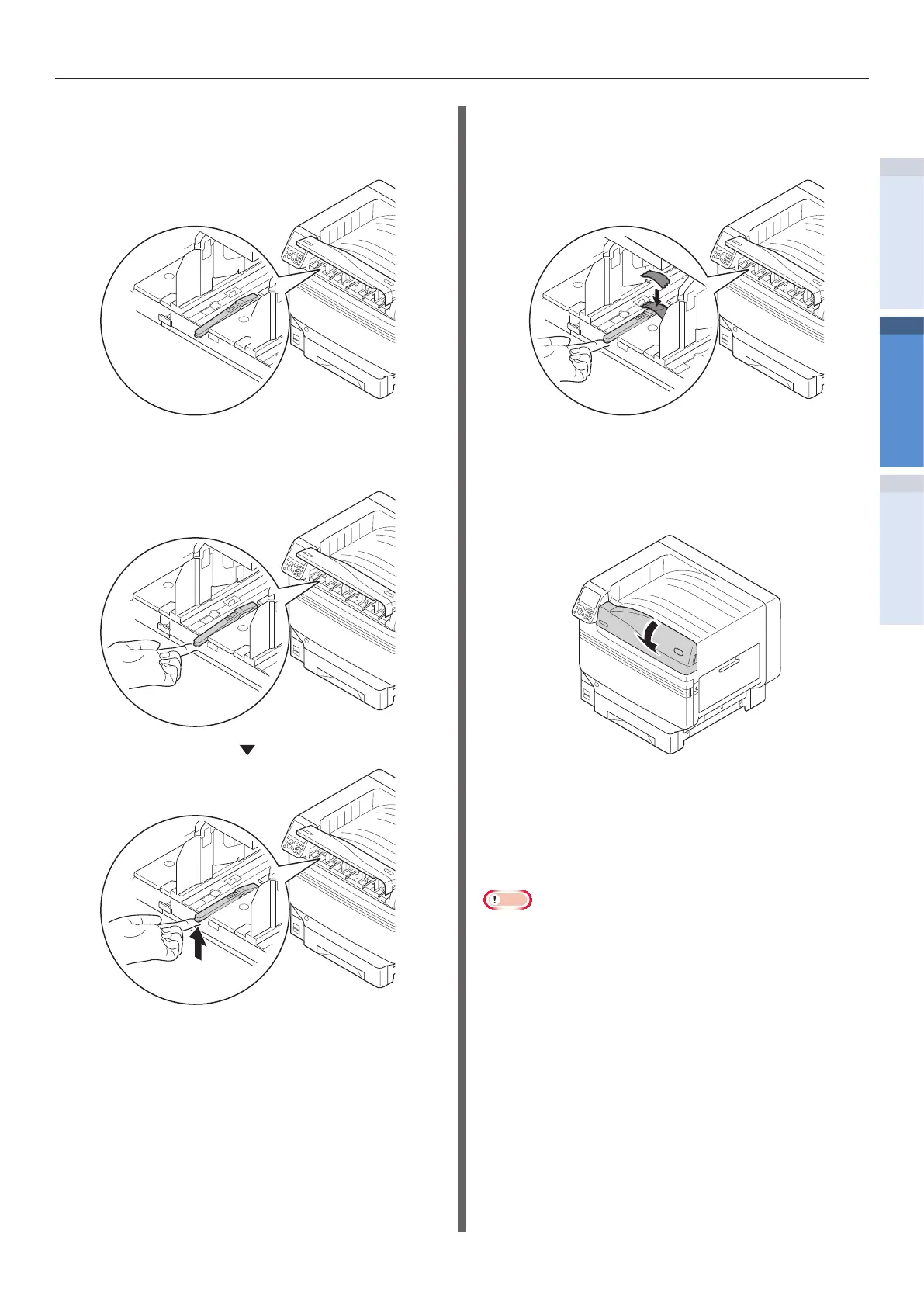
Check the toner cartridge detection
levers (four levers for SP1360, and ve
levers for SP1360S).
6
Raise the toner cartridge detection
levers.
7
Apply an adhesive tape to hold the
toner cartridge lever in the raised
condition.
8
Repeat Steps 5 and 6 for all toner
cartridge detection levers.
9
Close the toner replacement cover.
10
Lift the device with 4 people, place it in
the packing box, and x the printer.
11
Transport it.
Note
z
After the printer has been reinstalled, remove adhesive
tapes applied to the toner cartridge detection levers.


 To Next Page