- 17 -
Paper jams
Troubleshooting
1
2
IndexMaintenance
8
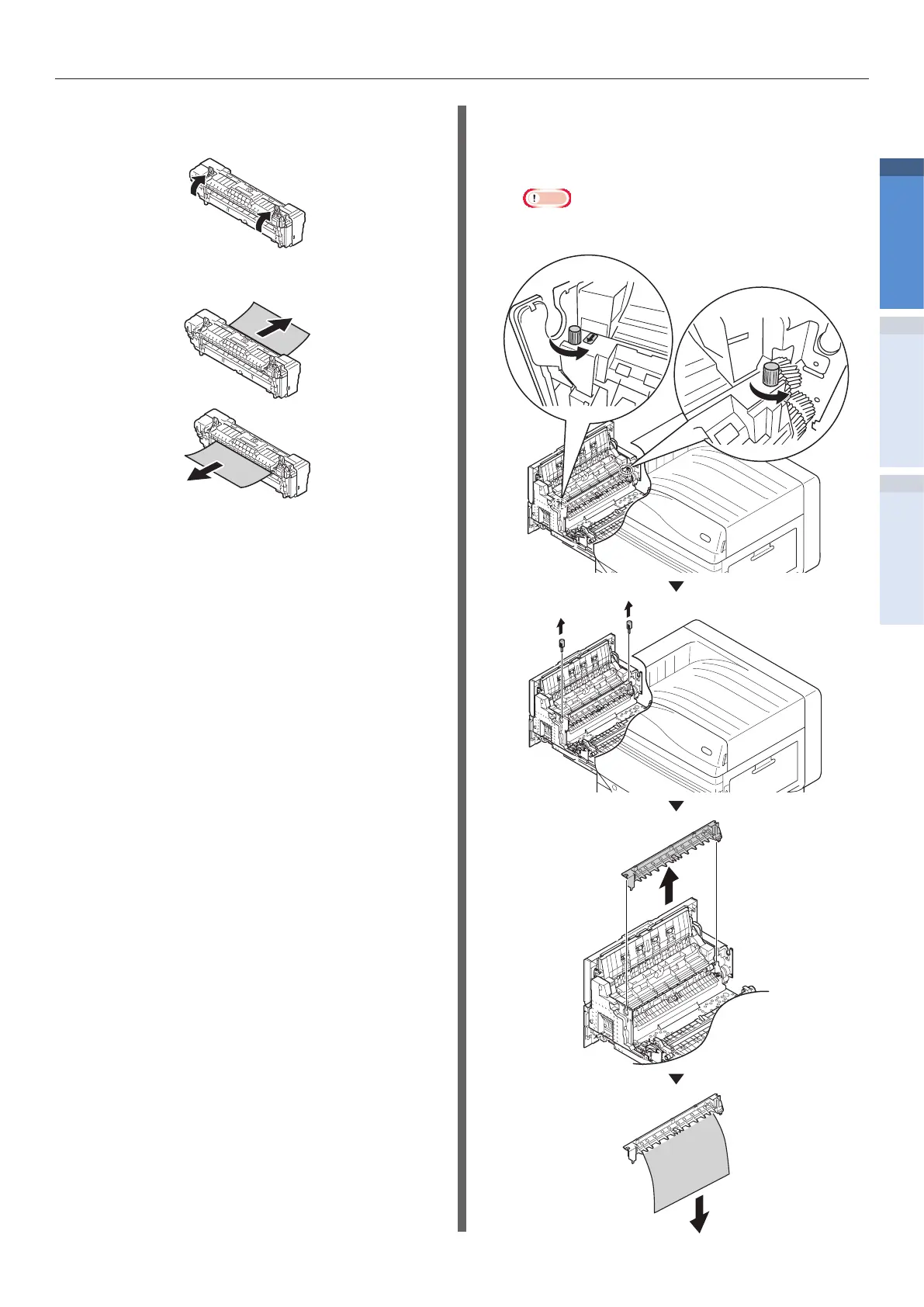
Raise the jam release lever of the fuser
unit.
9
Remove the remaining paper.
10
If the paper winds around the decal roller,
remove the decal unit by turning the
thumbscrews at both ends of the decal
unit to the left, and remove the paper.
Note
z
Be careful not to drop the thumbscrew into the
device when removing.


 To Next Page