IndexTroubleshooting
1
2
Maintenance
- 64 -
Replacing consumables and maintenance unit
Types of toner cartridge
Following toner cartridges can be used with this printer.
Item Remarks
Toner Cartridge Black
Toner Cartridge Yellow
Toner Cartridge Magenta
Toner Cartridge Cyan
Toner cartridge Spot Color White Only for SP1360W/SP1360S.
Can not be used in SP1360.
Toner cartridge Spot Color Clear Only for SP1360S.
Can not be used in SP1360/SP1360W.
Replacing Toner Cartridges
Example) In the case of Toner Cartridge Cyan (C)
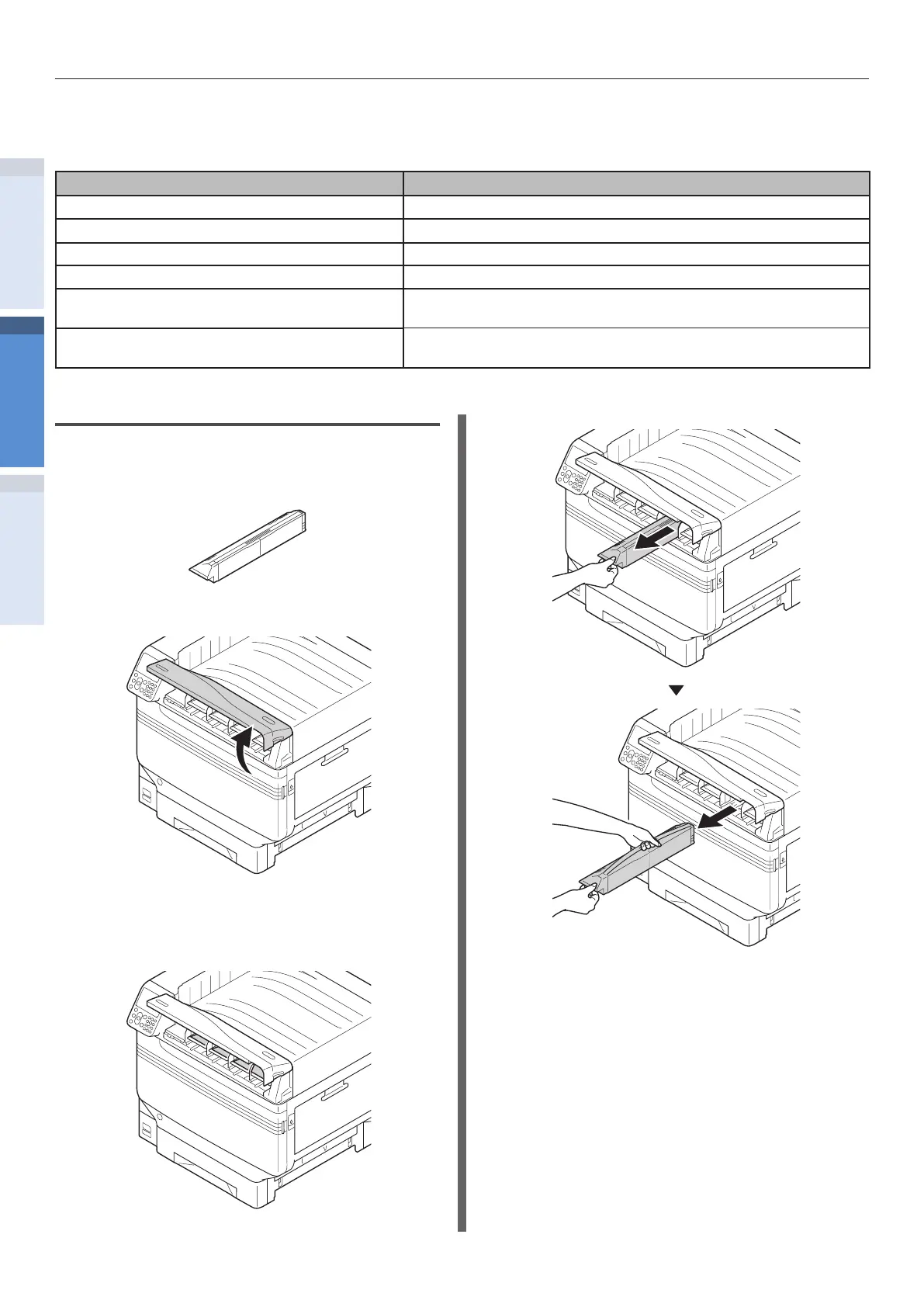
1
Prepare a new toner cartridge.
2
Open the toner replacement cover.
3
Check the position of toner cartridge to
be replaced, via the label letters and
color.
4
Remove the toner cartridge.


 To Next Page