EasyManua.ls Logo

Invacare LiNX DLX-REM211 - User Manual

Invacare LiNX DLX-REM211
40 pages
Print Icon
To Next Page IconTo Next Page
Loading...
InvacarLiNX
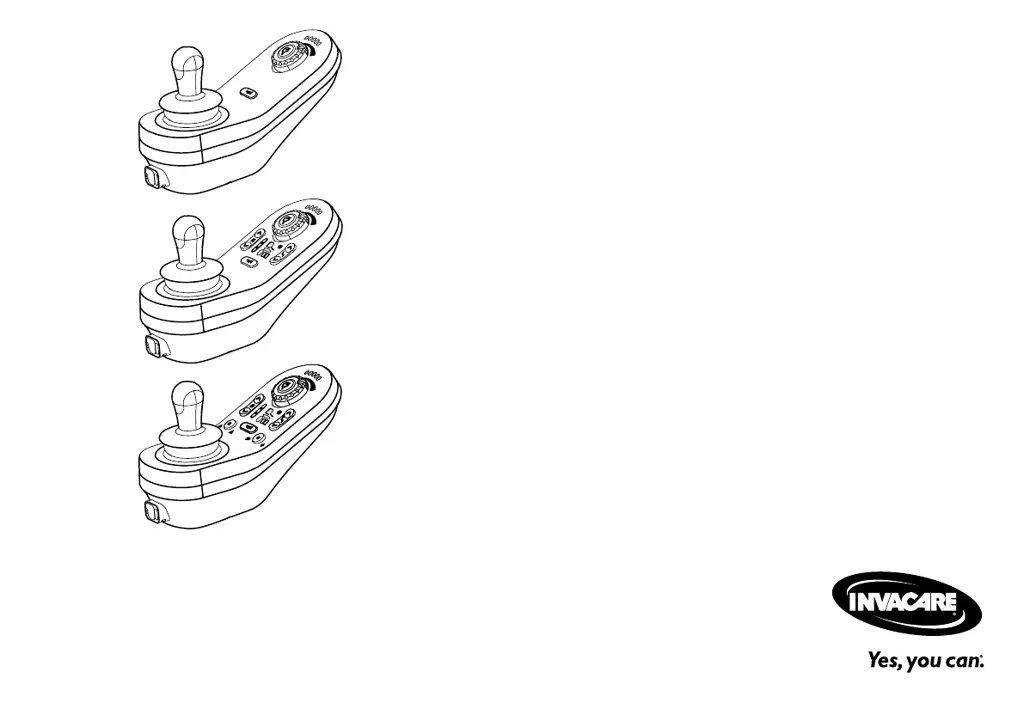
DLX-REM110,DLX-REM211,DLX-REM216
enRemote
UserManual
ThismanualMUSTbegiventotheuseroftheproduct.
BEFOREusingthisproduct,thismanualMUSTbereadandsavedfor
futurereference.

Questions and Answers

  • M
    Mary GarciaAug 20, 2025
    What to do if my Invacare LiNX DLX-REM211 status display is OFF?
    • E
      Emily ChandlerAug 20, 2025
      If the status display on your Invacare Remote Control is off, start by checking if the drive electronics system is powered up. Next, verify that all cables are correctly connected. Finally, ensure that the batteries are not discharged.
  • J
    Jacqueline DaviesAug 22, 2025
    What to do if my Invacare Remote Control displays a module fault (other than remote module)?
    • A
      Adam CarpenterAug 22, 2025
      If your Invacare Remote Control displays a module fault (other than the remote module itself), you should: * Check the cables and connectors. * Check the modules. * Recharge the batteries. * If the chair was stalled, reverse away or remove the obstacle.
  • B
    brandon15Aug 25, 2025
    What to do if my Invacare LiNX DLX-REM211 displays a network or configuration fault?
    • R
      robert86Aug 25, 2025
      If your Invacare Remote Control shows a network or configuration fault, begin by checking the cables and connectors. After that, recharge the batteries and check the charger.
  • M
    Marissa HernandezAug 26, 2025
    What to do if my Invacare LiNX DLX-REM211 Remote Control displays a Drive OON warning?
    • L
      Laura BraunAug 26, 2025
      If your Invacare Remote Control displays a Drive OON warning, return the joystick to the center position.
  • A
    aguilarericAug 27, 2025
    What to do if my Invacare LiNX DLX-REM211 Remote Control displays Motor 11 fault?
    • J
      John SwansonAug 28, 2025
      If your Invacare Remote Control displays a Motor 11 fault, check the cables and connectors.
  • B
    brandon79Aug 30, 2025
    What to do if my Invacare Remote Control displays Motor 21 fault?
    • J
      John BradleyAug 30, 2025
      If your Invacare Remote Control displays a Motor 21 fault, check the cables and connectors.
  • L
    lanesamanthaAug 31, 2025
    What to do if my Invacare LiNX DLX-REM211 displays a Left magnetic brake fault?
    • M
      Mr. Stanley FisherSep 1, 2025
      If your Invacare Remote Control indicates a left magnetic brake fault, check the cables and connectors. Also, verify that the left magnetic brake is engaged.
  • T
    Tyler SmithSep 3, 2025
    What to do if my Invacare LiNX DLX-REM211 Remote Control displays a Right magnetic brake fault?
    • M
      Michael RushSep 3, 2025
      If your Invacare Remote Control indicates a right magnetic brake fault, check the cables and connectors. Also, verify that the right magnetic brake is engaged.
  • R
    Richard HarperSep 5, 2025
    What to do if the Invacare Remote Control shows a network or configuration error?
    • N
      nortondeniseSep 5, 2025
      If you encounter a network or configuration error with your Invacare Remote Control, first check the cables and connectors to ensure they are properly connected. Then, try recharging the batteries and inspect the charger. If problems persist, it may be necessary to contact your provider.
  • E
    Erika LeeSep 7, 2025
    What should I do if my Invacare Remote Control displays 'Motor 11 error'?
    • S
      Stacy ShepherdSep 7, 2025
      If your Invacare Remote Control displays a 'Motor 11 error', start by checking the cables and connectors to ensure they are properly connected. If the issue persists, contact your provider.

Summary

Safety Precautions

General Safety Notes

Provides essential safety precautions for operating the device and avoiding hazards.

Setup and Installation

General Setup Information

Provides an overview of setup tasks intended for qualified technicians.

Wiring and Cable Management

Details procedures for safe and reliable cable installation and routing.

Connecting the Remote Module

Guides on how to properly connect the remote module to the system.

Usage and Operation

Operating the Remote and Joystick

Explains how to power the remote on/off and use the joystick for control.

Speed Control and Emergency Stop

Details adjusting maximum speed and performing an emergency stop.

Drive Function Activation

Explains how to switch between different drive functions.

Battery Charging and Alarms

Provides instructions for battery charging, charge states, and alarm conditions.

Troubleshooting

Fault Diagnosis and Codes

Guides on diagnosing system faults using fault codes and indicators.

Invacare LiNX DLX-REM211 Specifications

General IconGeneral
TypeRemote Control
CompatibilityInvacare LiNX power wheelchairs
DisplayLCD
FunctionControl power wheelchair functions
ConnectionWireless
Battery TypeLithium-ion
WeightApproximately 200 grams
ButtonsMultiple function buttons

Related product manuals