6 ARMS
Part No 1110546 39 Invacare
®
Tracer™ EX2 Wheelchair
6 Arms
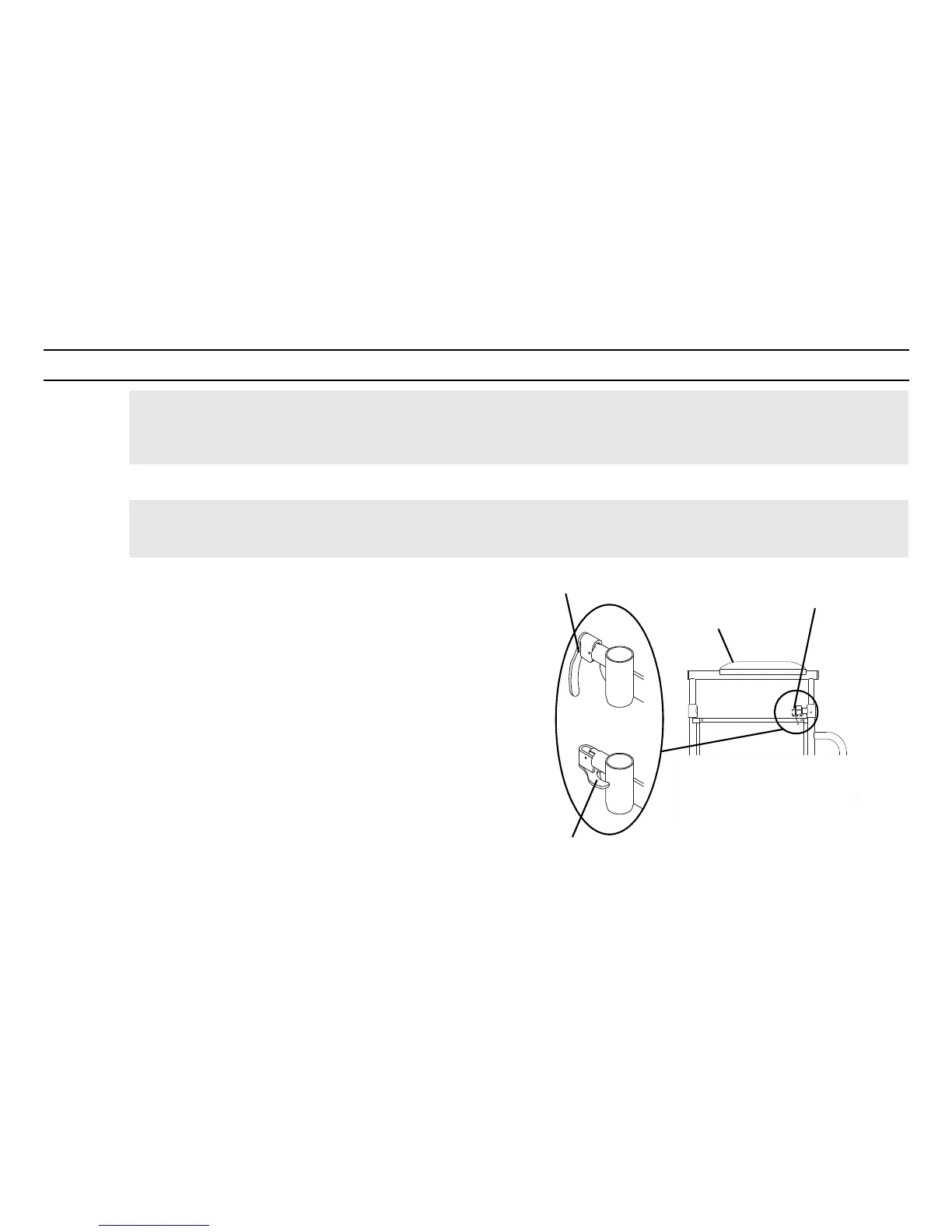
6.1 Adjusting Armrest Height
1. Unlock the armrest by flipping the height adjustment lever on the
top front of the armrest to the up (horizontal) position.
2. Adjust the armrest to one of five positions.
3. Lock the armrest by pressing the height adjustment lever into the
down (vertical) position when the desired armrest height is
achieved.
4. Repeat STEPS 1-3 for the other armrest.
FIGURE1 Adjusting Armrest Height
WARNING
After any adjustments, repair or service and before use, make sure all attaching hardware is tightened securely - otherwise
injury or damage may occur.
WARNING
Make sure the height adjustment lever is in the locked position before using the wheelchair.
Height adjustment lever MUST be in the unlocked
position when placing armrest into the arm assembly.





 To Next Page