10 ANTI-TIPPERS/WHEEL LOCKS
Invacare
®
Tracer™ EX2 Wheelchair 52 Part No 1110546
Installing Anti-Tippers
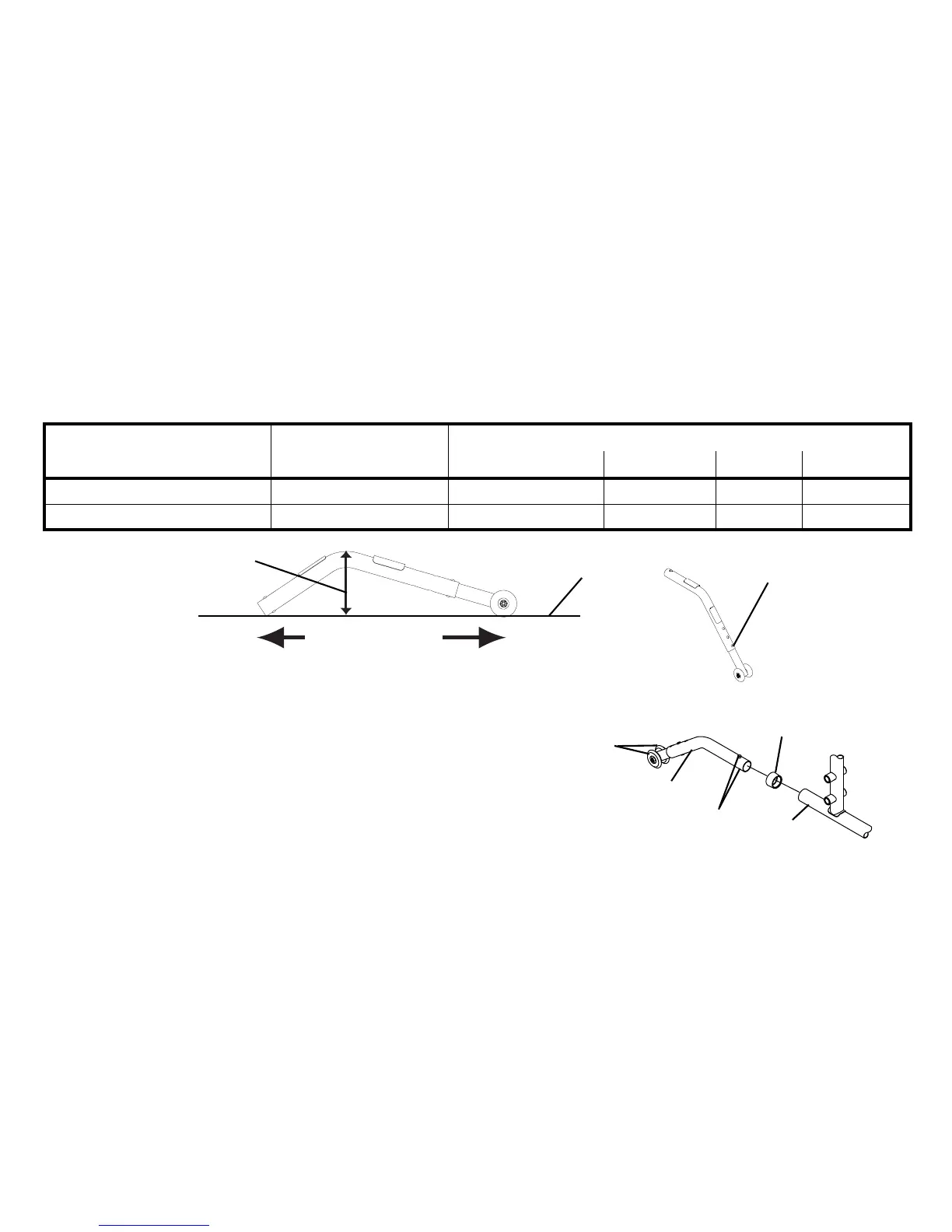
FIGURE1 Installing Anti-Tippers - Anti-Tipper Length
1. Press the release buttons and insert the anti-tippers with the anti-
tipper wheels pointing toward the ground/floor into the wheelchair
frame tubing.
2. Ensure that the release button of the anti-tipper fully protrudes out
of the hole in the bottom of the wheelchair frame tubing.
3. Place the wheelchair on a flat surface.
4. Measure the distance between the bottom of the anti-tipper wheels
and the ground/floor.
FIGURE2 Installing Anti-Tippers
To ensure the correct model anti-tipper is used refer to chart below. Measurements for anti-tippers are approximate and are taken with
extension tube in bottom hole position.
WHEELCHAIR MODEL SEAT-TO-FLOOR
HEIGHT IN INCHES
ANTI-TIPPER (MEASUREMENTS IN INCHES)
LENGTH HEIGHT MODEL PART NO.
TRACER EX2 17½ to 19½ 13½ 3¼ 1360 1058836
TRACER EX2 FF 21 12 2¾ 9758 1086190











 To Next Page