English • 39
saved records
7
After finishing a measurement the appliance will save the result automatically. The max. number of saved measurements is 60. If this is
exceeded, it will automatically delete the oldest measurement so that the new measurement can be saved. To recall the saved records,
follow the steps below.
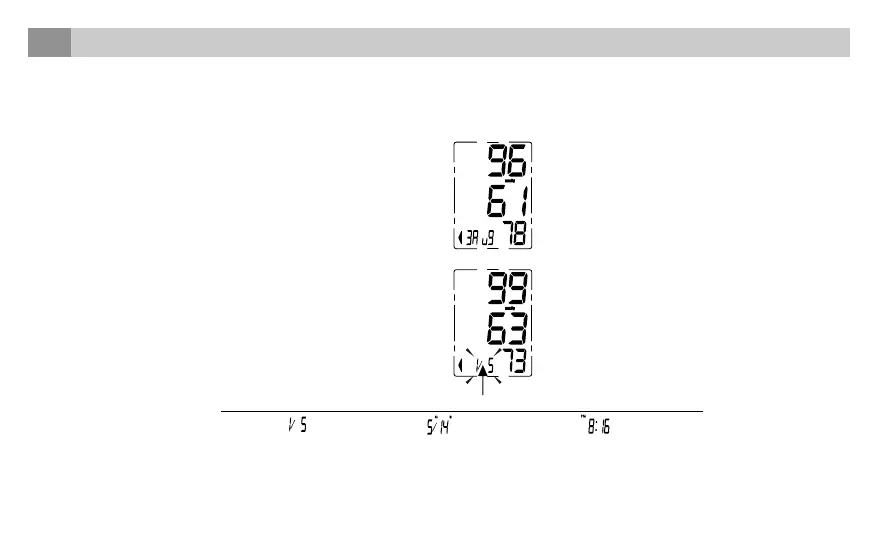
1. When the monitor is off, press the “MEM” button to show the
average value of the latest three measurement records.
2. Press the “MEM” button again, and it will display the latest
measurement result, date and time. Press the “MEM” button again,
it will display the next record, and so on. During the process of
displaying the results, if there is no operation, the blood pressure
monitor will turn off in one minute. Or you can press the “START/
STOP” button to turn it off.
It means the total
records is 5, the
current number is
number 1.
The corresponding
date is 14 May.
The corresponding
time is 8:16 PM.
The record number, date and time will display alternately.



 To Next Page